Digital Signage With an MCP Server
What to check before buying digital signage an AI agent can run: API parity, an MCP server, annotated tools, and keys you can scope.
If you are looking for a digital signage platform an AI agent can operate, the question is not whether the vendor has an API. Almost all of them do. The question is whether the API covers what the dashboard covers, and whether there is a Model Context Protocol server in front of it so an assistant can use it without someone writing an integration first.
This is what to check, and what Brix answers.
Does the API do everything the interface does
Ask for the list. On most platforms the API is a subset: it can create content but not schedule it, or read screens but not reboot one. You find the gap after you have built against it.
Brix holds a rule that anything the interface can do, the API and the MCP server can do too. It is enforced by tests that fail the build when a new feature ships to the dashboard without reaching the API, rather than by a promise on a marketing page.
Is there an MCP server, or just an API
An API needs somebody to write code against it. An MCP server is the layer that lets an assistant discover the tools and call them itself, with no integration work.
Brix exposes 42 MCP tools. They cover screens, playlists, schedules, media, organisation structure, approvals, alerts, casting, proof of play and the audit log.
Are the tools annotated
This is the detail that separates a working setup from an alarming one. Each MCP tool should declare three things: whether it only reads, whether it may change something that already exists, and whether it touches anything outside your own data.
Without those declarations an assistant cannot tell "list my screens" apart from "take over every screen with an emergency message". It will either ask permission for everything, which is useless, or for nothing, which is worse.
Every Brix tool declares all three. Three tools are marked as reaching outside your workspace, and they are the three that genuinely do: importing media from a URL you supply, and the two that pull from your own point-of-sale or data feed.
Can you scope a key
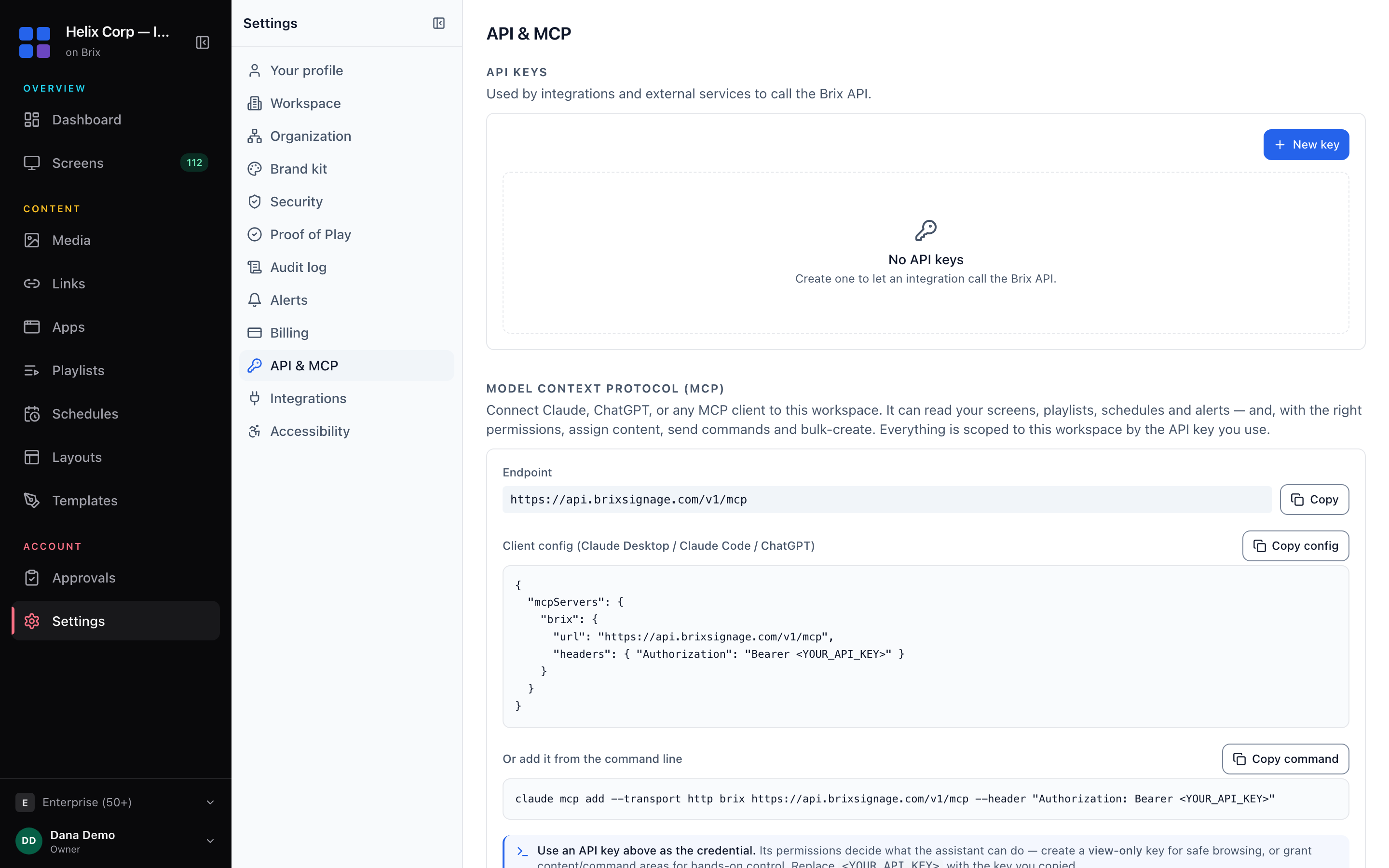
An API key should not be all or nothing. In Brix a key is scoped to specific locations and specific permissions, so you can give an assistant read access to one region and nothing more. Set this up in Settings, then API and MCP — see API keys and integrations.
What it costs
On many platforms API access is the feature that moves you to a higher tier. Brix includes the API and the MCP server on every plan at $6 per screen per month, with no per-call charge. If you are comparing, check what each vendor gates behind which tier.
Why an agent-operable platform is worth having
The practical case is not automation for its own sake. It is that the person responsible for the screens is usually not the person who was trained on the dashboard. A district manager, a duty manager, a franchise owner. Being able to ask a question in plain words and get a real answer about real screens removes the training step.
The second case is the boring one that matters more: reporting. Proof of play, uptime, which content ran where. These are questions people ask monthly and answer by hand. An assistant with read access answers them in a sentence.
Try it
Read Control your digital signage from Claude or ChatGPT for the setup walkthrough, or start with a read-only key and ask which of your screens are offline.
Ready to get started?
Open Brix Portal