- Every feature — no tiers, no add-ons
- Scheduling, playlists, multi-zone layouts
- Remote Reboot — fix any screen from your desk
- Proof-of-play analytics
- Canva integration
- US-based support
- Simple annual invoice
- 7-day free trial, no credit card
Professional Signage.
Just $6/month.
The easiest cloud signage software. Every feature included. No upsells. No hidden fees.
7-day free trial · No credit card required · Live in under 2 minutes
From unboxed to live in
under 2 minutes.
Connect any media player to your display — Amazon Signage Stick, Android device, Windows PC, or Smart TV.
Open the Brix app on your device. A pairing code appears on screen.
Enter the code in your Brix dashboard. Screen activates — content goes live.
Schedule, update, and reboot every screen from your desk. No physical access needed.
One plan. Every feature. No upsell maze.
Every plan includes the full CMS. No feature tiers. No surprise add-ons. No "contact sales" trap.
The full platform. On every plan.
No gating, no add-ons. Every feature below ships with your $6/month subscription.
- Remote reboot — single or bulk
- Tag screens for easy grouping
- Push content to many displays at once
- One-click content swaps
- Live "what's playing" snapshot
- Schedule screen ON/OFF times
- Images, video, docs, HTML & web URLs
- Per-asset expiry (auto-removes)
- Bulk-add media to multiple playlists
- Folder-based organisation
- Quick "replace media" function
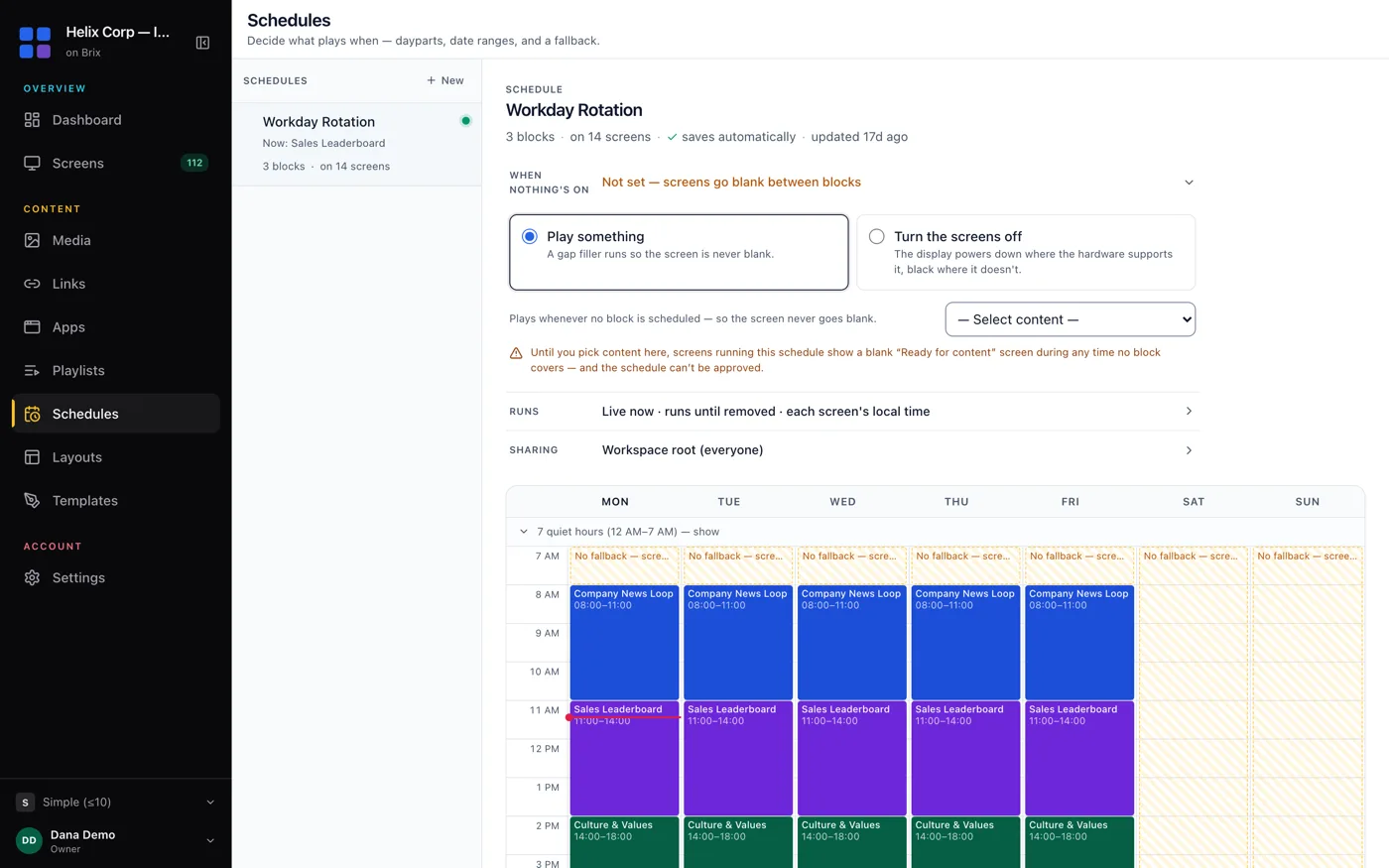
- Calendar with drag-and-drop events
- Once, daily, weekly, monthly, yearly
- Multiple events per day
- Optional hard end-date
- Default playlist fills any gaps
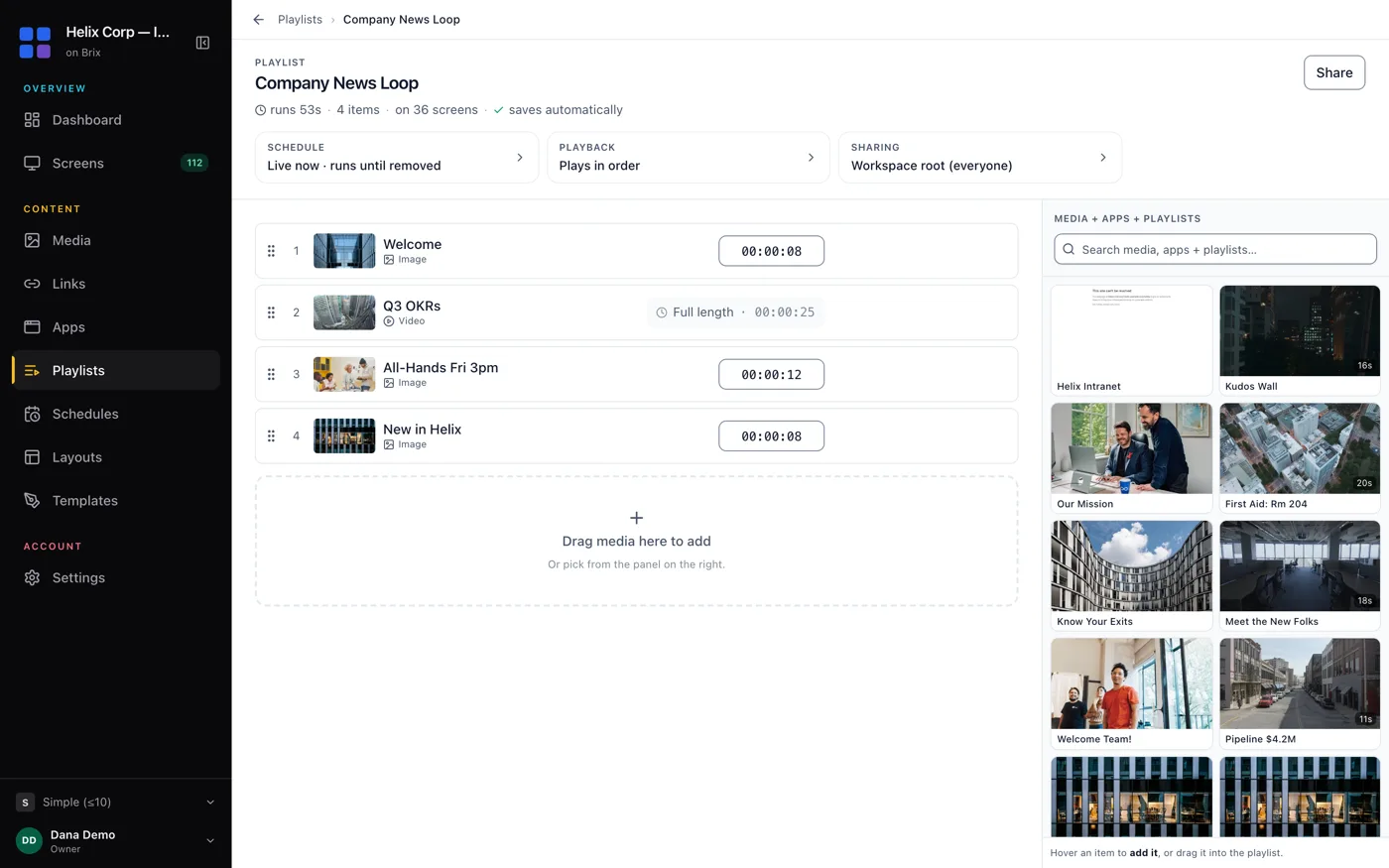
- Drag-and-drop reorder or add items
- Upload new files while editing
- Preview before publishing
- Copy & tweak existing playlists
- See which screens a change will impact
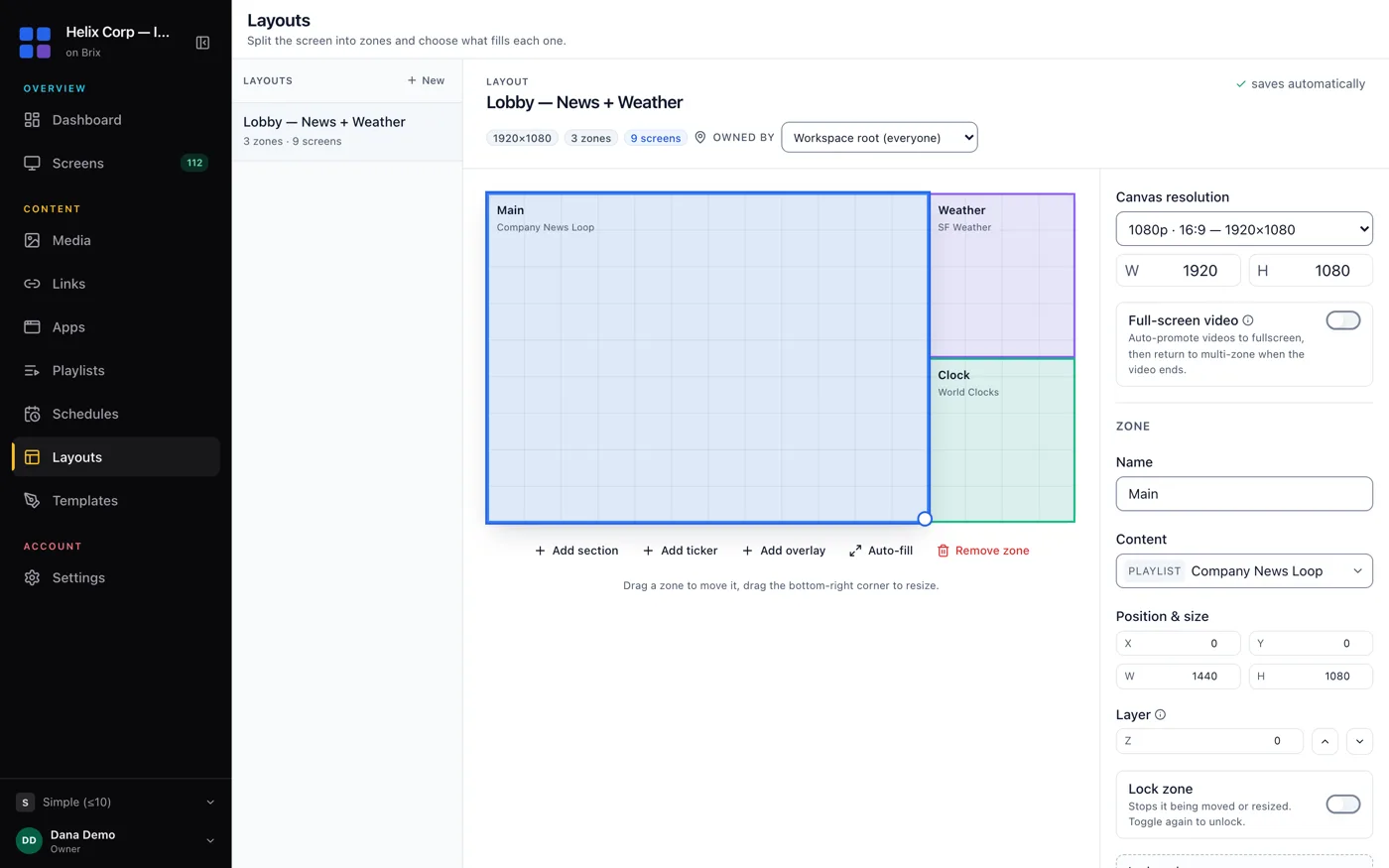
- Split display into any number of zones
- Preset layouts or design your own
- News, weather, social, time & date widgets
- Built-in Canva app — design and push
- Proof-of-play reports (HTML or CSV)
- Offline playback support
- Multi-user roles & permissions
- Secure screen-lock mode
- Open APIs for custom integrations
Want a walkthrough before you start?
Book a quick call and we'll show you how Brix handles content scheduling, device management, multi-location rollouts, and more.
What people ask before they click start.
Is this complicated to set up?
No. Install the Brix app on your device, enter a pairing code, upload your content — you're live. Most people are up and running in under 2 minutes. No IT experience needed.
Am I missing features by going cheaper?
No. Scheduling, multi-zone, remote reboot, and analytics are all included on the base plan. Competitors charge $20–50/month and lock those behind higher tiers.
What if I don't like it?
The 7-day trial needs no credit card. After that, cancel anytime with no penalty. Annual billing saves the most but is never required.
Does this scale to multiple screens?
Yes — flat per-screen pricing whether you have 1 or 100. Group by tag, push content to all at once, monitor status, reboot remotely. Built for multi-location from the start.
Can staff mess with the screen?
Compatible devices support kiosk and lock-down modes. Only dashboard users can change content — staff can't interfere with the playlist.
What if something goes wrong?
Reboot any screen remotely from your dashboard — no physical access needed. US-based support with fast response times, not a ticket queue.
Works with the hardware
you already own.
Brix runs on all the major signage hardware platforms. Mix and match across locations, switch hardware later — your CMS stays the same.
Amazon Signage Stick
Purpose-built for digital signage. Locks into dedicated signage mode — staff can't interfere. Plugs into any HDMI display.
Buy on Amazon Setup GuideAndroid Devices
Any Android TV box, tablet, or phone. Wide compatibility with existing or low-cost hardware.
Browse optionsWindows PC
Mini PCs, sticks, or existing computers. Maximum flexibility and performance for complex layouts.
Browse options
Android TV OS
*On compatible Smart TVs and media players with Google TV or Android TV OS. No extra hardware needed.
Browse options
Samsung Tizen
*With a compatible Samsung commercial display. Built-in SoC — no separate media player required.
Browse optionsLG WebOS
*With a compatible LG commercial display. Native app integration for LG's business screen range.
Browse optionsOne Brix account manages all your screens — regardless of what hardware each one runs.
Start publishing to your screens today.
Fast to launch, easy to use, and priced to make sense. Get started with a free trial — no credit card required.