No one platform is best for everyone. Review lists such as G2's put Yodeck first for small businesses, for its free screen and wide hardware support. Once you need user roles, content approval and proof of play, Brix is the lowest price: $6 per screen per month billed annually, or $720 a year for 10 screens. By what you run:
- The lowest price with roles, approval and proof of play: Brix, $6 per screen per month billed annually, or $8 billed monthly. Every feature, including the API, is on one plan.
- A free screen from an established vendor: Yodeck (1 screen free forever).
- A large app library and interactive kiosks: OptiSigns.
- Apple TV: Kitcast.
- Internal communications in large companies: ScreenCloud.
- Data dashboards and video walls on mixed hardware: TelemetryTV.
- K-12 schools: Rise Vision.
- Simple screens at the lowest entry price: Juuno ($5).
- Free, with no per-screen charge: AbleSign.
- One free screen and players on almost any hardware: Play Digital Signage.
- Open source that you host yourself: Xibo.
- An API on every plan: Brix, Screenly and ScreenCloud.
- SAML single sign-on and a SOC 2 report: OptiSigns, ScreenCloud, Screenly or Rise Vision. Brix has neither.
Brix wrote this page. We opened trial accounts on the main platforms, read every plan table, and judge each one, Brix included, by the same criteria. We say where another platform is the better choice.
Which one for your number of screens
- 1 screen: a free plan. Yodeck (1 screen free forever), Play Digital Signage (first screen free) or AbleSign (free, 500 MB of storage).
- 2 to 10 screens, one person editing: the lowest entry price per screen. Juuno ($5), Brix ($6 billed annually), Kitcast ($7 billed annually) or Play Digital Signage ($7.20 billed annually).
- 10 to 50 screens, several people or sites: price the plan with roles, approval and proof of play. For 10 screens a year: Brix $720, Yodeck Premium $1,440, ScreenCloud Pro $3,600.
- 50 or more screens: the per-screen team-features price does not change on Brix at any screen count. Amazon provides Signage Sticks free for rollouts of 30 or more screens.
- Schools: Rise Vision K-12.
Compare digital signage software prices at a glance
List prices per screen per month, read from a screenshot of each vendor's own pricing page. "Team features" means user roles, content approval and a proof-of-play report: the three things most multi-site buyers need, and the ones vendors most often put on a higher tier.
| Platform | Entry price (annual / monthly) | Price with team features | Free plan or trial | Best for |
|---|---|---|---|---|
| Brix | $6 / $8 | $6 / $8 (one plan) | 7-day trial, no card | 1 screen to thousands, one plan |
| Kitcast | $7 / $9 | $10 / $14 (Pro) | 14-day trial | Apple TV |
| Yodeck | $8 / $8 | $12 (Premium), approval by role; custom roles $16 | 1 screen free forever | A free screen, wide hardware support |
| OptiSigns | $9 / $10 | $13.50 / $15 (Pro Plus) | 3 screens free (logo on screen) | App library, kiosks |
| Play Digital Signage | $7.20 / $8 | $14.40 / $16 (Ultimate); approval by publish permission from Pro | 1 screen free | Almost any player |
| TelemetryTV | $8 / $9 | Approval $13 / $15 (Core); proof-of-play export $16 annual (Elite, 10+ devices) | 30-day trial | Dashboards, video walls |
| NoviSign | $14 / $16 | $25 / $28 (Premium) | 30-day trial | Data feeds, touch screens |
| ScreenCloud | $20 / $24 | $30 / $36 (Pro), approval by role | 14-day trial, 5 screens | Internal comms in large companies |
| Fugo | $20 / $24 | $40 annual (Enterprise) | 14-day trial | Sign-in-protected dashboards on office TVs |
| Rise Vision | $11 / $12 (business) | Approval on Enterprise, $164 per display per year (K-12) | 14-day trial | K-12 schools |
| Screenly | $15 / $17 | No approval step or proof of play | 14-day trial | Security-first, developer teams |
| Juuno | $5 (1 month free yearly) | Proof of play on Growth, $9; advanced roles listed as coming | 7-day trial | Simple screens in small sites |
| AbleSign | Free (500 MB) | Proof of play free; 100 GB storage $9.99 a month | Free | Very simple needs, no support contract |
| Xibo | £3.50 per display (hosted) | SAML on Business, £5.50 | 14-day trial; open source to self-host | Self-hosting, open source |
Xibo prices its plans in pounds. Appspace and Poppulo publish no prices: you get a quote after a demo.
What 10 screens cost for a year with team features
List prices, billed annually, on the cheapest plan that holds roles, approval and proof of play:
- Brix: $720.
- Kitcast Pro: $1,200.
- Yodeck Premium: $1,440 (approval by role; custom roles need Enterprise, $1,920).
- OptiSigns Pro Plus: $1,620.
- Play Digital Signage Ultimate: $1,728 (the price falls as you add screens).
- TelemetryTV Elite: $1,920 (Elite needs 10 devices; Core, $1,560, has approval but no proof-of-play export).
- NoviSign Premium: $3,000.
- ScreenCloud Pro: $3,600 (approval by role).
- Fugo Enterprise: $4,800.
Not on the list:
- Rise Vision: approval on Enterprise ($1,640 a year for 10 school displays), but no proof-of-play report, only a live screenshot of each display.
- Screenly: no approval step or proof of play on any plan.
- Juuno: proof of play on Growth ($1,080 a year at the monthly price), but advanced roles are listed as in development.
For what these plans cost at your screen count, see cheap digital signage software. For the full budget with players, mounts and installation, see how much digital signage costs.
How we tested them
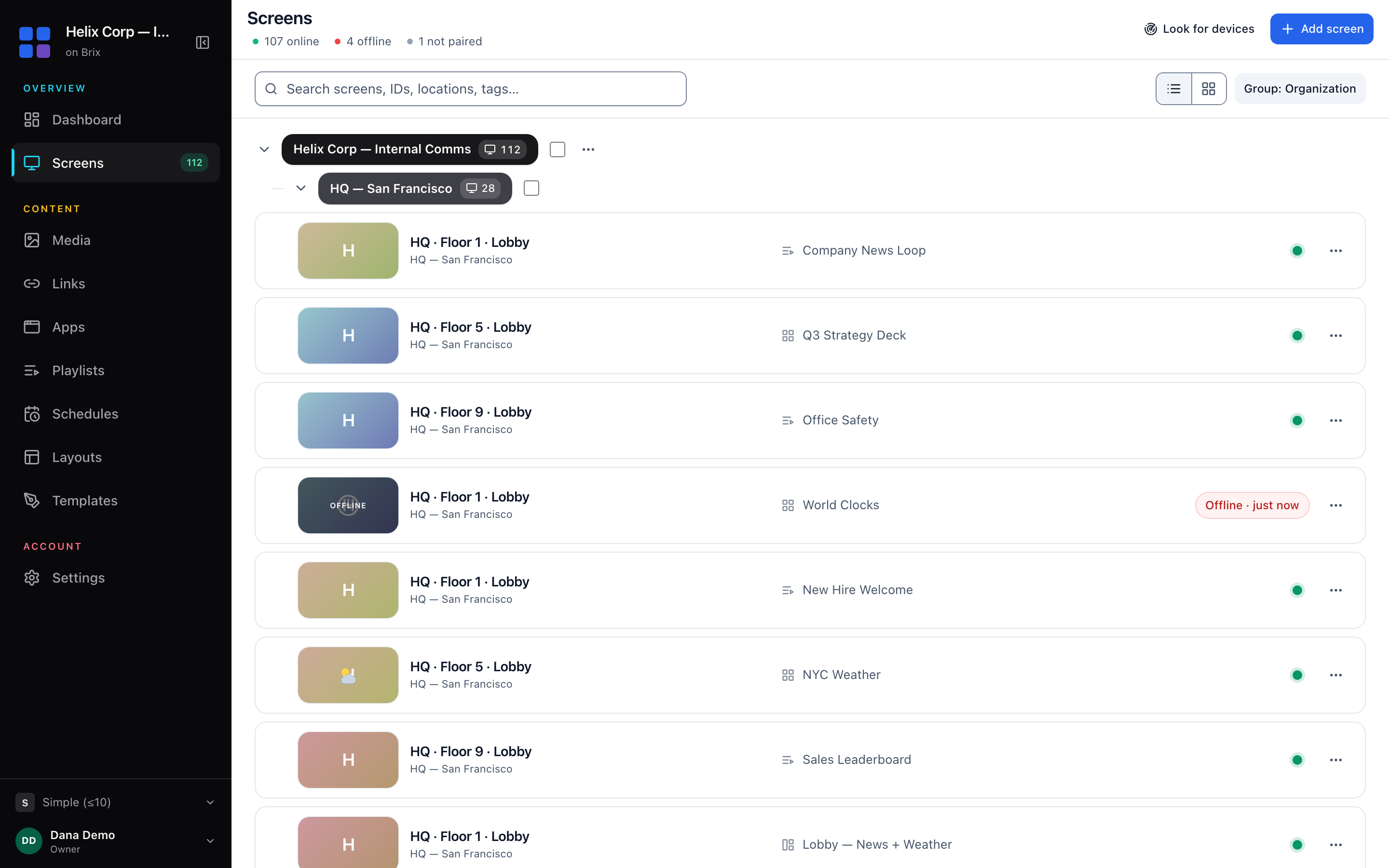
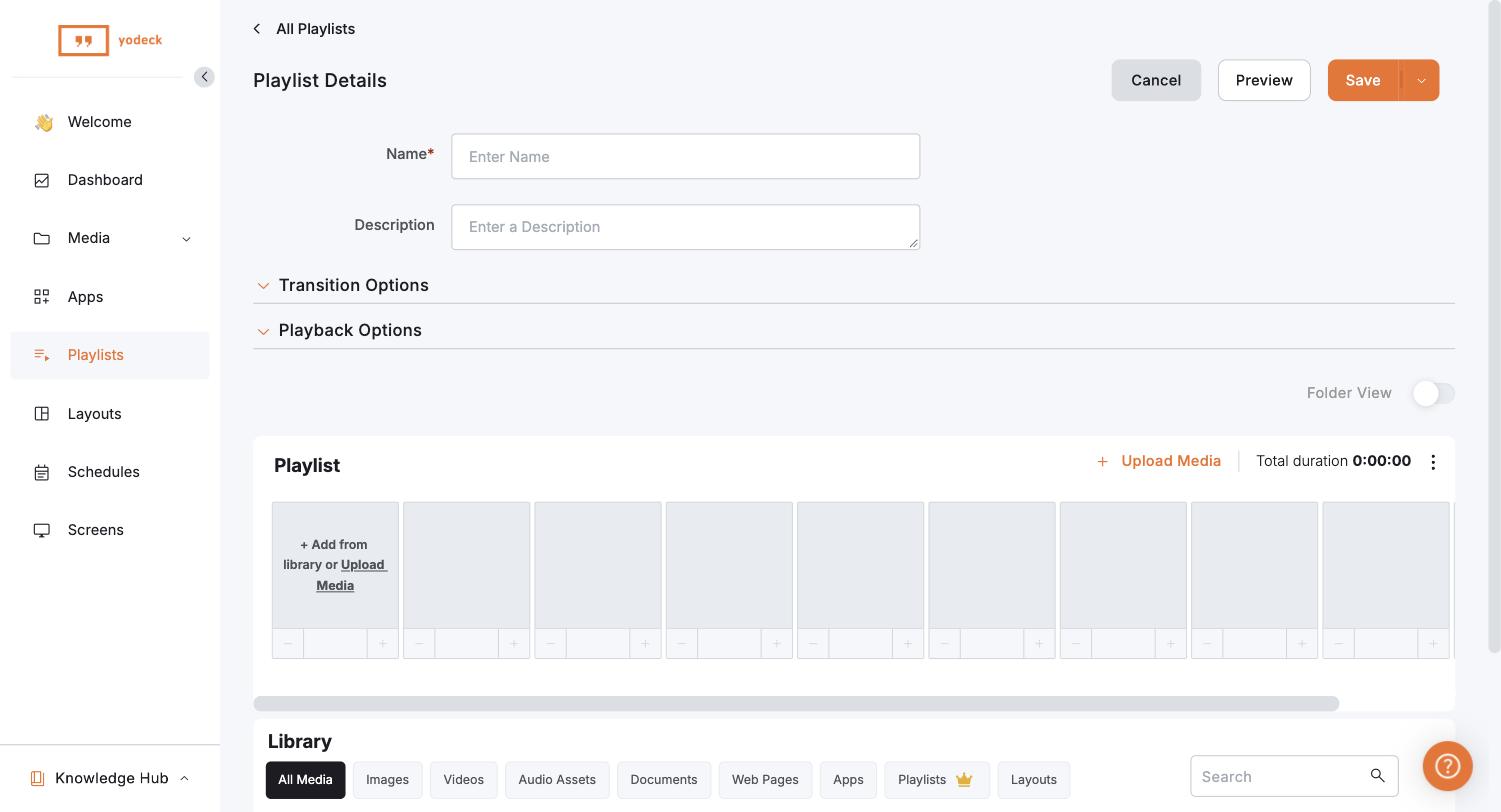
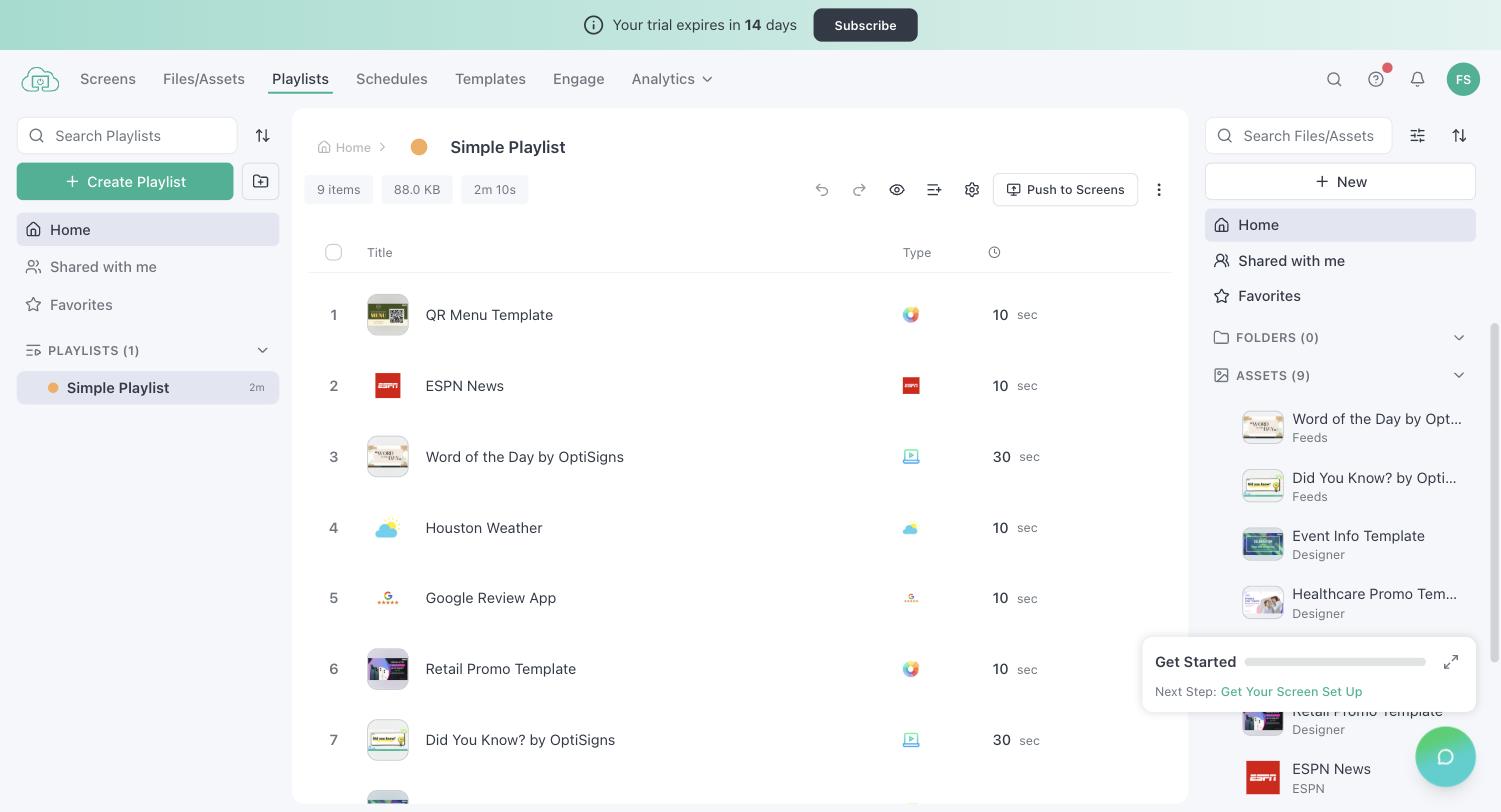
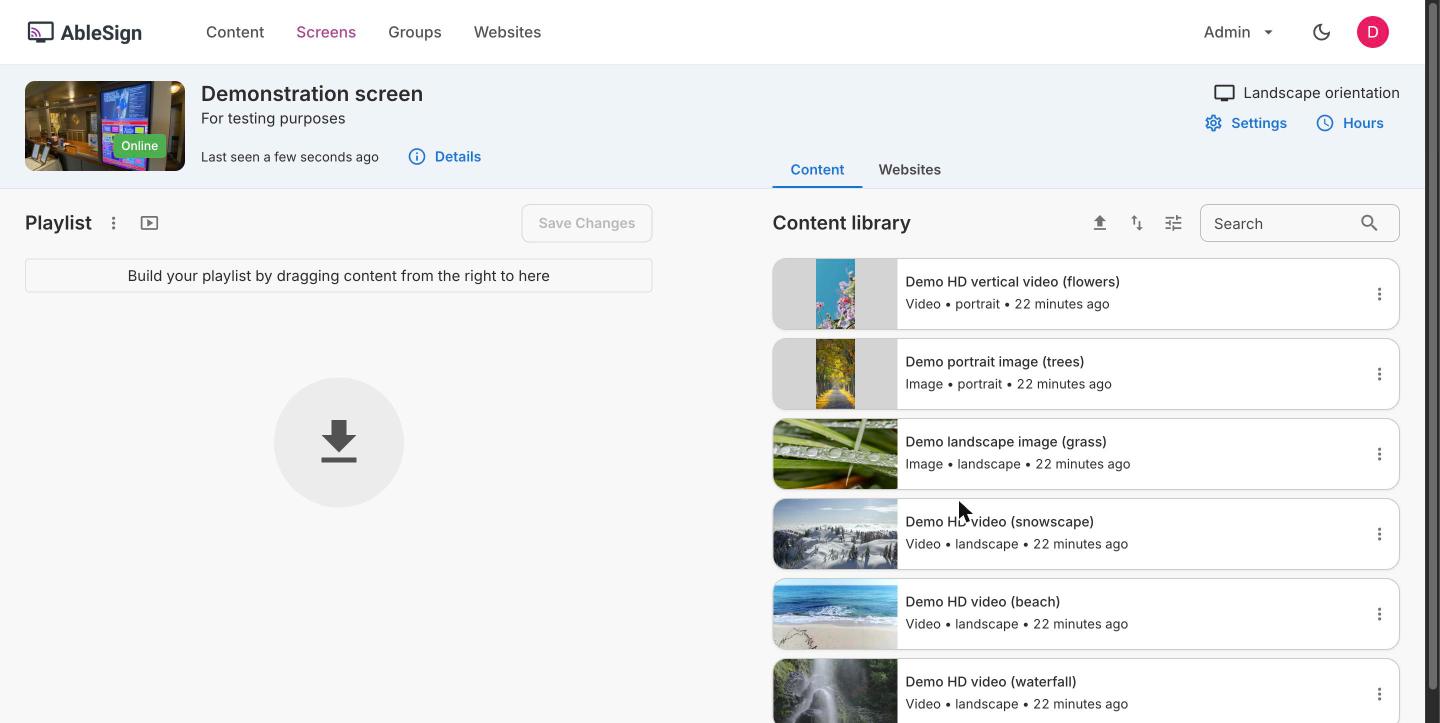
- Trial accounts: we signed up to Yodeck, OptiSigns, ScreenCloud, Rise Vision, Juuno, AbleSign and Xibo as a new customer would, built a playlist and opened the plans page inside each app. The screenshots below come from those accounts (September 2026).
- Features: from each vendor's plan comparison table, then its help centre and release notes, to find the tier each feature needs.
We scored each platform on six things, taken from the questions buyers ask on sales calls and in RFPs:
- The real price: the tier that holds the features you need, not the entry price.
- Players: Amazon Signage Stick, Fire TV, Android and Google TV, Windows, Raspberry Pi, BrightSign, Samsung Tizen, LG webOS, ChromeOS, Apple TV.
- Remote management: offline alerts, TV off at night, live screenshots, playback when the internet drops.
- Control across locations: roles, per-location access, content approval, audit log, single sign-on.
- How often it improves: public changelogs and release notes.
- Support: hours, channels, and where the team is.
The 14 platforms, one by one
They are in order of what 10 screens cost for a year with team features, cheapest first, then the platforms that lack one of those features. Each uses the same labels in the same order.
1. Brix
Every feature on one plan, built around the Amazon Signage Stick. The lowest price on this list for roles, approval and proof of play together.
- Price: $6 per screen per month billed annually, or $8 billed monthly. One plan.
- Best for: 1 screen to thousands on the same plan.
- Players: Amazon Signage Stick ($99.99, about 10 minutes to set up; in Brix's own fleet, pairing takes a median of 2.6 minutes), Fire TV, Android boxes, Google TV, Windows.
- Strengths:
- Custom roles, access per location, approval, audit log, proof of play and emergency takeover on the one plan.
- OIDC single sign-on (Okta, Entra ID, Google Workspace), SCIM and the API included.
- A simple CMS for small accounts; approvals, audit log and emergency messages switch on above 10 screens.
- Screen hours turn the TV off at night over HDMI-CEC.
- No storage or bandwidth cap. Videos up to 2 GB, images up to 250 MB.
- A changelog entry almost every day.
- US support in Los Angeles, 24/7, at no extra cost.
- Watch out for:
- Fewer public reviews than older vendors such as Yodeck or OptiSigns.
- No SAML (Brix uses OpenID Connect) and no SOC 2 report.
- No LG webOS, Apple TV or BrightSign player.
- No synced video wall: for a wall, choose a platform with a video wall mode.
- Free plan or trial: 7-day trial, no card. Start a free trial or talk to our team.
2. Kitcast
Signage on Apple TV, which few platforms support well.
- Price: Starter $7 annual ($9 monthly), Pro $10 annual ($14 monthly).
- Best for: Apple TV.
- Players: Apple TV plus eight other platforms.
- Strengths:
- Pro holds roles and approvals, SSO, SCIM, the audit log and the API.
- The closest rival to Brix on price for team features.
- Watch out for:
- Starter has no roles or approvals.
- Pro costs 1.75 times Brix monthly.
- Free plan or trial: 14-day trial with full Pro features, no card.
3. Yodeck
A large, established vendor with one screen free forever.
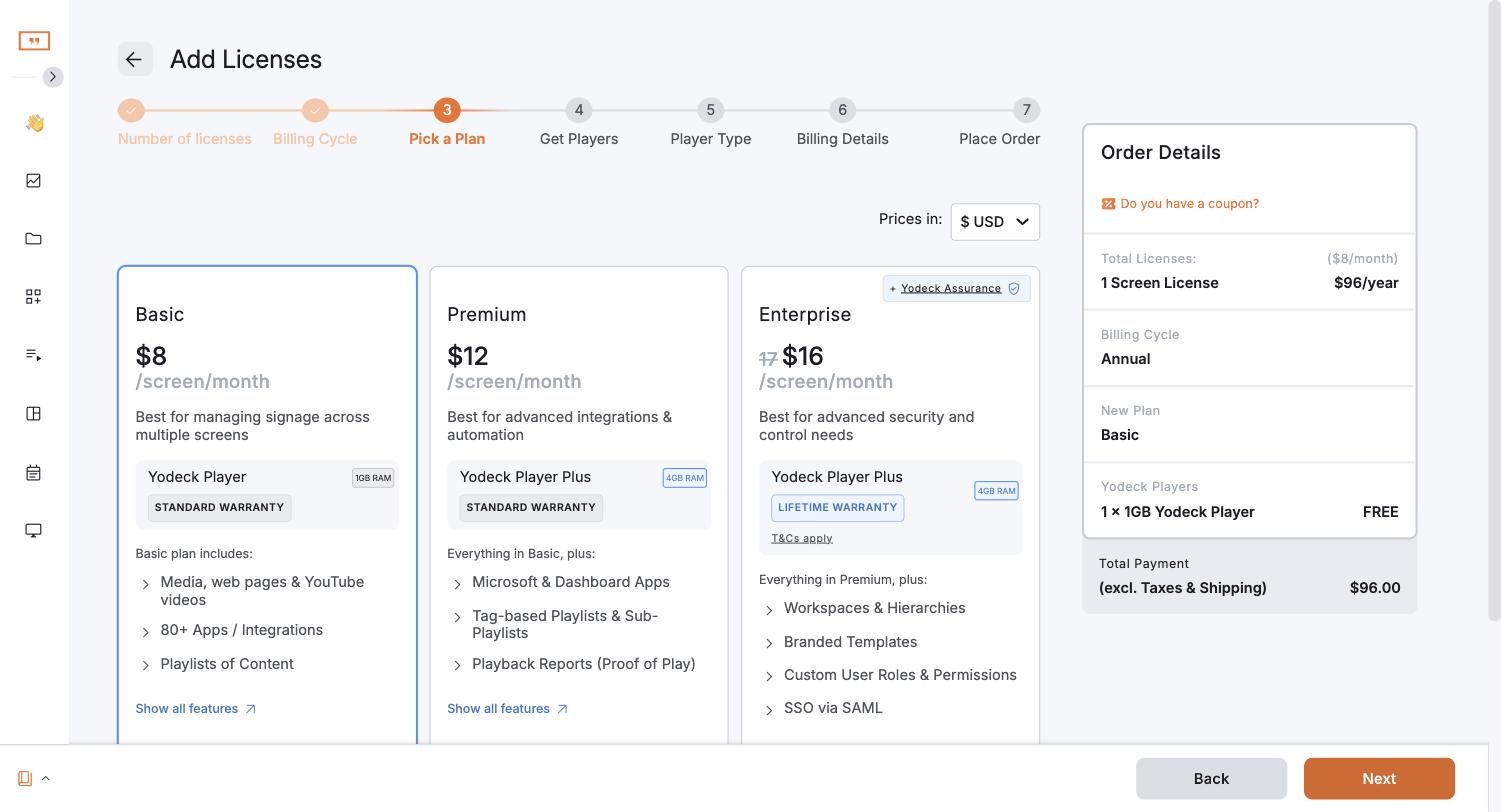
- Price: Basic $8 per screen per month, billed annually or monthly. Premium $12, Enterprise $16.
- Best for: A free screen and wide hardware support.
- Players: Yodeck Player (a pre-configured Raspberry Pi, $85, free with annual plans), Signage Stick, Fire TV, Samsung Tizen, LG webOS, BrightSign, Windows.
- Strengths:
- 170+ people in 17 countries (Yodeck careers).
- Offline email alerts and emergency alerts on every plan.
- Watch out for:
- Proof-of-play reports and the API need Premium ($12).
- Custom roles, workspaces, SAML and the audit log need Enterprise ($16).
- Premium and Enterprise went up $1 per screen on April 1, 2026 (Yodeck price increase).
- Support is 24/5, per its pricing page.
- Release notes every one to two months (July 2026 notes).
- Free plan or trial: 1 screen free forever, with every Basic feature.
More in Yodeck alternatives.
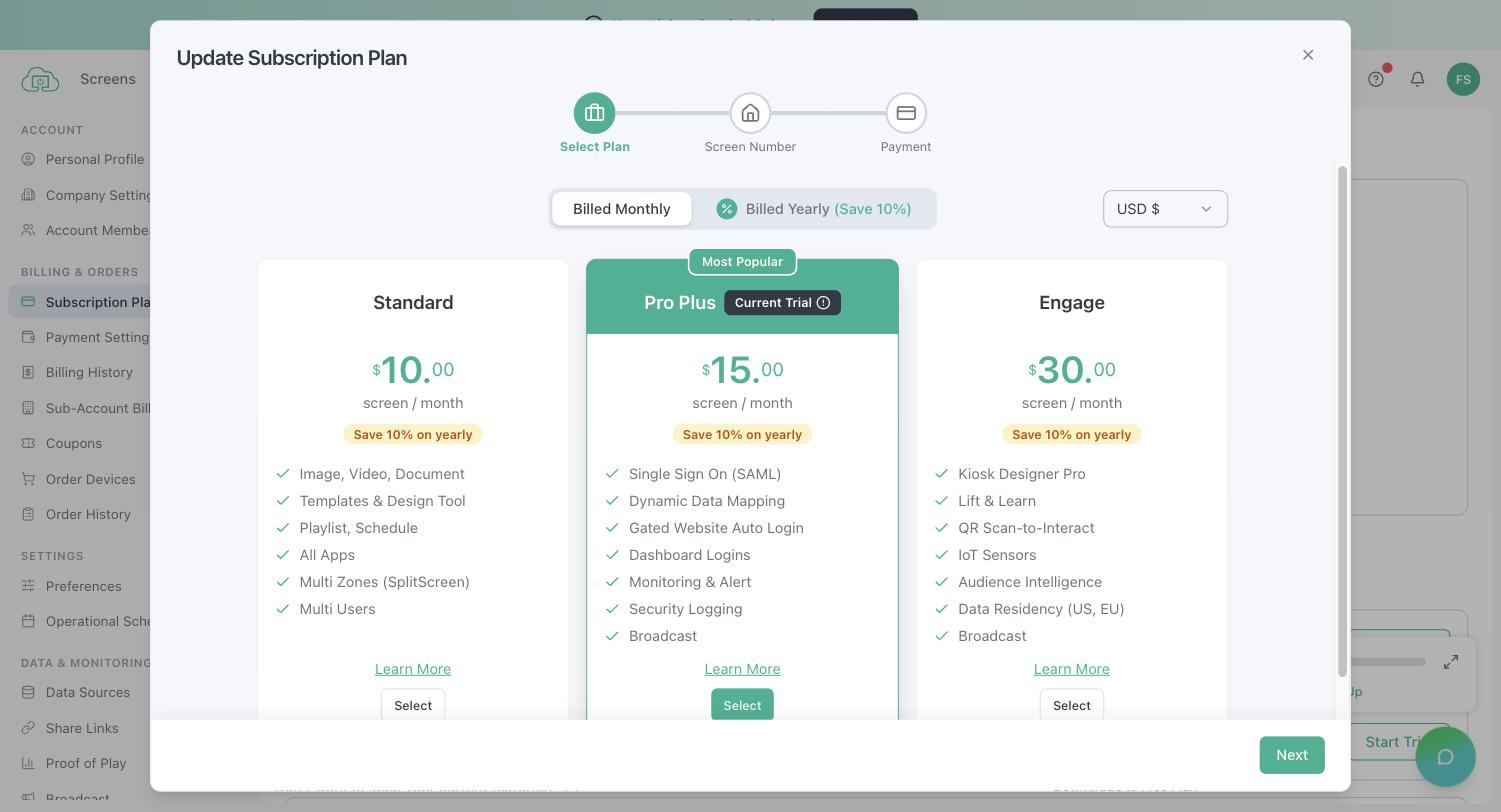
4. OptiSigns
A large app library and interactive kiosks, with a price that rises with each tier you need.
- Price: Standard $9 annual ($10 monthly), Pro Plus $13.50 annual ($15 monthly), Engage $30.
- Best for: App integrations and kiosks.
- Players: OptiStick ($99.99), Signage Stick, Android TV, Samsung and LG commercial displays, BrightSign, Raspberry Pi, Windows, ChromeOS.
- Strengths:
- 100+ apps and integrations.
- Interactive kiosks.
- SOC 2 Type 2 report.
- Watch out for:
- Standard leaves out roles and workspaces, approval, proof of play, audit logs, SAML and even "Auto Power On/Off TV". Those start on Pro Plus.
- Kiosks need Engage ($30).
- A video wall is an add-on at $25 per wall per month.
- Free plan or trial: 3 screens free, with the OptiSigns logo on screen and no schedules.
More in OptiSigns alternatives.
5. Play Digital Signage
One free screen and players for nearly every platform, with support around the clock.
- Price: Essential $7.20 annual ($8 monthly), Pro $10.80 ($12), Ultimate $14.40 ($16). Annual is 10% off, and the price drops as you add screens.
- Best for: Mixed hardware, including Samsung, LG and BrightSign screens.
- Players: Amazon Signage Stick, Fire TV, Samsung Tizen, LG webOS, BrightSign, Raspberry Pi, Windows.
- Strengths:
- User roles, teams and Okta or Microsoft Azure sign-in on every plan.
- 24/7 email and chat support at no extra cost.
- Watch out for:
- TV on/off, sync, offline alerts and the API need Pro.
- Proof of play (Analytics) and the audit log need Ultimate.
- No approval queue: you share a playlist without publish permission, then review and publish each change yourself.
- Free plan or trial: First screen free, no card; Play asks for a review within 30 days.
6. TelemetryTV
Live data and dashboards on screens, on almost any hardware.
- Price: Entry $8 annual ($9 monthly), Core $13 annual ($15 monthly), Elite $16 per device, annual term only, from 10 devices.
- Best for: Data dashboards and video walls on mixed hardware.
- Players: Its own TelemetryTV Box and Droid-1, Amazon Fire TV, Android, Windows, Raspberry Pi, Linux, and ChromeOS from Core.
- Strengths:
- 70+ apps and a built-in Canva editor on every plan.
- Core adds video walls, CAP emergency alerts, playlist approval, audit logs, group permissions and the API.
- Watch out for:
- Exportable proof-of-play reports and TV on/off over HDMI-CEC or RS-232 need Elite.
- Entry is small: 10 playlists, 10 GB of storage and 5 users.
- Lower plans get 24/7 AI chat; a person answers from Elite. SAML and the SOC 2 report are on Enterprise.
- Free plan or trial: 30-day trial with Elite features.
7. NoviSign
Data-driven and touch content.
- Price: Business $14 annual ($16 monthly), Business Plus $17 ($19), Premium $25 ($28).
- Best for: Data feeds and touch screens.
- Strengths:
- Touch interactivity on every plan.
- Toast POS menus on Business Plus.
- Watch out for:
- The price climbs fast by tier.
- Approvals, offline alerts, SSO and the admin log are on Premium.
- Free plan or trial: 30-day trial.
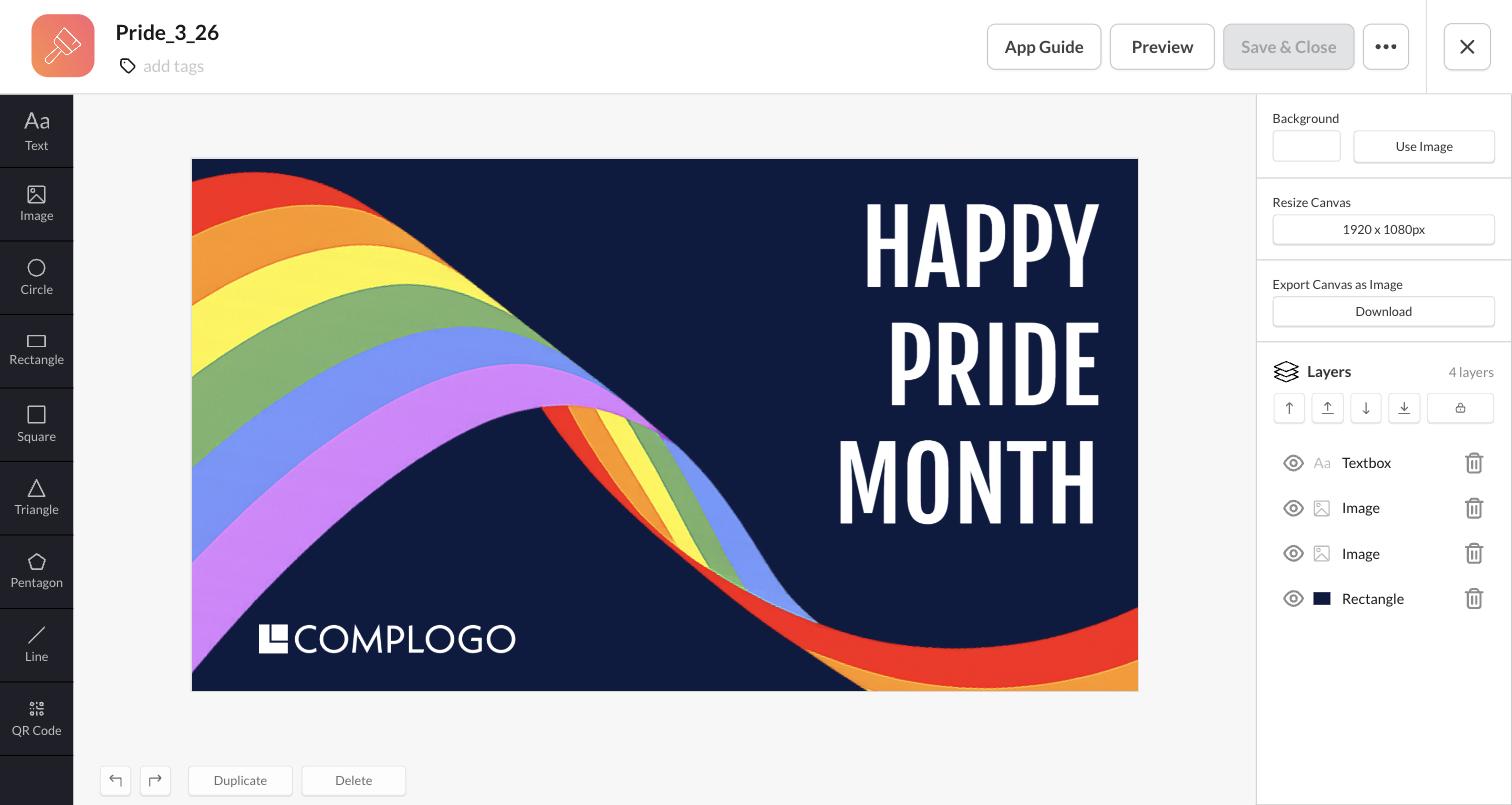
8. ScreenCloud
Staff communication for large companies. Launched in London in 2015 (about ScreenCloud).
- Price: Core $20 annual ($24 monthly), Pro $30 annual ($36 monthly). Enterprise is quote only.
- Best for: Internal communications in large companies.
- Players: Its own ScreenCloud OS player ($199), managed end to end, including screen power schedules.
- Strengths:
- ScreenCloud Next, designed in 2019 for non-technical users.
- Spaces per team or site and a GraphQL API on every plan.
- Employee-app and Microsoft integrations on Pro.
- SOC 2 Type 2 report.
- Watch out for:
- Proof of play, audit logs and offline email alerts need Pro.
- SAML and SCIM need Enterprise (quote only).
- The ScreenCloud OS player costs twice a Signage Stick. No Raspberry Pi.
- Human support is 24/5.
- Free plan or trial: 14-day trial, 5 screens.
More in ScreenCloud alternatives.
9. Fugo
Office TVs that show sign-in-protected dashboards.
- Price: Essential $20 annual ($24 monthly), Core $30 ($36), Enterprise $40 annual.
- Best for: Power BI and similar dashboards on office TVs, without public links.
- Strengths:
- Shows sign-in-protected dashboards.
- SOC 2 Type II.
- Watch out for:
- Proof of play and the audit log are on Enterprise.
- Support runs 8 am to 6 pm UK time.
- No Canva plug-in.
- Free plan or trial: 14-day trial, no card.
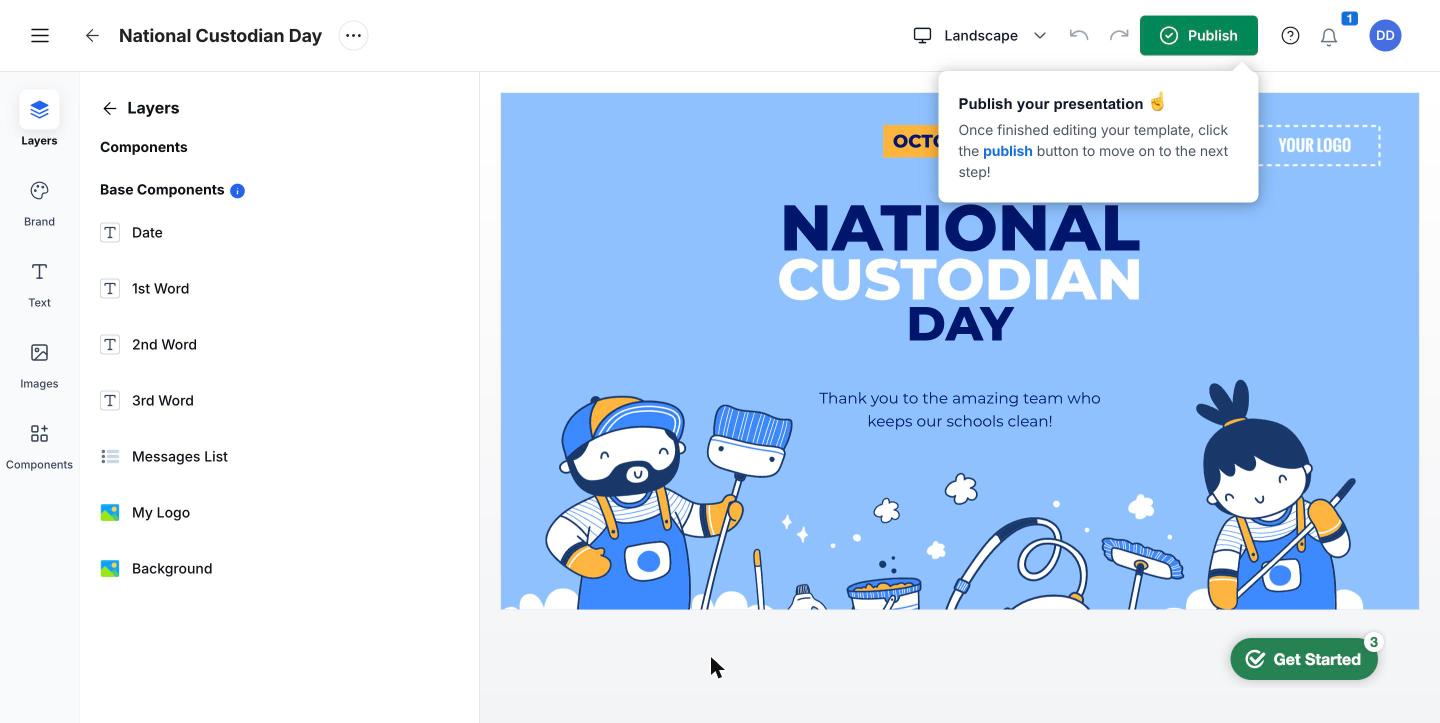
10. Rise Vision
Signage built for schools.
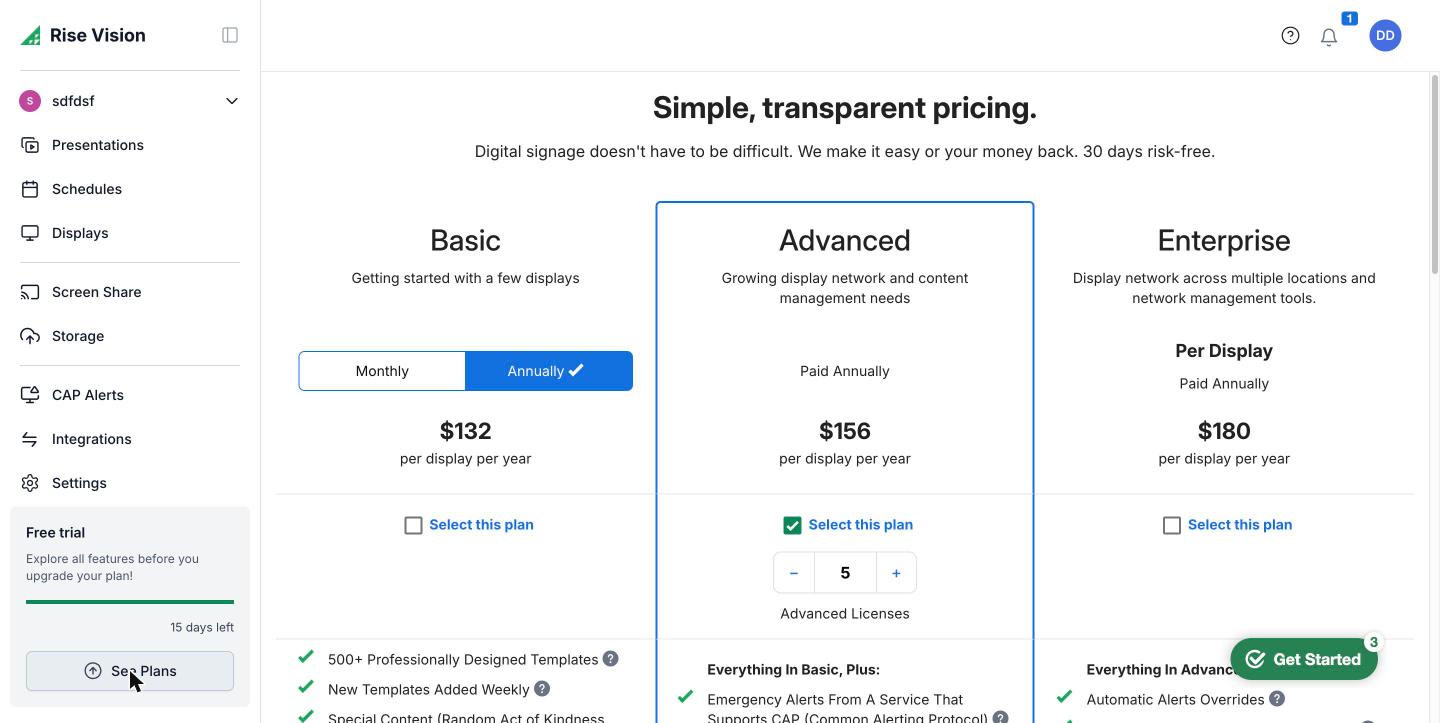
- Price: K-12: $119 (Basic), $138 (Advanced) or $164 (Enterprise) per display per year. Other organizations: $132, $156 or $180. K-12 unlimited licence: $1,399 per school per year.
- Best for: K-12 schools.
- Players: The Amazon Signage Stick ($99.99) is enough for most schools and universities. Rise Vision also sells its own media player ($300 outright, or $95 a year on a 5-year term) and displays (55-inch from $870).
- Strengths:
- CAP emergency alerts, screen sharing and education templates.
- SOC 2 Type II report.
- New features posted as roundups on its blog (Q1 2026 roundup).
- Watch out for:
- The unlimited licence costs less than Enterprise licences from about 9 displays per school. Brix costs less than it up to 19 screens per school ($72 per screen per year billed annually).
- Touch templates cost $1,200 per display per year extra.
- No proof-of-play report: a live screenshot shows what a display plays now.
- Support runs 9 am to 6 pm Eastern, Monday to Friday.
- Free plan or trial: 14-day trial.
11. Screenly
Security-minded signage for developer teams.
- Price: Starter $15 annual ($17 monthly), up to 5 screens. Business $24 annual ($27 monthly), 5-screen minimum.
- Best for: Security-first and developer teams.
- Strengths:
- SOC 2 Type II and ISO 27001.
- The full API on every plan.
- Anthias, its open-source sibling, is free to self-host on a Raspberry Pi.
- Watch out for:
- No proof-of-play report and no approval step.
- Every role can edit every screen.
- No Windows app.
- Free plan or trial: 14-day trial.
12. Juuno
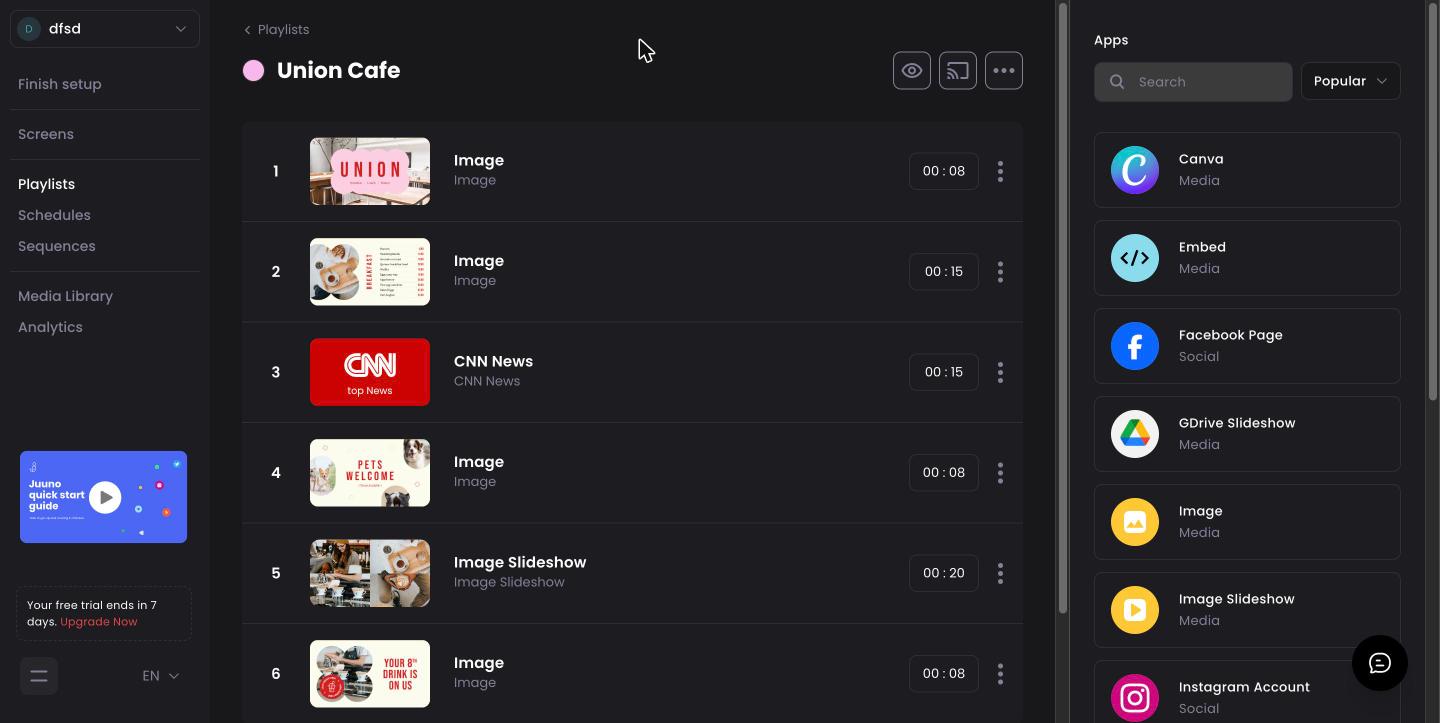
Simple screens in small shops, clinics, gyms, cafes and schools, at the lowest paid entry price on this list.
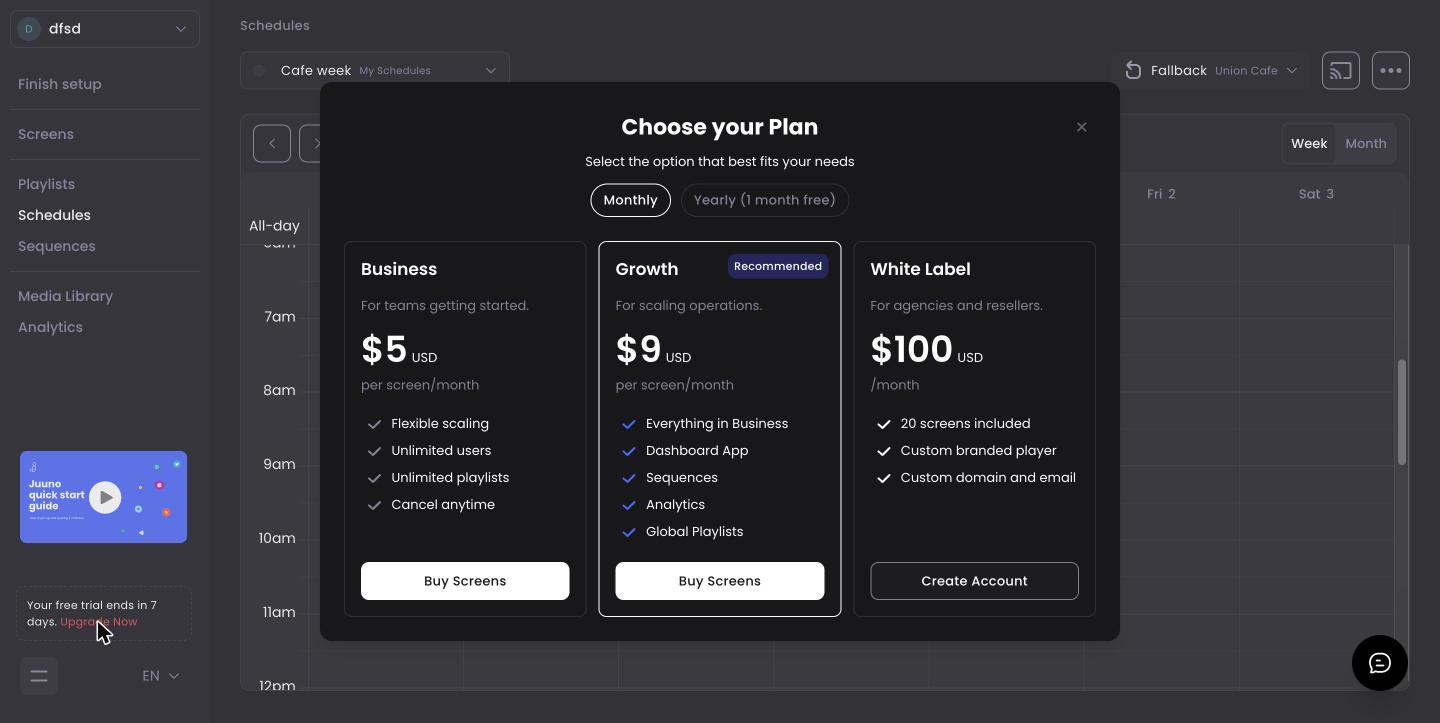
- Price: Business $5, Growth $9 per screen per month. Yearly billing gives one month free (shown in the app).
- Best for: Simple screens in small sites.
- Players: Signage Stick, Android and Google TV devices, Chromecast built-in TVs, Raspberry Pi, ChromeOS and TV browsers (Juuno players).
- Strengths:
- Business has all apps, unlimited users and playlists, scheduling and screen zones.
- A recent, simple interface.
- Watch out for:
- Proof of play, the dashboards app, sequences, analytics, global playlists and priority support need Growth ($9).
- Advanced user roles and API access are listed on Growth as in development.
- A small, bootstrapped team founded in 2022 (about Juuno); its founders run other software products too.
- No Windows, Tizen or webOS player listed.
- Free plan or trial: 7-day trial.
13. AbleSign
Free signage with no per-screen charge, for very simple needs.
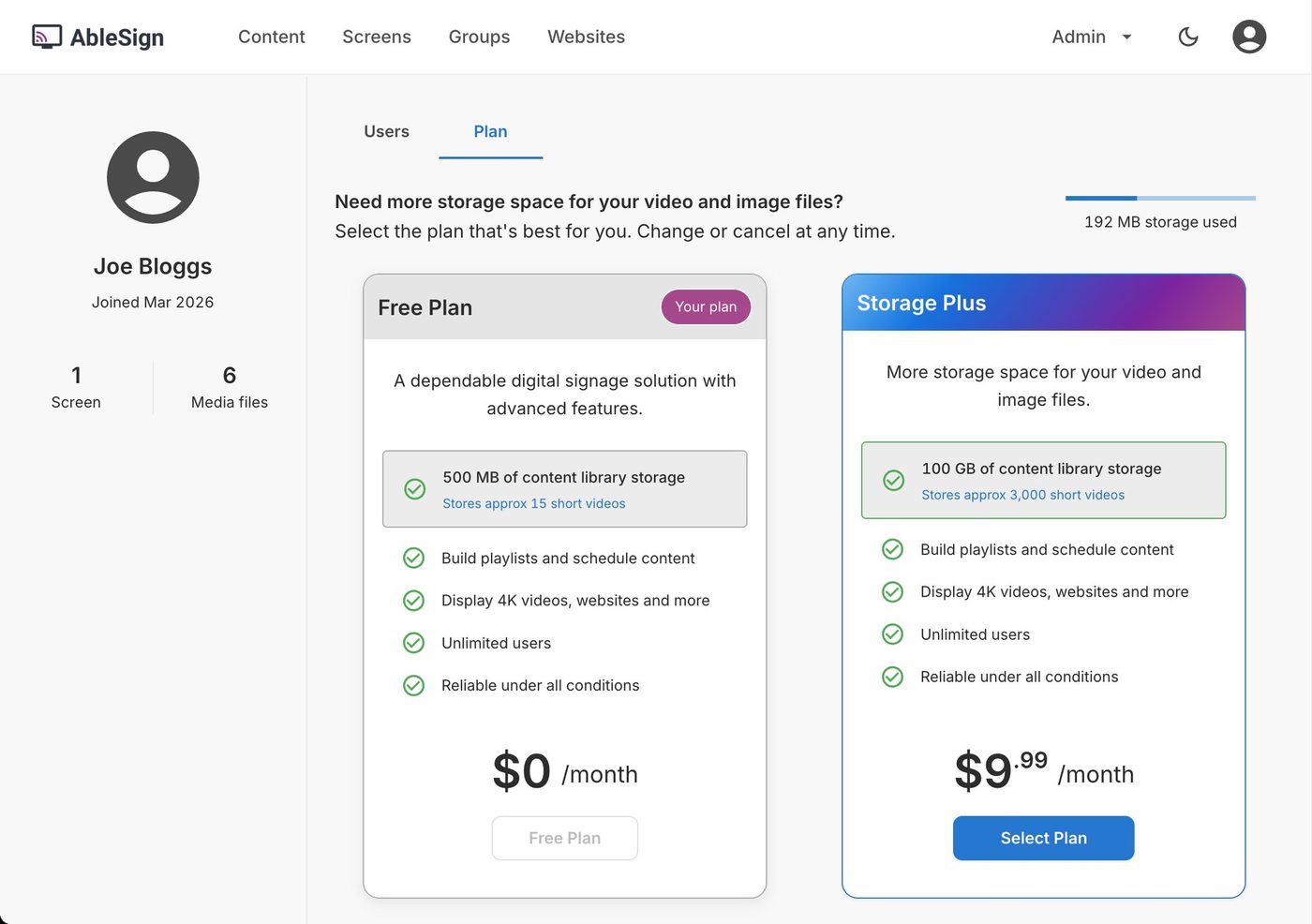
- Price: Free. Storage Plus adds 100 GB for $9.99 a month.
- Best for: Very simple needs, where you do not need a support contract.
- Players: Android 7 and later, Signage Stick, Fire TV Stick, BrightSign and any web browser (AbleSign).
- Strengths:
- Proof of play, synchronized playback and schedules listed.
- Watch out for:
- 500 MB of storage on the free plan, about 15 short videos.
- A short feature set: playlists, schedules and playback.
- No visible new features.
- Free plan or trial: Free plan, 500 MB.
14. Xibo
Open-source signage you can host on your own servers.
- Price: Hosted plans £3.50 (Professional), £5.50 (Business, adds SAML) or £9.00 (Enterprise) per display per month (Xibo pricing). The self-hosted CMS is free.
- Best for: Self-hosting and open source.
- Players: Android, Windows, LG webOS, Samsung Tizen and ChromeOS, included on hosted plans. The Windows player is free.
- Strengths:
- The CMS is open source under the AGPLv3 licence (GitHub).
- Watch out for:
- Enterprise, at £9.00 per display per month (£108 a year, 8 GB of bandwidth per plan), costs more than Brix's $6 billed annually or $8 monthly, before currency conversion.
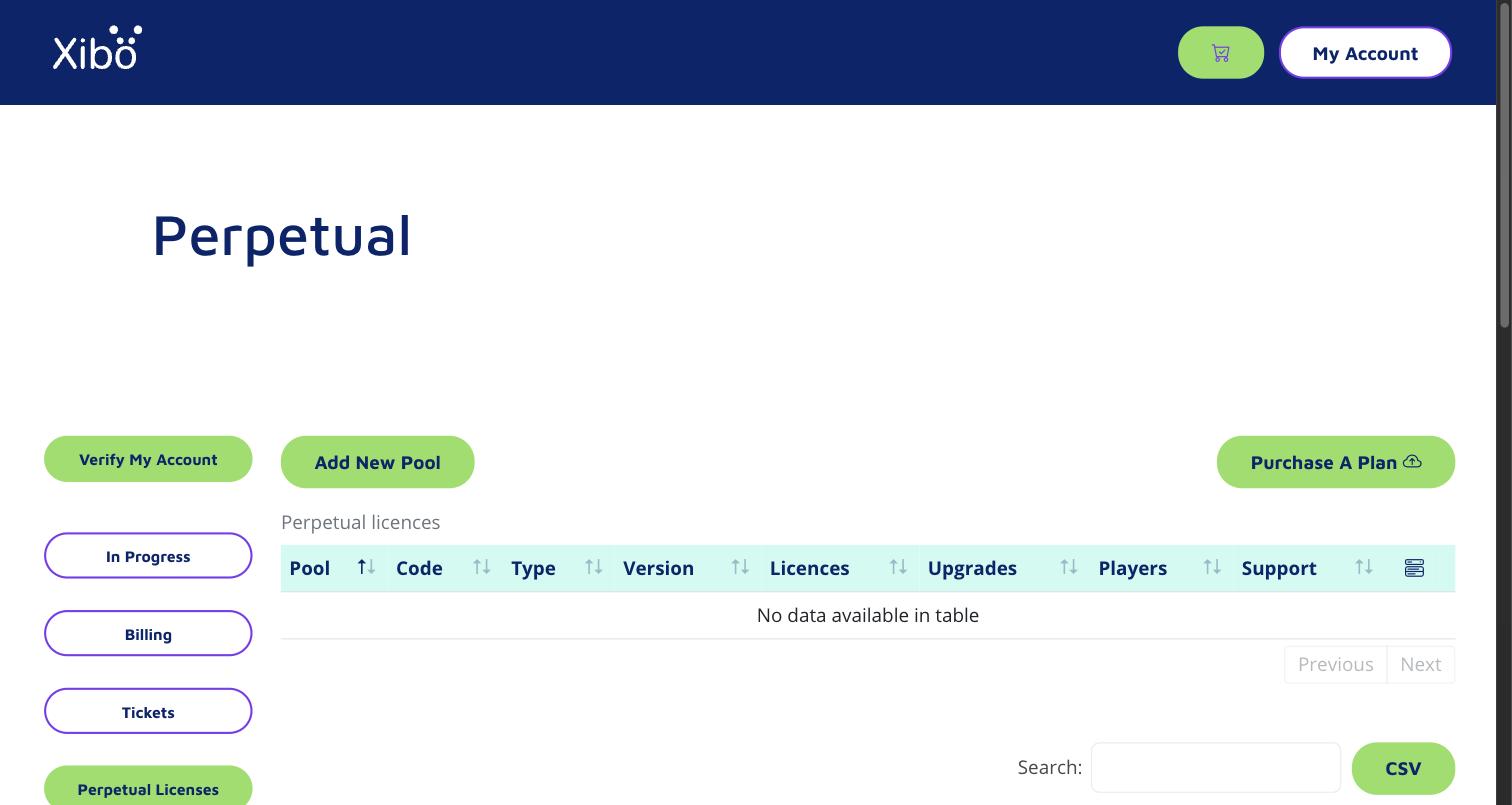
- The plans list few features beyond the player, bandwidth and support level.
- A new account opens on a licensing portal (pools, codes, perpetual licences, players), not the content editor. Starting the CMS is a separate step.
- Free plan or trial: 14-day trial; open source to self-host.
What self-hosting Xibo leaves to you:
- A server: a web server and a database that you rent or run, sized for your screens.
- Backups: you set them up and test that they restore.
- Updates: you install CMS upgrades and security patches yourself.
- Bandwidth and storage: every video goes from your server to every player, so you pay for the traffic and the disk.
- Player licences: Android £20, webOS or Tizen £60, ChromeOS £35 per player (Windows is free).
- Your time: someone on your team fixes it when a screen stops updating.
- No support line: self-hosting comes with community support; the help desk covers only what you buy.
Xibo itself says self-hosting typically costs more to own than a hosted plan. It makes sense if you are technical, on a very small budget, or must host the software yourself.
Also on shortlists: Appspace and Poppulo
- Price: Quote only, after a demo.
- Best for: Enterprise employee-communication suites with signage inside.
- More: Appspace pricing and alternatives and Poppulo alternatives.
Best digital signage software by business type
| If you are... | Look at | Why |
|---|---|---|
| A single shop or cafe with 1 screen and no budget | Yodeck Free, Play Digital Signage, AbleSign | Free. See free digital signage software. |
| A restaurant with menu boards | Brix, OptiSigns, NoviSign | Menu templates, dayparting, TV off at night. Brix and NoviSign connect to POS systems. |
| A retail chain or franchise | Brix, OptiSigns Pro Plus, Kitcast Pro | Access per store, locked templates, approvals. Compare the tier each needs. |
| An office or internal comms team | ScreenCloud, Fugo, TelemetryTV, Brix | Dashboards, Microsoft 365 content, SSO. |
| A K-12 school or district | Rise Vision, Brix | CAP alerts, per-school pricing, emergency takeover. |
| A clinic or healthcare site | Brix, Yodeck, Juuno | Quick setup, staff-friendly editing. Brix adds approvals before content goes live. |
| An IT team that needs SAML and SOC 2 | ScreenCloud, OptiSigns, Screenly, Rise Vision | SAML and a SOC 2 report. Brix has neither. |
| A developer or data team | Screenly, TelemetryTV, Xibo | Full API; Xibo is open source. |
| An organization that must self-host | Xibo | Open-source CMS on your own servers. |
| Building a video wall | Yodeck, ScreenCloud, TelemetryTV | Synchronized playback across screens. |
| Building touch kiosks | OptiSigns Engage, NoviSign | Kiosk designers and touch on the plan. |
For companies in the EU, UK, Australia and New Zealand
Where each platform stores your content and account data, from each vendor's own pages:
| Platform | Where your data is stored | How the region is set |
|---|---|---|
| Brix | US, EU (Frankfurt), Oceania or Asia-Pacific | From your sign-up country, on every plan. Support can move a workspace. |
| ScreenCloud | US or EU | From your sign-up country: the Americas go to the US, everyone else (UK, Australia, New Zealand included) to the EU (FAQ) |
| Play Digital Signage | US or EU | From the first user's sign-up location: US to the US, everyone else to the EU (security) |
| Yodeck | EU (AWS Ireland and Sweden) | No choice (subprocessors) |
| Fugo | UK (AWS London) and Germany | No choice (trust center) |
| Xibo Cloud | UK, Germany, US, Singapore or Australia | You pick when you create the CMS (docs) |
| OptiSigns | US by default; EU, UK, Canada or Australia | On request, Engage plan or above (help) |
| Poppulo | US, EU (Ireland) or Singapore | On request (FAQ) |
| Appspace | Several, including UK and Australia | You choose only on a single-tenant deployment (Appspace) |
| Rise Vision, Screenly, Kitcast | US | No choice |
- EU and UK: Yodeck, Fugo and Brix keep European customers' data in Europe by default, and Xibo Cloud lets you pick the UK or Germany. ScreenCloud does the same for any sign-up outside the Americas, and Play for any outside the US. Brix puts UK sign-ups in its EU region in Frankfurt. The Brix EU region is a contractual commitment: data sits inside Cloudflare's EU jurisdiction.
- Australia and New Zealand: Xibo Cloud (pick Australia) and Brix (Oceania, set from your sign-up country) host in the region without a request. OptiSigns offers Australia on request from its Engage plan. ScreenCloud and Play put Australian and New Zealand customers in the EU. Brix's Oceania region sets where data is stored; it is not a legal guarantee.
- Brix: one of the few with an Oceania and an Asia-Pacific region by default on every plan, at the same price. More on what sits in each region: security.
What is the best digital signage hardware?
The software decides which hardware you can use, so choose them together. List prices from each maker's store:
- Amazon Signage Stick ($99.99): Amazon's own signage player, built to run all day and managed remotely.
- Most platforms on this list support it. For most screens it is the lowest-cost managed player.
- Amazon provides Sticks free for rollouts of 30 or more screens (Brix arranges it: talk to us).
- See Amazon Signage Stick review and the best CMS for the Signage Stick.
- Android and Google TV boxes: the Walmart onn 4K ($39.98) is the low-cost option; the NVIDIA SHIELD TV ($149.99) is faster. See Signage Stick vs Walmart onn.
- Raspberry Pi (from $35): cheap and flexible, but you set it up and maintain it. See Raspberry Pi vs Signage Stick.
- BrightSign ($380 to $1,335): dedicated players for video walls and 24/7 venues.
- Smart TVs with Tizen or webOS: no separate player, but only if your software has an app for that TV.
- Vendor players: OptiStick ($99.99), Yodeck Player ($85, free on annual plans), ScreenCloud OS player ($199), Rise Vision Media Player ($300).
To reuse the TVs you already have, see use existing TVs for digital signage.
What to check before you buy
- The tier line. Find the plan that holds roles, approvals, proof of play, offline alerts, TV on/off and the API. Compare that price, not the entry price.
- Your hardware. Test the trial on the exact player and TV you will use.
- Offline playback. Unplug the network during the trial. Content should keep playing from local storage.
- TV off at night. Check the platform switches the TV off outside opening hours (HDMI-CEC or RS-232), and on which plan.
- How often it improves. Read the changelog or release notes for the last few months.
- Support hours. Check they cover your opening hours, weekends included if you open then.
- The contract. Monthly billing, annual prepay, minimum screen counts and notice periods differ a lot.
- Leaving. Ask how you export your content, and whether the players run other software. See switching digital signage provider.
Frequently asked questions
How much does digital signage software cost?
Most paid plans on this list cost $5 to $24 per screen per month at entry level. The tier with roles, approval and proof of play costs $6 to $40 per screen per month, so check that line, not the entry price.
Add a player once per screen: $35 for a Raspberry Pi, $99.99 for an Amazon Signage Stick, up to $1,335 for a BrightSign. See how much digital signage costs.
Which digital signage software is easiest for non-technical staff?
The ones built around one simple flow: pick a screen, pick what it plays. Brix, Juuno and Yodeck are common picks for staff with no IT background.
Test it the practical way: give the trial to the person who will update the screens, and time their first change.
What is the best digital signage software for a small business on a budget?
At list price, the lowest paid options with remote management are:
- Juuno: $5.
- Brix: $6 billed annually, or $8 billed monthly.
- Yodeck Basic: $8.
For a restaurant, check menu templates, dayparting and TV off at night. For a clinic, check approvals before content goes live and who can change what.
Does digital signage software work with the TVs and Google TV devices I already have?
Usually yes.
- Google TV or Android TV built in: most platforms have an Android app that runs on it.
- Samsung and LG smart TVs: you need a platform with a Tizen or webOS app (Yodeck, OptiSigns, ScreenCloud, Kitcast, Play Digital Signage and Xibo have them). Brix has no LG webOS player.
- Any other TV: add a Signage Stick or Android box on HDMI.
What is the best cloud-based digital signage software?
Every platform on this list is cloud-based except self-hosted Xibo and Anthias. You manage screens from a browser, and players download content and keep it for offline playback.
To host it yourself, look at Xibo or OptiSigns Enterprise.
Is there good free digital signage software?
Yes, each with limits:
- Yodeck and Play Digital Signage: free for 1 screen.
- OptiSigns and DigitalSignage.com: free for 3 screens.
- AbleSign: no per-screen charge.
- Xibo and Anthias: open source, if you self-host.
See free digital signage software.
Start a free 7-day Brix trial. No card needed.