Amazon sells the Signage Stick in the UK on Amazon.co.uk, and also in Germany, France, Spain, and Italy. The UK Stick has the same hardware and setup as the US Stick.
Brix pairs with the Stick in about ten minutes. See Brix on the Amazon Signage Stick for the full setup and pricing overview.
Where do you buy the Amazon Signage Stick in the UK?
Buy it from Amazon.co.uk, not Amazon.com. Buying the UK listing means no import fees or customs delay, and the price shows in pounds at checkout. For the exact current price, see Amazon Signage Stick price by country, which Brix keeps up to date.
Two things carry over unchanged from the US:
- Amazon Business members get a discount on the UK listing too: 2% on 1 to 9 Sticks, and up to 10% on 100 or more.
- For a rollout of 30 or more screens, Amazon provides the Sticks free. Brix arranges this with Amazon.
Is it the same device sold in the US?
Yes. The UK listing has the same specs, and setup is the same:
- 4K video over HDMI, and Wi-Fi 6E for the network connection.
- About 12 GB of usable storage, with Brix able to use up to half of it for cached content, so a patchy shop Wi-Fi connection does not blank the screen mid-playlist.
- No Ethernet port. If the site's Wi-Fi will not reach it, Amazon's micro-USB Ethernet Adapter ($14.99) plugs in instead.
- The Stick needs a wall socket. A TV's USB port does not supply enough power to run it.
- It cannot join a WPA2-Enterprise or WPA3-Enterprise Wi-Fi network, the kind many UK offices lock down for staff devices. Use a separate guest network, or the Ethernet adapter, instead.
See the full Amazon Signage Stick review for every spec and limitation.
How do you set it up and pair it with Brix?
- Plug the Stick into the TV's HDMI port and a wall socket.
- Open the Amazon Signage app and connect the Stick to Wi-Fi.
- During the Stick's own on-screen setup, pick "Brix Signage."
- In Brix, go to Screens > Add screen > Pair a hardware device, and enter the code the TV shows.
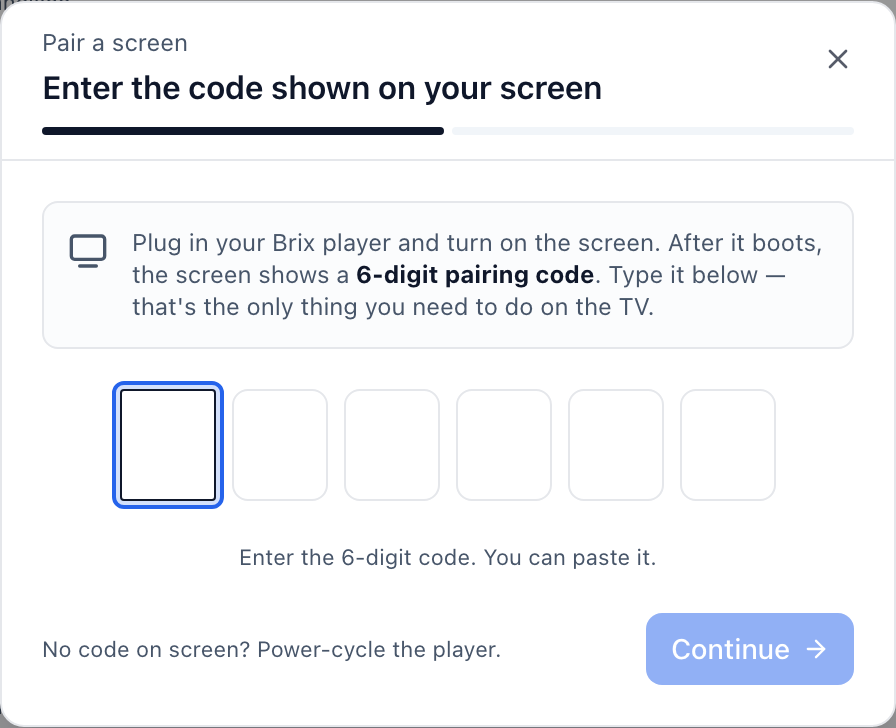
Setup takes about ten minutes, mostly while the Stick installs Brix. Pairing itself is quick: across the Signage Sticks running Brix, the time from the code appearing on the TV to the screen showing up in Brix is a median of 2.6 minutes. The hardware setup guide covers every step and what to do if a code does not show up.
Where is a UK workspace's data stored?
IT teams buying signage often say their data cannot just be stored anywhere. For a UK sign-up, Brix places the workspace in its EU region (Frankfurt), the same as any sign-up from the EU or EEA. Brix reads this from the country you sign up from; there is no region picker to set by hand. Contact support if a workspace lands in the wrong region. For UK GDPR rules and where other vendors store UK data, see digital signage in the UK.
The EU is the only one of Brix's four regions (US, EU, Oceania, Asia-Pacific) that is a contractual jurisdiction, not just a placement choice. In the EU region, your uploaded media, posters, screen captures, and database rows (screens, playlists, schedules, members, the audit log) stay there, with their backups. The live screen-connection service runs there too. A UK screen fetches new content from nearby storage instead of crossing the Atlantic on every download.
One exception: a workspace created before September 2026 keeps its database rows in the US even after its media moved to the EU. If that matters for your business, ask support which applies to your workspace.
Every region runs on the same plan and the same price: $6 per screen per month billed annually, or $8 billed monthly. There is no extra charge for the EU region.
Will the screen turn off at night automatically? (Screen hours)
If your shop or office is shut overnight, you do not want the TV running until morning. A new screen defaults to Standard hours: on from 6:00 am to 11:00 pm, off the rest of the time, switched over HDMI-CEC.
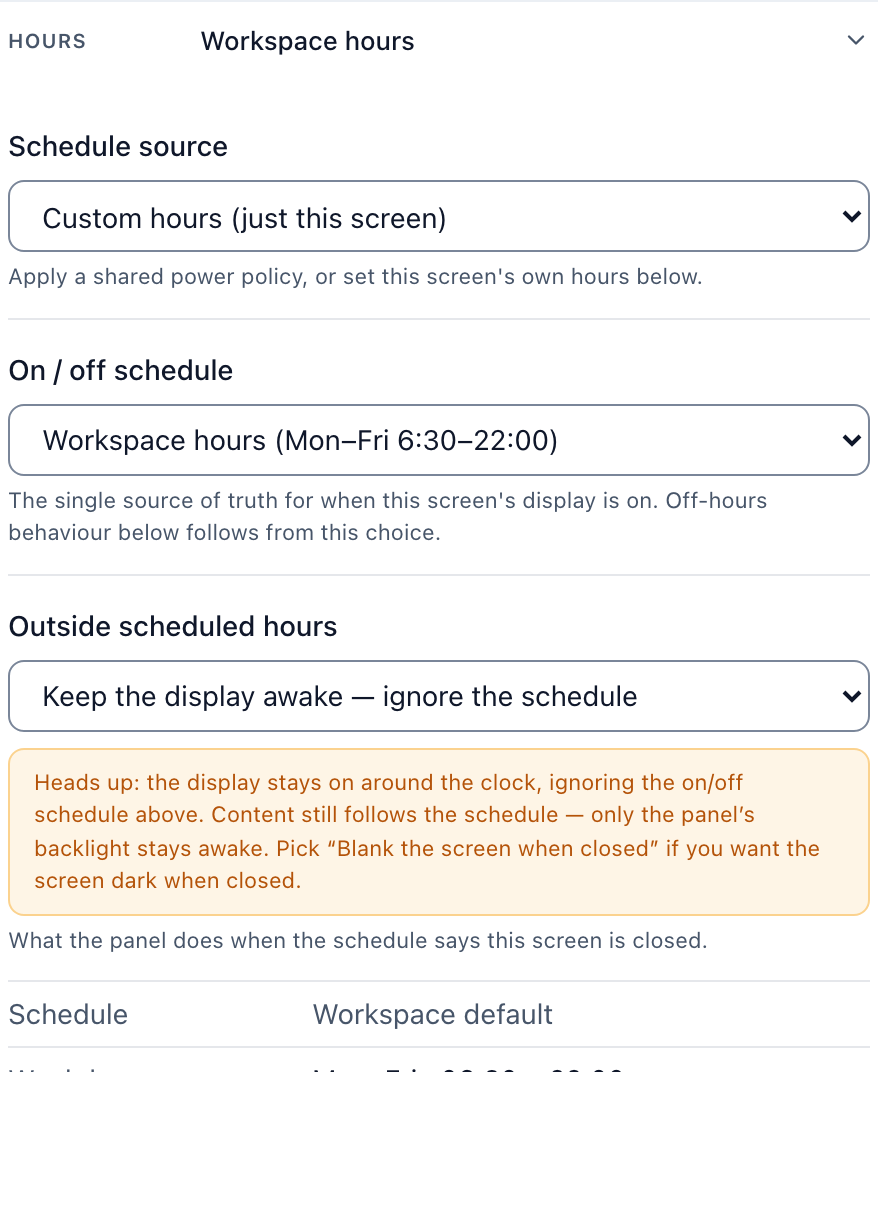
Screen hours follow the screen's own time zone, which Brix sets from where the screen connects, so Standard hours run on UK time with no setup. For a site open around the clock, switch the screen to Always on instead; the screen settings guide covers every option.
If a UK supplier is paying for time on the screen, Brix can prove what played and when. Proof of play ships with every plan, switched off by default; turn it on at Settings → Organization → Feature defaults.
Want one login for every store's TVs?
If you are taking the Stick to more than one UK site, do not sign up separately for each store. Add every screen to one workspace, so head office and every site sit under the same account, with one login instead of one per store. Give each store manager a role scoped to their own screens only, so a manager in Leeds cannot change a screen in Bristol by mistake, and head office keeps the rest of the account to itself.
UK buyer vs US buyer: what changes
| US buyer | UK buyer | |
|---|---|---|
| Buy the Stick from | Amazon.com | Amazon.co.uk |
| Stick price shown in | US dollars | Pounds |
| Brix price | $6 to $8 per screen per month | Same, in US dollars everywhere |
| Workspace data region | US | EU (Frankfurt) |
| Ethernet adapter | $14.99 | Same micro-USB adapter |
| Support hours | 24/7 | 24/7 |
FAQ
Does Amazon sell the Signage Stick anywhere else in Europe?
Yes. Germany, France, Spain, and Italy got the same release as the UK, all through their own Amazon marketplaces. Outside those five countries plus the US and Canada, Amazon does not sell the Stick directly, so you would need to ship one in from a store that does.
Can the Stick join a UK office's Wi-Fi network?
It joins ordinary WPA2-Personal or WPA3-Personal Wi-Fi, including Wi-Fi 6E networks. It cannot join a WPA2-Enterprise or WPA3-Enterprise network, so a locked-down office network needs a separate guest network or the wired Ethernet adapter.
Is Brix priced in pounds for UK customers?
No. Brix charges in US dollars on every plan, in every country, including the UK: $6 per screen per month billed annually, or $8 billed monthly.
What hours does UK support run?
Brix support runs 24 hours a day, 7 days a week.
Can a UK rollout get free Sticks?
Yes, on the same terms as anywhere else Amazon sells the device: for a rollout of 30 or more screens, Amazon supplies the Sticks free, and Brix arranges it with Amazon.
Start a free trial. No card is needed for the first seven days.