KODA and Brix both put a property presentation on a TV at a listing or open house, and both run on the Amazon Signage Stick. KODA is built only for real estate agents and charges per agent: $50 a month for 1 signage device, $80 for up to 5 and $125 for up to 10, with a quoted Brokerage plan for offices (KODA's pricing page, read September 2026). Brix is general signage software at $6 per screen per month billed annually, or $8 billed monthly. Pick KODA for real-estate templates and viewer-engagement tracking; pick Brix for a lower bill on the same hardware. Brix wrote this page.
How much does each cost?
| Listing TVs | KODA | Brix (annual billing) | Brix (monthly billing) |
|---|---|---|---|
| 1 | $50/month ($600/year) | $72/year | $96/year |
| 5 | $80/month ($960/year) | $360/year | $480/year |
| 10 | $125/month ($1,500/year) | $720/year | $960/year |
KODA is 8 times Brix's annual price for one listing TV and 2 to 3 times at 5 or 10. KODA says there are no long-term contracts; Brix has none either.
The hardware is the same: an Amazon Signage Stick ($99.99) per TV. KODA notes that the ordinary Fire TV Stick is not supported. Brix runs on both, and on Android boxes and TVs with Google TV built in.
What does KODA offer?
From KODA's own site:
- Plug and play on the Amazon Signage Stick, moved from listing to listing.
- Self-managed content: listing details, neighbourhood information, school data, drone footage and video tours, uploaded from a dashboard.
- Property information: listing details, area highlights, schools, HOA information, property taxes and local attractions in one place.
- QR codes buyers scan to take the listing details with them.
- Analytics and tracking: who is viewing, how long they engage, and lead capture.
- Advertising from local service providers (for example radon inspectors, plumbers or roofers) as a revenue source.
Where does KODA do more than Brix?
- Viewer engagement and lead capture. KODA reports how long viewers engage and captures leads. Brix counts what played on each screen (proof of play), not who watched it. Brix has no audience analytics.
- Real-estate setup done for you. KODA's slides are built around listings. On Brix you design the presentation yourself from templates.
- Selling ad space to local trades. KODA offers it as a feature. On Brix you can show a sponsor's slide, but there is no ad-sales tool.
If you would act on engagement data or want the listing layout ready-made, KODA is worth the difference.
Where does Brix do more than KODA?
- Price, as above.
- Every other screen. The same account covers your office lobby, window display and meeting-room TVs, with roles so each agent sees only their own screens.
- Schedules. Show the open-house slides during the open house and a "just listed" loop at other times. Screen hours turn the TV off at night over HDMI-CEC.
- More hardware. Fire TV, Android boxes and Google TV sets as well as the Signage Stick.
How do you set up a listing TV on Brix?
- Plug a Signage Stick into the listing TV and connect it to Wi-Fi. During its setup, pick "Brix Signage".
- Sign up for the free 7-day trial (no card). In the CMS go to Screens > Add screen > Pair a hardware device and type the code shown on the TV.
- Build the presentation: photos, a floor plan, key facts, the neighbourhood and schools, and a QR code image that links to your listing page.
- Schedule it: open-house slides during showing hours, a shorter loop at other times.
- When the home sells, move the stick to the next listing and change the content from your phone.
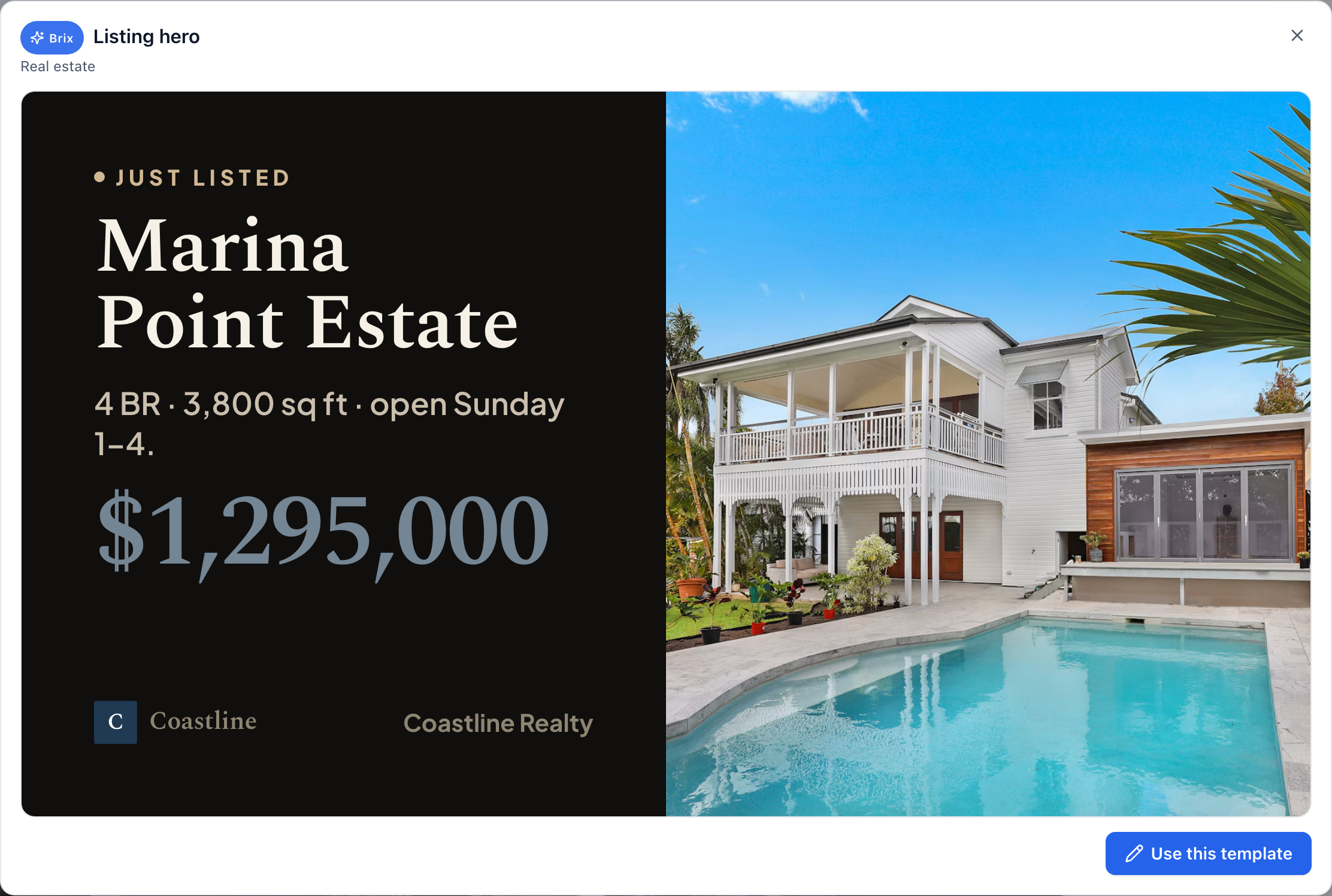
Setup takes about 10 minutes. The full walkthrough is in digital signage for real estate.
What to plan for at a vacant listing
- Wi-Fi. A vacant home often has no internet. The stick needs a network to pair and download content. Once the content is on the stick, it keeps playing from local storage if the connection drops, so a phone hotspot during setup is often enough.
- Power and the TV. Use a TV that turns on by itself after a power cut, and leave it on the right HDMI input.
- Theft. A stick behind a mounted TV is easy to take. Put it out of sight.
Is KODA legit?
KODA publishes its prices, names its founding partner on its site, and runs on Amazon's own Signage Stick. We have no information beyond its public site. Ask for a demo and check the contract terms before you pay.
Which should you pick?
Pick KODA if engagement tracking, lead capture or a real-estate layout ready on day one is worth $600 a year or more per agent. Pick Brix if you want the same stick and the same kind of listing presentation at $72 a year per screen, and one account for your office screens too.
Start your free 7-day Brix trial. No card needed.