Yes, a Walmart onn box turns any TV into a digital sign.
Plug the onn into the TV, install a signage app from Google Play, pair it with your signage account, then turn off the screensaver and sleep timer and let the app start by itself. An onn 4K costs $39.98.
It is the cheapest good player for a few screens you can reach, but it is a home streaming box: it has no remote management for business, and staff can open other apps on it.
Which onn should you buy?
| Model | Price | Choose it for |
|---|---|---|
| onn Full HD | $29.98 | A 1080p TV, still images and simple videos |
| onn 4K (2026 model) | $39.98 | Most screens, including 4K TVs |
| onn 4K Pro | $59.98 | The top model; compare its specs on walmart.com first |
Prices are read from walmart.com in September 2026. Stock changes by model and store. For a 4K TV, buy a 4K model: the Full HD box sends a 1080p picture.
How do you set up an onn for digital signage?
- Plug it in. Connect the onn to a free HDMI port on the TV and to power with its own adapter, not the TV's USB port. Switch the TV to that HDMI input.
- Finish Google TV setup. Connect Wi-Fi and sign in with a Google account. Use a shared business account, not a person's own, so a new manager can still get in.
- Install your signage app. Open the Google Play Store on the onn and search for your signage app by name. The onn runs Google TV, so no sideloading is needed.
- Pair the screen. Open the app. Most apps show a code on the TV that you type into the signage software on your computer.
- Change four settings (next section) so the sign stays on the content.
- Test a power cut. Unplug the onn, plug it back in and check the content comes back without anyone touching the remote.
Which settings keep the sign on?
- Screensaver (Ambient mode) off. Otherwise Google TV covers your content with photos after a few idle minutes.
- Sleep and energy saving off. Google TV can turn the display off when nobody presses a button. Set it to never.
- "Display over other apps" for the signage app. Found under Apps, Special app access. A signage app uses it to bring itself back to the front after a restart or when something else opens.
- Automatic app updates on. The signage app then stays current without a visit. Check the screen after a large Google TV update.
Also turn on HDMI-CEC on the TV (Anynet+, SimpLink, Bravia Sync and similar names) if you want the software to turn the TV on and off.
What goes wrong with an onn on a real install?
- Staff open YouTube. The remote goes to the streaming apps. Keep the remote in the office.
- Heat. The box sits behind a warm TV all day. Leave space around it, or use the HDMI cable to move it away from the TV's vents.
- Weak Wi-Fi behind the TV. Test the signal where the box sits. Move the router or add an access point if the picture stops.
- Nobody can see it. If the box freezes at another site, you find out when someone calls. Choose a player with remote management for sites you cannot reach.
How does the onn compare with the Amazon Signage Stick?
The Amazon Signage Stick costs $99.99. It starts your signage app in kiosk mode, has no other apps, and signage software can restart it and take screenshots remotely. The onn saves about $60 per screen, once. Pick the onn for a few screens near you; pick the Stick for screens at other sites or in public places. See Signage Stick vs Walmart onn and Signage Stick price and cost.
Where Brix fits
Brix runs on the onn from Google Play:
- On the onn, open Google Play, search for "Brix Signage" and install it.
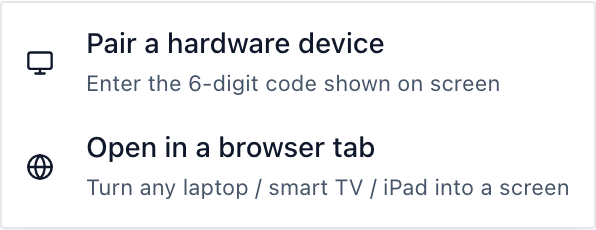
- Open the app. It shows a pairing code.
- In the CMS, go to Screens, select Add screen, then Pair a hardware device, and type the code.
- In the onn's settings, grant Brix "Display over other apps". Brix never draws over other apps. The permission lets it start when the box powers on and come back to the front if another app opens.
One screen costs about $112 in year one: $39.98 for the onn 4K and $72 for Brix at $6 per screen per month billed annually ($8 billed monthly). On the onn, Brix can restart its own app, clear its cache and take screenshots from the CMS, but a playing video shows black in a screenshot unless someone at the TV allows screen capture. Brix cannot reboot the box or turn the TV on and off: for that, use a Signage Stick.
Start a free 7-day Brix trial. No card needed.