The best digital menu board software swaps breakfast, lunch and dinner on schedule, keeps playing if the internet drops, and lets a manager fix a price from a phone. Below are seven platforms, compared on price per screen, dayparting and phone editing, with where Brix fits and where it does not.
Compare price, dayparting and phone editing
All seven switch content by time of day. The differences are what plan you need it on, whether a manager can edit from a phone, and whether point of sale is a real connector or a form you fill in yourself.
| Software | Price per screen/month | Dayparting from | Phone editing | POS connector |
|---|---|---|---|---|
| Brix | $6 (annual) or $8 (monthly) | Every plan (one plan) | Browser, no app | Toast, Square, Clover — Brix sets it up |
| Yodeck | $8 (same rate monthly or annual); free for 1 screen | Free plan | Browser, no app | None published |
| OptiSigns | $9 (annual) or $10 (monthly); free up to 3 screens | Standard plan and up, not on Free | Native iOS/Android app | Included from Pro Plus up; named POS brands not published |
| Rise Vision | $11 (annual) or $12 (monthly), Business Basic | Basic plan and up | Browser; app is for screen-sharing only (Enterprise) | None published |
| ScreenCloud | $20 (annual) or $24 (monthly), Core | Core plan and up | Browser, no app found | None published |
| Fugo | $20 (annual) or $24 (monthly), Essential | Essential plan and up | Browser, no app found | None in its app store |
| Mvix | $450 one-time per player, no subscription | Core tier and up | Browser (cloud CMS) | Toast add-on (Select Suite), extra cost |
Annual price shown first where a vendor publishes one. Mvix sells the player outright instead of billing per screen, so there is no monthly figure to compare against the rest.
Turn a TV into a menu board (the Menu Board app)
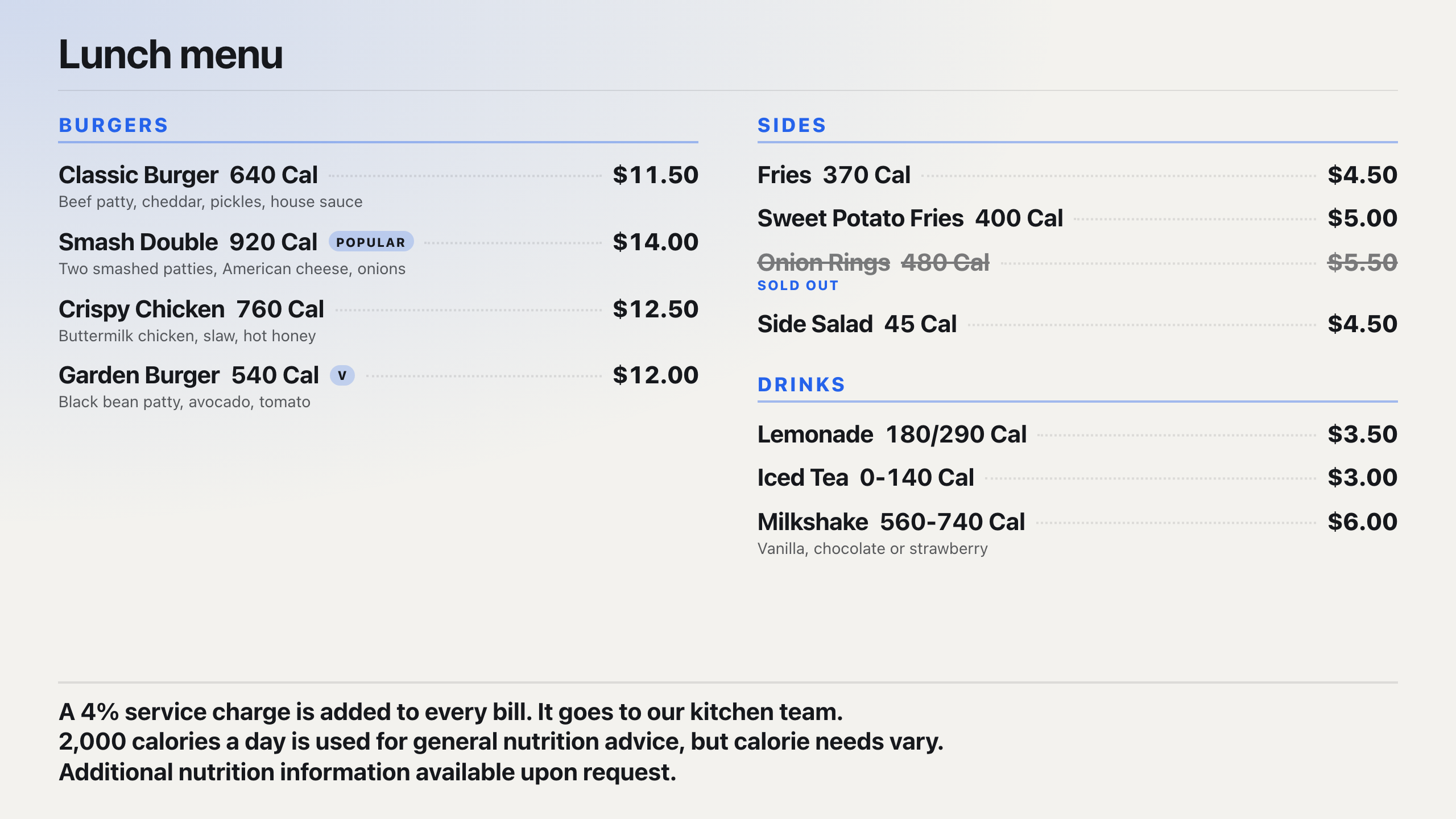
Brix's Menu Board app pulls a menu from a Google Sheet, a CSV file, a JSON feed, or your point of sale, and lays it out on screen automatically. You set:
- Categories to show and their order (for example: Burgers, Sides, Drinks).
- Sold-out items: show with a line through the name, or hide them.
- Columns: automatic, or fixed at 1 to 4.
- Items per page (3 to 60, 12 by default) and how often the page turns (4 to 120 seconds, 10 by default) when the menu does not fit on one screen.
- Descriptions and item images: on or off.
- A note at the bottom, for a service charge, an allergy line, or a short policy.
Add a Calories column to your sheet and turn on US chain (FDA) calorie labeling: Brix prints the calorie count next to each item in the FDA's format, with rounding and ranges, and the two required nutrition statements at the bottom. That format follows 21 CFR 101.11, which covers a chain of 20 or more locations with substantially the same menu. Check with your local health department before you rely on it; the full rule is in our calorie labeling guide.
Breakfast, lunch and late-night content on the same TV
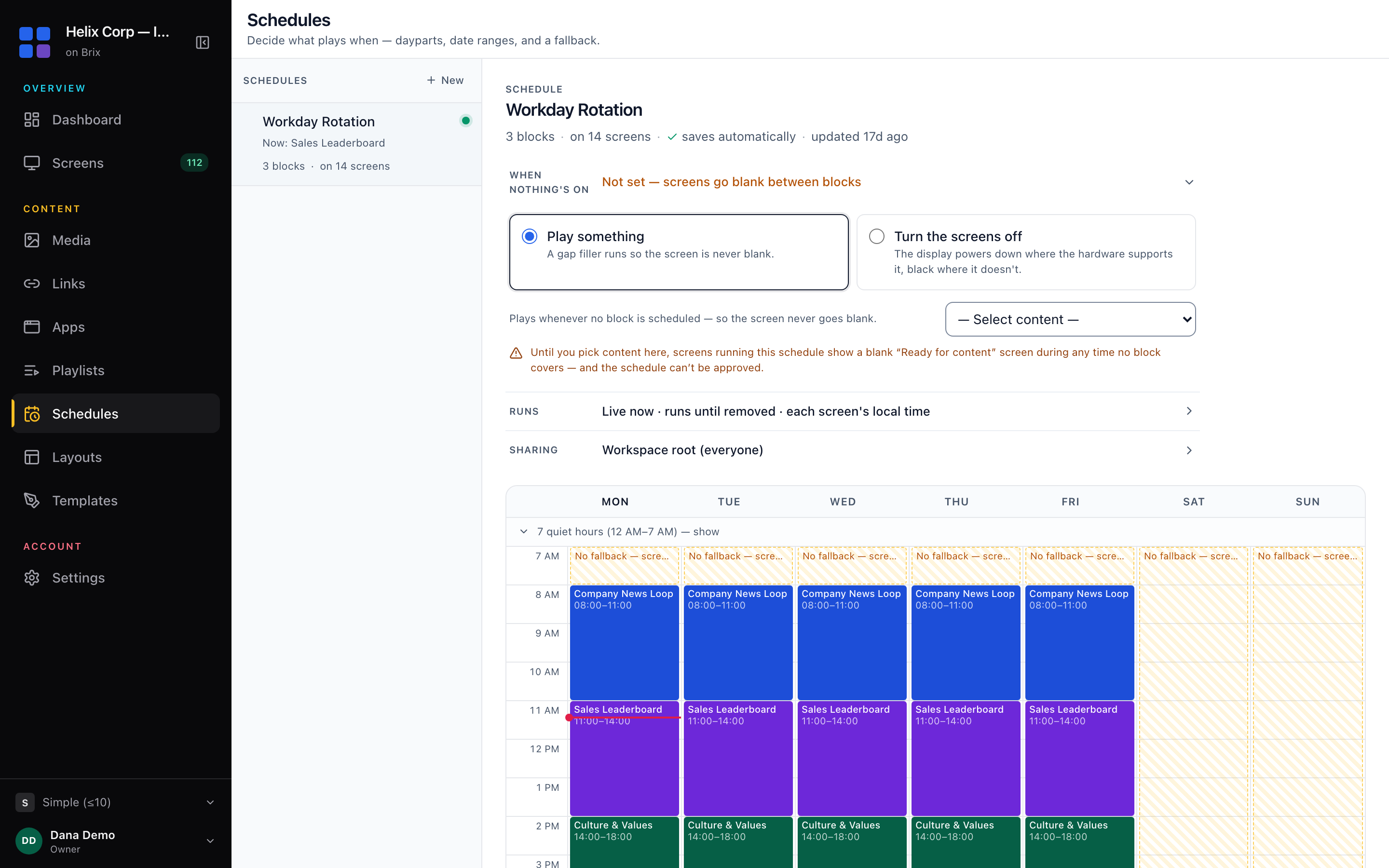
"Day-part it" is how most buyers ask for this: different content by time of day, without anyone touching the screen. In Brix this is a Schedule: time blocks by day of the week, with a start and end time, repeating every week or every N weeks, and an optional date range for a limited-time menu. Put your breakfast menu in the 6:00 to 10:30 block, lunch in 10:30 to 16:00, and a happy-hour or late-night board after that, on every screen the schedule covers.
Every vendor in the table above has some form of dayparting. The difference is the plan it needs. Brix has one plan, so dayparting is never gated. OptiSigns gates its Content Schedule above its Free tier; the rest put it on their entry paid plan. If a trial account will not let you schedule, that is the tier, not a missing feature.
Change what is on the TV from your phone
Buyers who ask for "an app for my phone, so I can do it remotely" usually mean fixing a sold-out item or a wrong price without finding a laptop. Brix's CMS works in a phone's browser: open a schedule from your phone and change a time block, a date range, or what plays in it, on the same screen you would use on a desktop. Brix has no native mobile app, so there is nothing to install.
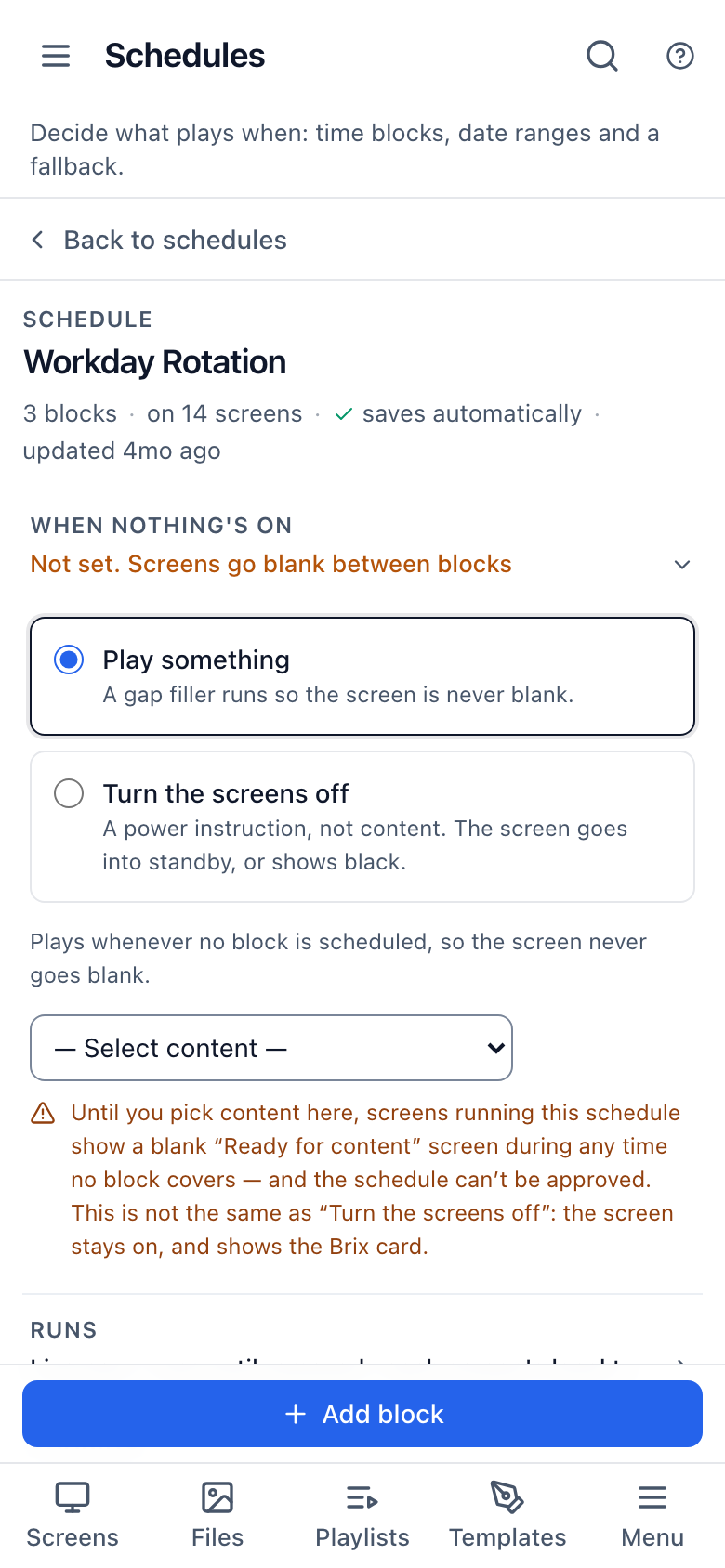
A menu's prices usually live in the connected sheet or point of sale rather than typed into the app itself, so update the price there and Brix picks it up on its own next pass. To take an item off the board for the day, set its Sold out column to yes in the same sheet.
Where Brix fits, and where it does not
Brix is the plain choice for a single-menu counter or a small chain: one plan covers every screen, dayparting and the Menu Board app included, with no add-on to unlock. POS data comes from Toast, Square or Clover; the Brix team sets up the connection with you rather than leaving you to map fields yourself, and the same team does free data migration from your old vendor, usually in a day.
Brix is not the right pick if you need a native phone app (OptiSigns has an admin app for iOS and Android), or a video wall spanning several screens as one image (Brix does not span one image across screens).
See how a menu board fits a wider restaurant rollout on the Brix restaurants page, or read the full guide to moving a TV to a digital menu board.
FAQ
Is dayparting a paid add-on?
Not on Brix: it is included on the one plan. OptiSigns is the one vendor in this list that holds it back from its Free tier; every other vendor here, Brix included, has it on their entry plan.
Can I connect my POS to a digital menu board?
With Brix, yes: Brix connects to Toast, Square and Clover. Our team sets up the connection with you, so item names and prices on the Menu Board app match your system. Talk to us. OptiSigns includes POS data integration from its Pro Plus plan up, and Mvix sells a Toast POS integration in its paid Select Suite add-on; Yodeck, Rise Vision, ScreenCloud and Fugo do not publish a POS connector.
Can I update a menu board from my phone?
Yes, in a phone's browser: open a schedule in Brix's CMS from your phone and change its time blocks or dates. Brix has no separate app to install. OptiSigns is the only vendor above with a native app for managing screens.
What happens to the menu if the internet goes down?
Brix keeps playing the last menu it downloaded. The screen does not go blank or show an error; it shows what it last had until the connection comes back.
What hardware does a digital menu board need?
Brix runs on the Amazon Signage Stick ($99.99, about 10 minutes to set up), Fire TV, Android boxes, TVs with Google TV or Android TV built in, and the Windows player. It does not run on Samsung Tizen or LG webOS TVs.
Start a 7-day free trial of Brix. No card needed.