To put an Instagram feed on a digital signage screen in Brix, add the Instagram Feed app from the App store, connect your Instagram Business account (through Facebook) in the Connected accounts panel, and place the app in a playlist or a screen zone. The screen then checks for new posts every 10 minutes.
Which Instagram account can a screen show?
An Instagram Business account. Instagram only shares posts with apps from professional accounts: it shut down the Basic Display API that personal accounts used on December 4, 2024 (Meta for Developers). Switching is free in the Instagram app: Profile > More > Account type and tools > Switch to professional account, then choose Business and link it to a Facebook Page. A private account becomes public when you switch. The Instagram Stories app also accepts a Creator account.
How do you add an Instagram feed to a digital signage screen?
You add Instagram Feed the same way you add any app in Brix, with one extra step for connecting the account.
- Select Apps in the Content group of the sidebar.
- Select the App store tab and search for Instagram Feed.
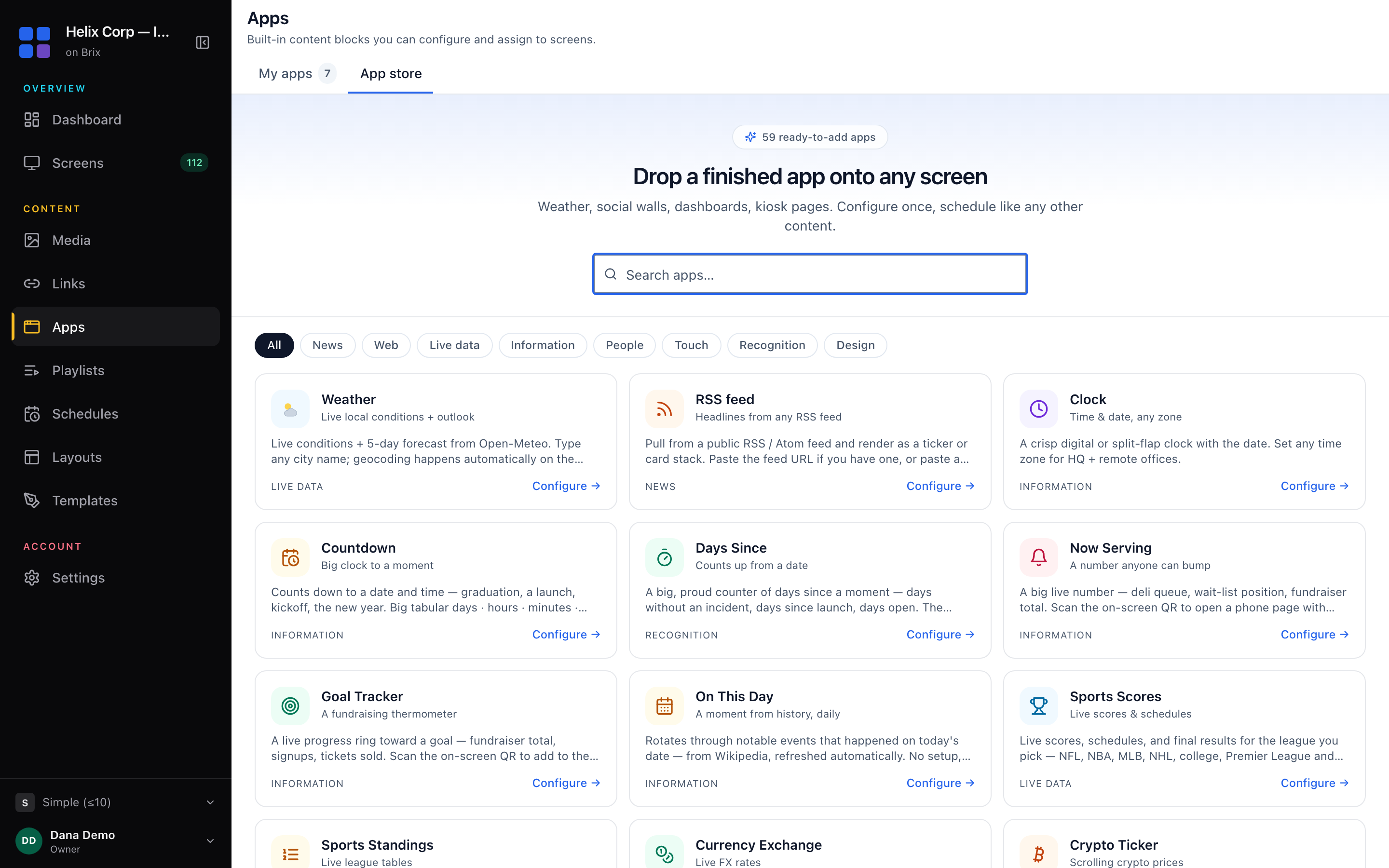
- Select the Instagram Feed card to open its configuration panel.
- Choose an Instagram account in the account dropdown.
- If no account appears, select Connect an Instagram account under the field.
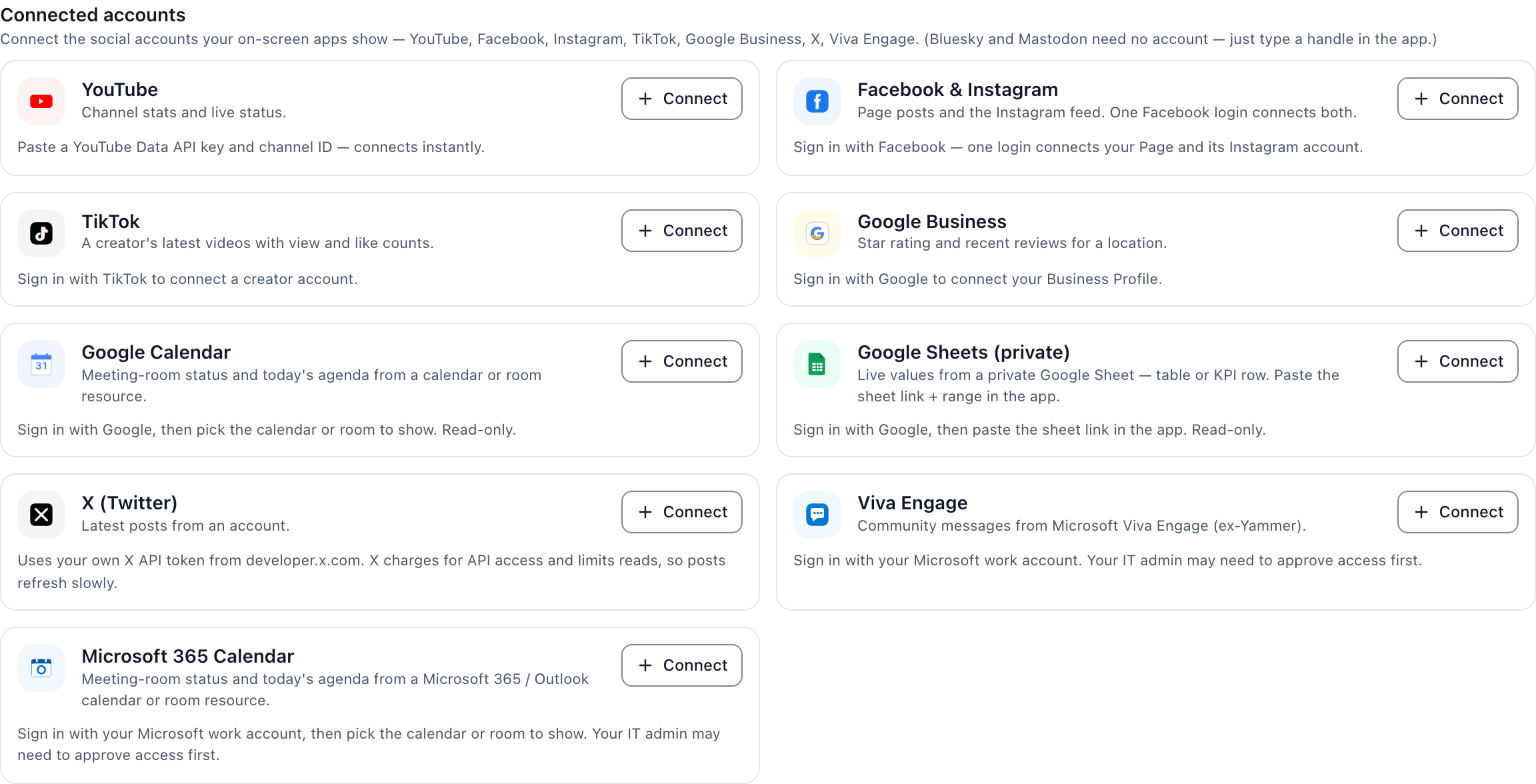
- Connect the account in the Connected accounts panel, which opens in a new browser tab.
- Return to the first tab and choose the account in the dropdown.
- Check the Preview pane on the right.
- Select Add to my apps.
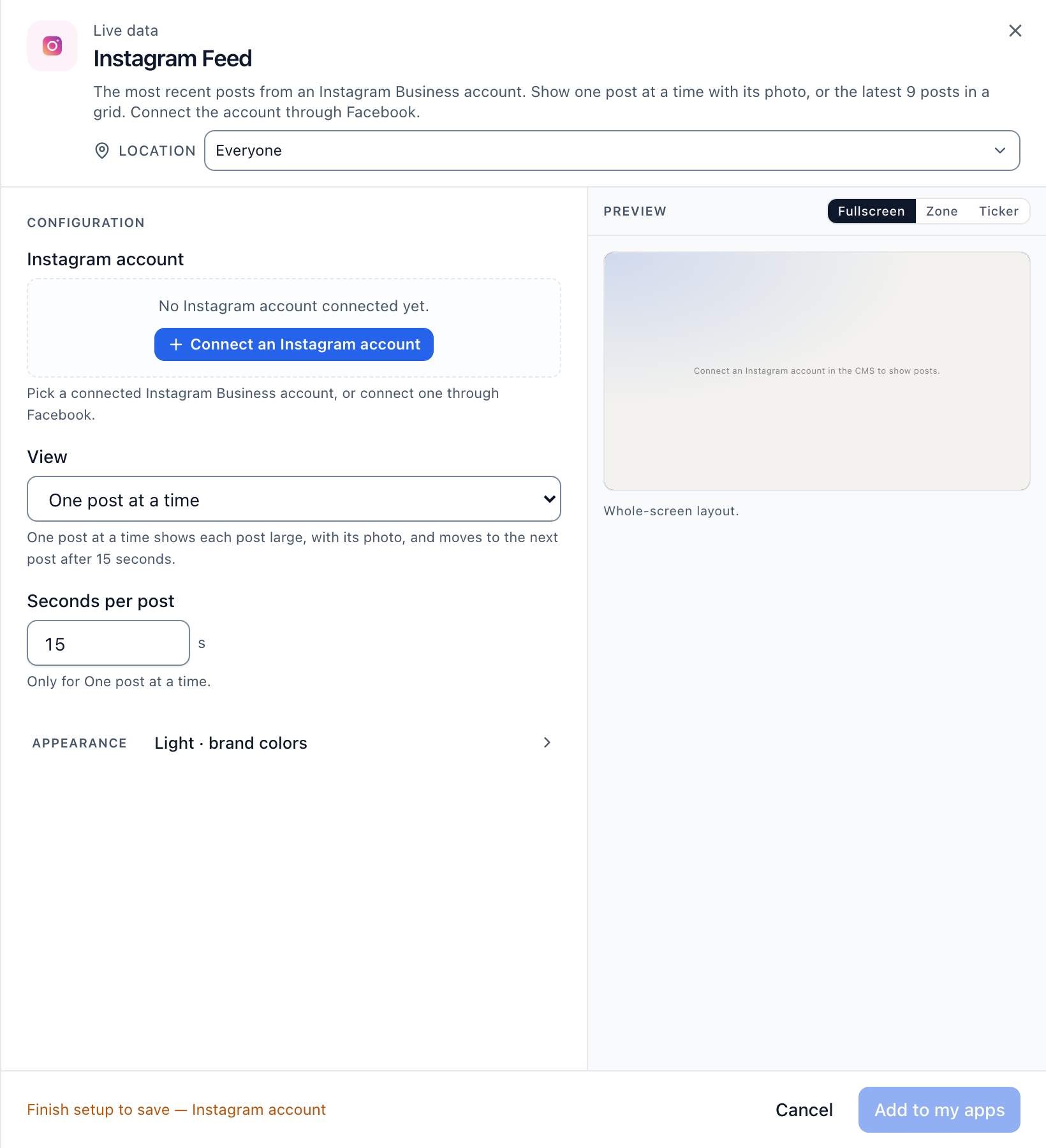
Brix blocks the save until an account is connected and chosen. A social app needs a connected account before Brix saves it, so skipping step 4 or 5 leaves the Add to my apps button unable to finish.
How does the Instagram account connection work?
The app reads an account connected in the Connected accounts panel, not a login typed into the app. The panel opens in a new browser tab, so the app you were configuring stays open behind it. Sign in with the Facebook login that manages the Instagram Business account, then switch back to the first tab and pick the account from the dropdown. With several Instagram accounts, connect each one; every Instagram Feed app points at whichever you choose in its own dropdown.
How do you preview the Instagram feed before it goes live?
The configuration panel shows a live preview next to the fields, and you can switch its size before saving. Select fullscreen for the default whole-screen layout, zone to see the feed in a square box the size of one section of a multi-zone layout, or ticker to see it as a single scrolling line. This preview is an approximation; the player on the actual screen does the final rendering, so check the app on a real screen after the first save if the layout matters.
Where does the Instagram feed play once it is saved?
Saving the app adds it to the My apps tab, but it does not put it on a screen by itself. Put it in a playlist, in a zone of a multi-zone layout, or assign it to a screen directly from the Screens page, the same as any other app in Brix. Add the Instagram Feed app to a playlist alongside other content, or drop it into one zone of a layout while other zones show a menu, a clock, or a second app. For the full path from a saved app to a live screen, read put content on a screen.
Can the Instagram feed match your brand colors?
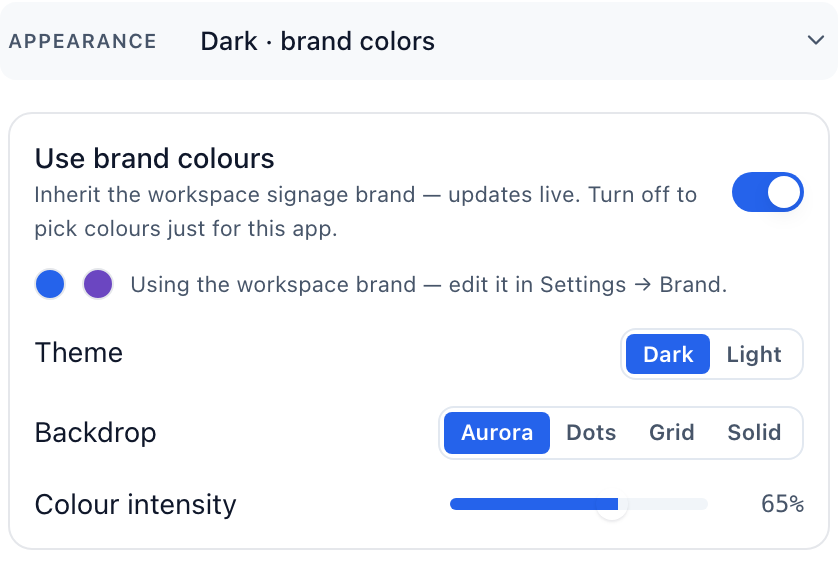
Yes. Open the app's Appearance section to set colors for that one app, separate from the rest of your workspace. Leave Use brand colors on to follow the workspace brand automatically, or turn it off to pick a Primary color and Secondary color, a Dark or Light theme, and a Background: Brand wash, Plain, Brand color, Aurora, Dots or Grid. Turning Use brand colors off copies the workspace colors into the app, so a later change to the workspace brand no longer reaches it until you turn the switch back on or select Reset to brand.
Frequently asked questions
Does the feed show a single post or a grid of posts?
By default, Instagram Feed shows one post at a time, filling the screen with its photo before the next post appears after 15 seconds (change it with Seconds per post, 4 to 60). Select Grid of 9 posts under View to show nine posts together, three across, instead of one post at a time.
Why does the Instagram feed show empty after I connect the account?
If the app reads No recent posts., the connected account returned no posts to show. Check that the account has published posts and is an Instagram Business account before you reconnect it.
Can I run more than one Instagram account on the same screen?
Each Instagram Feed app points at one connected account, chosen from its own dropdown. To show a second account, add a second Instagram Feed app and connect it to a different account, then place both apps in the same playlist or in separate zones of the same layout.
How often does the feed update?
The screen checks for new posts every 10 minutes, so a new post appears within about 10 minutes of publishing.
Does Instagram Feed need its own screen?
No. Give it one zone in a multi-zone layout, or a ticker strip, and use the zone or ticker preview to check it. See add on-screen apps.
To show posts from other accounts or a hashtag, with moderation, the Brix app is not the fit: it shows one connected account. See how to show social media on digital signage for the other routes. Start the free trial to try the Instagram Feed app on your own screen.