To show social media on a digital signage screen, use one of three routes: a social app built into your signage software, a social wall service (such as Walls.io) whose page your signage plays, or a web embed of the feed. Whichever you pick, the account usually has to be a business account, because the platforms only share posts with apps through their official APIs.
The three ways to put a social feed on a screen
| Route | What it is | Good for | Watch out for |
|---|---|---|---|
| Signage app | A feed app inside the signage software: you connect the account and place the app like any other content | Your own brand's posts in a lobby, a shop window or a zone next to a menu | Usually one account per app; little or no moderation |
| Social wall service | A separate service that collects posts from many accounts and hashtags, moderates them, and gives you a web address to show | Events, campuses and venues showing posts from guests under a hashtag | A second subscription; the screen needs a player that shows web pages |
| Web embed | A web page with the platform's own embed code, shown as a web page on the screen | A quick test | Embeds are built for phones and laptops, not a TV across a room, and some platforms block them in a frame |
For most businesses showing their own posts, the signage app is enough. Pay for a social wall service when you need other people's posts, hashtags or moderation.
What each platform needs before a screen can show it
The rules come from the platforms, not the signage vendor, so they apply whichever software you use.
- Instagram. Only professional accounts (Business or Creator) can share posts with apps. Instagram shut down its Basic Display API for personal accounts on December 4, 2024 (Meta for Developers). Switching is free in the Instagram app: Profile > More > Account type and tools > Switch to professional account. A private account becomes public when you switch.
- Facebook. You show a Facebook Page, not a personal profile. Someone who manages the Page connects it.
- X (Twitter). Reading posts goes through the X API, which charges pay-per-use: you buy credits and each request uses some (docs.x.com, September 2026). Expect a signage app to ask for your own X API token, and expect the feed to refresh slowly.
- TikTok and YouTube. TikTok needs the account connected. YouTube needs only a video, playlist or channel link for playback; channel statistics need a YouTube Data API key.
- Bluesky and Mastodon. Public posts can be read without signing in: you type the handle.
Moderation: what if a bad post appears?
A feed of your own account shows only what your team posts, so moderation is your normal posting approval. A hashtag or mention feed shows what strangers post. For that, use a social wall service with moderation. Walls.io, for example, offers AI filtering plus manual approve and pin (walls.io, September 2026). Never put an unmoderated hashtag feed on a public screen.
Posts from customers are their content. If you show other people's photos, a social wall service's approval step is also where you check you have the right to show them.
Where a social feed works on screen
- One zone, not the whole screen. Give the feed a zone next to what people came to read: a menu, a class timetable, a waiting list.
- Slow it down. 10 to 15 seconds per post on a screen people walk past. Longer in a waiting room.
- Big text and photos. A post designed for a phone at arm's length must be read from 3 to 5 metres away. Photo-led posts work; long text posts do not.
- Good places: restaurant and cafe windows, gym and studio lobbies, waiting rooms, school and campus entrances, event venues and trade show stands.
- Weak places: a drive-thru or menu board where people need to decide fast, and anywhere the account posts less than once a week, because the screen then shows the same old posts for months.
What it costs
- Signage app: often included in the signage software's per-screen price, but some vendors tie social apps to a higher plan or an add-on. Check the plan table.
- Social wall service: a separate subscription, usually priced per wall or per event.
- The platforms: Instagram, Facebook and YouTube do not charge to read your own posts. X charges for API use.
Where Brix fits
Brix has a social app for each major platform, included in the per-screen price ($6 per screen per month billed annually, $8 billed monthly):
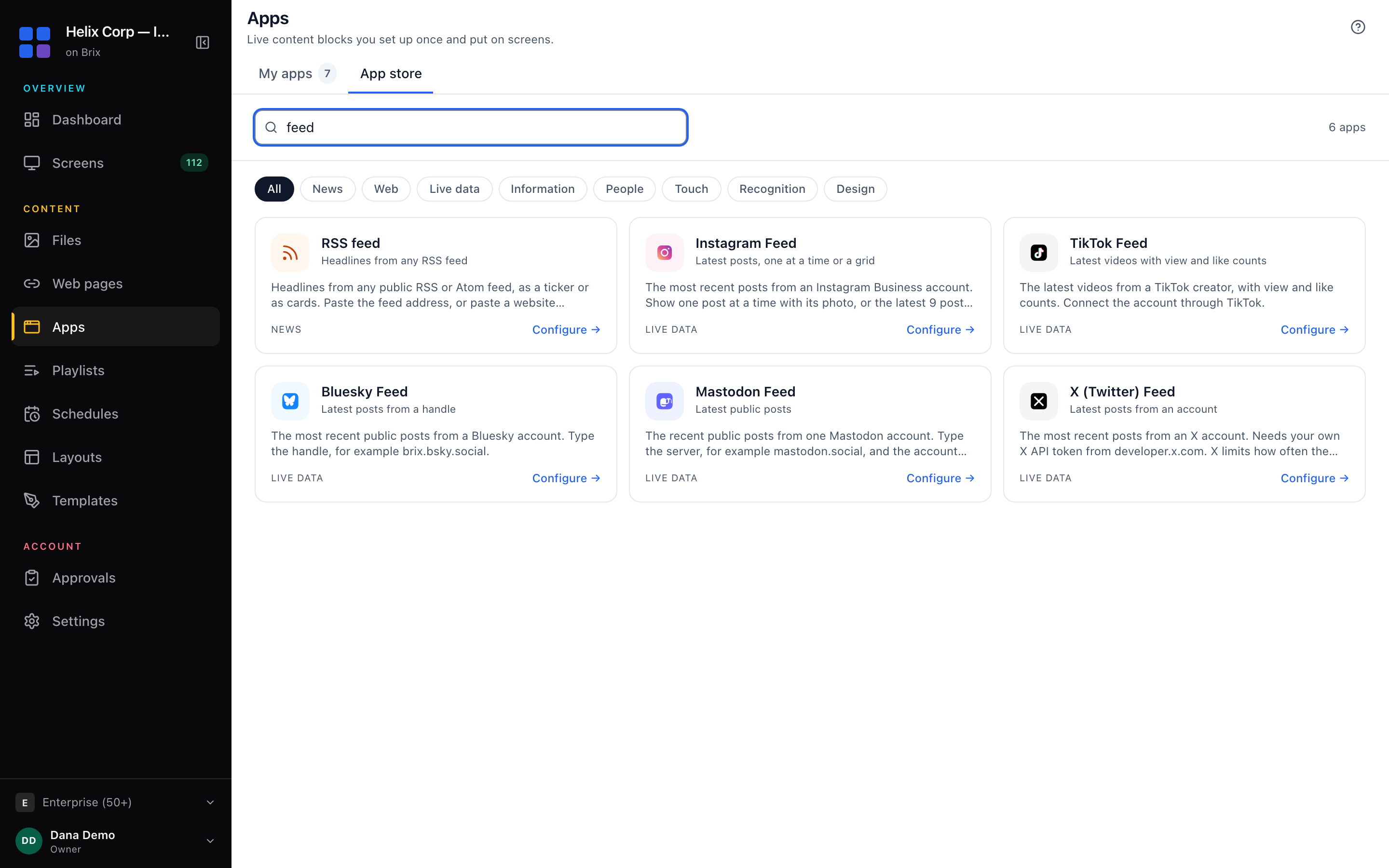
| App | What it shows | What it needs |
|---|---|---|
| X (Twitter) Feed | The latest posts from an X account | Your own X API token |
| Instagram Feed | The latest posts, one at a time or as a grid of 9 | An Instagram Business account, connected through Facebook |
| Instagram Stories | The account's current Stories | A Business or Creator account, connected through Facebook |
| Facebook Page | The latest posts from a Page | The Page, connected through Facebook |
| TikTok Feed | The latest videos, with view and like counts | The account, connected through TikTok |
| YouTube / YouTube Live | A video, playlist or channel; a channel's live broadcast | A YouTube link |
| YouTube Stats | Subscribers, total views and video count | A YouTube Data API key |
| Bluesky Feed / Mastodon Feed | The latest public posts | The handle (Mastodon: the server too) |
| Google Reviews | Your star rating and recent reviews | Your Google Business Profile |
Each app plays full screen, in one zone of a layout, or as a ticker strip, and the preview shows all three before you save. Open Apps > App store, search for the platform, connect the account, check the preview and select Add to my apps. Step by step for Instagram: Instagram feed on digital signage. How apps, playlists and screens fit together: on-screen apps.
Brix is not the right choice for a moderated hashtag wall at an event: its apps show one account each and have no approval queue for other people's posts. Use a social wall service for that, and play its page on the screen.
Start the free trial and add your first social app.