A digital signage playlist is a loop: a list of images, videos, web pages and apps that play one after another, each for a set time, then start again. To make one, create the playlist in your signage software, add the items, set how long each image shows, put them in order, and assign the playlist to a screen. Videos play for their own length.
In Brix, select Playlists in the Content group of the sidebar, select New playlist, add files, then assign the playlist to a screen. A Brix playlist can hold media files, apps and other playlists. You need at least one file; to upload one, read upload images and videos.
How long each slide should show
- 8 to 15 seconds for an image with a headline and a few words. People walking past may join mid-loop, so give each slide time to be read once from start to end.
- 15 to 20 seconds for a menu, a timetable or a list someone stands and reads.
- Keep the loop short where people pass by (a store aisle, a lobby): 5 to 8 items. Where people wait (a waiting room, a queue), a longer loop stops them seeing the same slide twice.
- One idea per slide. A slide nobody finishes reading is wasted airtime.
Brix gives a new image 10 seconds. Change it per item below.
Create a playlist
- Select Playlists in the sidebar and select New playlist in the top bar.
- Select the name at the top of the editor (it starts as New Playlist), type the real name and press Enter.
To start from an existing one, point at its row, select the actions button and select Duplicate. The copy holds the same items and settings.
Add images, videos and apps
- Find the Files, apps and playlists panel at the right of the editor.
- Type in the Search media, apps and playlists box to narrow it.
- Point at a media card and select Add to playlist to put it at the end of the loop. Or drag the card onto the row it must follow.
- Select an Apps card to add an app, or a Playlists card to nest a playlist.
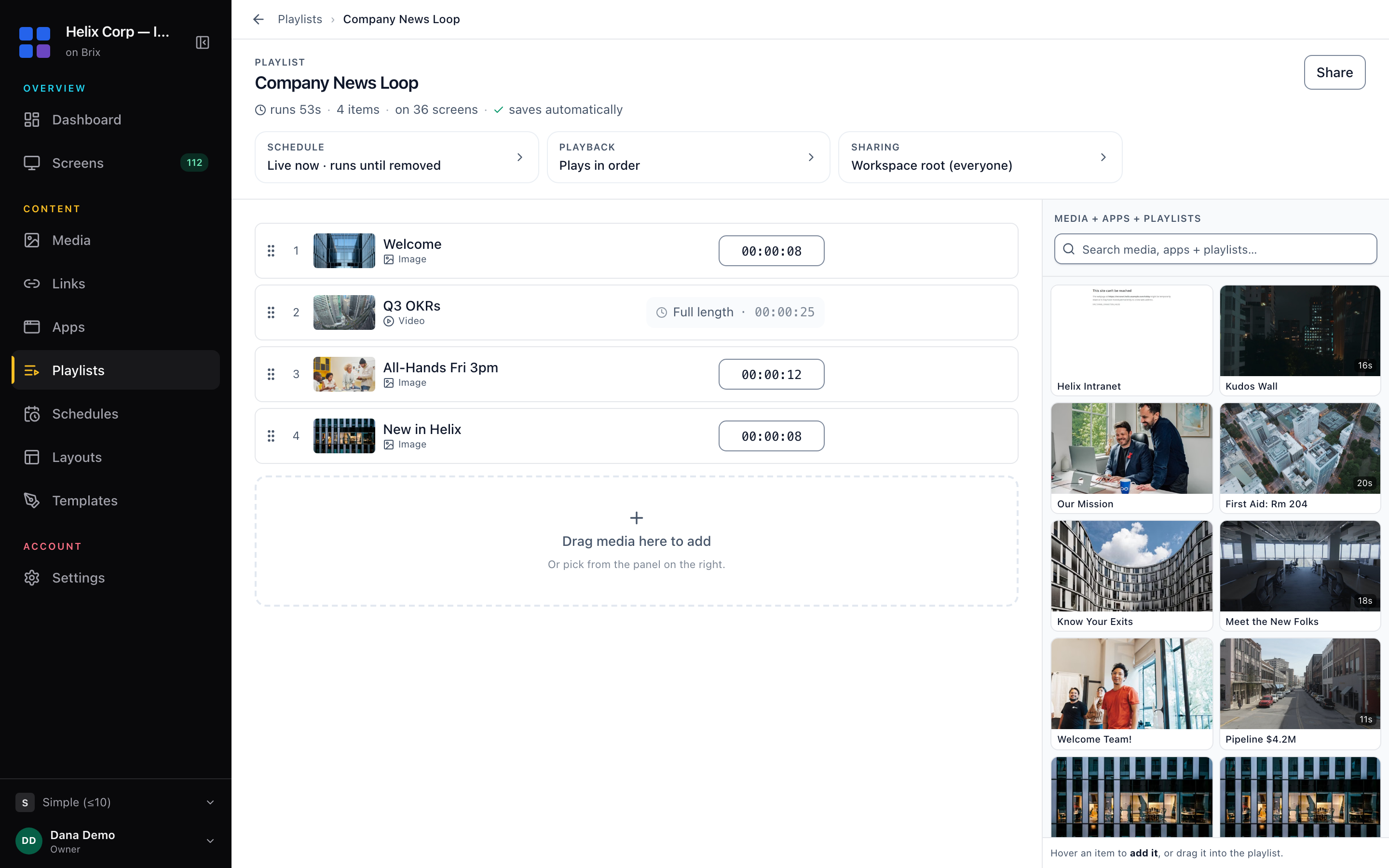
The editor has no Save button: Brix saves every change as you make it. The panel lists only active media that the playlist's location can use, and loads about 60 files at a time, so search to reach an older one. A playlist cannot contain itself.
To remove an item, select the trash button on its row. Undo lasts eight seconds.
Set the order of the loop
Drag the grip handle at the left of a row to its new place and release. For the keyboard, focus the grip handle and move the row with the arrow keys. The position numbers renumber.
Set how long each item plays
- Select the duration box at the right of the item row.
- Type the time as HH:MM:SS, or type 30 for 30 seconds, and press Enter.
- Read runs in the fact line under the playlist name for the new loop length.
The shortest duration is one second. A video reads Full length and has no box. A nested playlist plays all of its items once. An animated GIF counts in loops, not seconds: set 1 to 999 with the minus and plus buttons.
Set start and end dates, or shuffle
- Select the Schedule card in the strip under the playlist name.
- Set Starts, or leave Today to go live at once.
- Set Expires, or leave Never to run until you remove the playlist.
Outside that window Brix skips the playlist and the screen falls back to its next assignment. For a loop that changes by time of day, read schedule when content plays.
To play the items in a random order, select the Playback card and turn on Shuffle.
Put the playlist on a screen
A playlist does not reach a screen from the editor. Assign it on the Screens page, or put it in a daypart on the Schedules page. A screen plays one playlist, schedule, layout, media file or app at a time, and a new choice replaces the old one. Read put content on a screen.
Read the playlist list
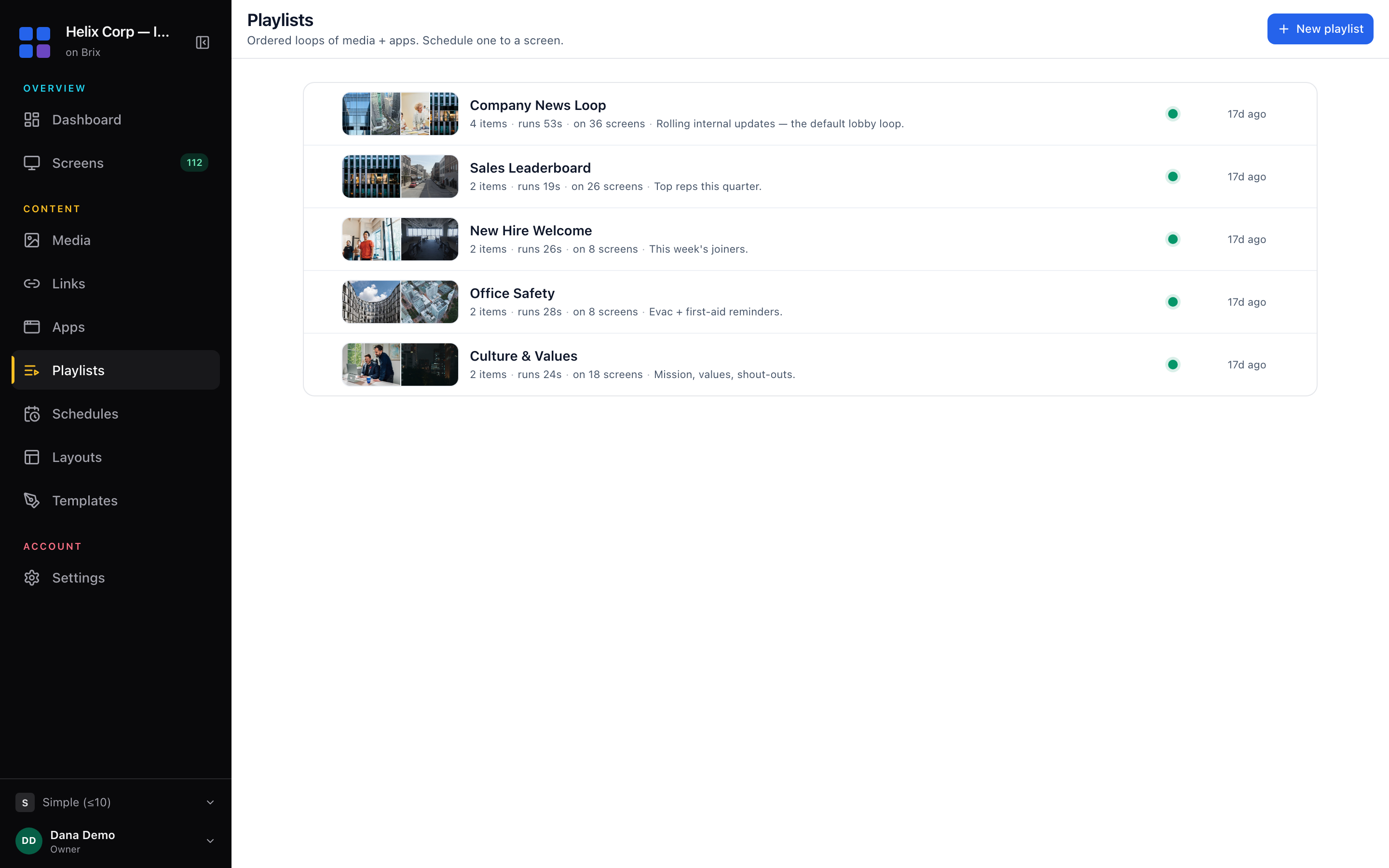
Each row shows the item count and run time (nested playlists included), and one indicator: Pending, Rejected, Expired, Expires in 3d, Unused, or a green dot for a playlist that plays and needs no attention. Pending and Rejected appear only where the location asks for approval; read approve content before it airs.
To check a file, select its thumbnail or name in the editor for a read-only panel with format, size, dimensions and duration. To let another location or team use a playlist, select Share in the header, or read share content between teams and locations.
Delete playlists
- Tick the checkbox at the left of one or more rows. Hold Shift to take a run of rows.
- Select Delete in the bar at the bottom of the page and confirm.
Screens using the playlist stop playing that content at once. Brix keeps it in the recycle bin for 30 days, then deletes it for good.