A Google TV streamer cannot run as a locked-down signage display on its own. It has no setting to open one app at boot and keep every other app closed, so anyone holding its remote can leave the home screen or open another app. The Amazon Signage Stick is built to solve exactly that: it boots straight into one app, in kiosk mode, and nothing else is a button-press away.
Buy the Amazon Signage Stick if nobody can stand at the screen to fix it. Buy a Google TV Streamer only if you already own one, or you have a separate device-management tool to lock it down.
What the little box behind the TV actually does
A Google TV streamer's job is to show a home screen full of apps, remember what you last watched, and let a remote pick something new at any time. A signage box's job is the opposite: show one thing, with nobody touching a remote, for months at a time. Both are small boxes behind the TV. Only one of them is a kiosk.
"Google TV streamer" covers Google's own Google TV Streamer box, a Chromecast with Google TV, and a TV with Google TV built in: all three run the same Google TV OS and the same Google Play store, with no business lockdown.
Kiosk mode vs a consumer launcher
Google TV has no setting that opens one app at boot and keeps it in front. An app that was not just opened needs the "Display over other apps" permission to bring itself back to the front (Android developer docs, checked 2026-10), and a person at the TV has to grant that once. Even then, the remote's Home button always returns to the Google TV launcher, and nothing stops a visitor from picking Netflix or YouTube next.
The screensaver also comes back by itself: Google TV goes into Ambient mode "after 10 minutes of user inactivity" (Android developer docs, checked 2026-10). A signage app keeps photos away only while it stays in front.
Amazon Signage Stick vs Google TV Streamer
| Amazon Signage Stick | Google TV Streamer | |
|---|---|---|
| Price | $99.99 | $149.99 |
| Built for | Business signage | Home streaming |
| Opens the signage app after a power cut | Yes, in kiosk mode | Only after you grant "Display over other apps" |
| Locks out other apps | Yes | No: the remote reaches YouTube, Netflix and the home screen |
| Remote reboot from the CMS | Yes | No: unplug it to restart it |
| TV on and off over HDMI-CEC from the CMS | Yes, on TVs that support it | No: a Google Play app cannot reach the Streamer's CEC power control |
| Wired network | Amazon's micro-USB Ethernet Adapter ($14.99) | Built in |
| Install path | Pick "Brix Signage" during the Stick's own setup | Install "Brix Digital Signage" from Google Play |
Prices read from amazon.com and the Google Store, October 2026. Google raised the Streamer's price from its $99.99 launch to $149.99 in August 2026 (9to5Google, August 31, 2026).
HDMI-CEC shows the same split as kiosk mode. A streamer can drive the TV's own power over CEC once CEC is switched on in the TV's own settings and the streamer sits on wall power, not a USB port (Google Chromecast help, checked 2026-10). That control belongs to the streamer's system software. A signage app installed from Google Play cannot reach it, so it cannot switch the TV off at closing time.
Installing Brix on each device
Brix runs on both, through two different apps:
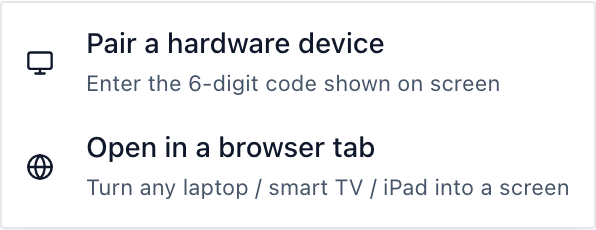
- Amazon Signage Stick. During the Stick's own on-screen setup, pick "Brix Signage." Then pair it in the CMS: Screens > Add screen > Pair a hardware device. Setup takes about 10 minutes. Pairing a Signage Stick takes a median of 2.6 minutes in Brix's own fleet, from the code appearing on the TV to the screen showing up in Brix.
- Google TV Streamer. Install "Brix Digital Signage" from Google Play, open it, then pair it the same way: Screens > Add screen > Pair a hardware device. Grant "Display over other apps" when asked, so Brix can bring itself back to the front after a restart.
On the Signage Stick, Brix adds remote reboot, Screen hours (an on/off schedule that uses HDMI-CEC) and portrait rotation that turns the video too. On a Google TV Streamer, Brix plays, schedules and updates content, restarts its own app, and reports the box's health, but it cannot restart the box itself or switch the TV off: a Screen hours schedule shows a black screen on a TV that stays powered on.
Can you restart it without going to the TV?
On the Amazon Signage Stick, yes: the CMS can reboot the Stick itself, from the office or across the country. On a Google TV Streamer, no. The CMS Reboot command fails on it, because a Google Play app cannot restart the box, so someone has to unplug the box and plug it back in.
When the Google TV Streamer is still the right buy
Buy a Google TV Streamer for signage only when:
- You already own one for a staff room or reception TV and want to add a sign to the same box.
- A separate Android TV device-management tool will enroll and lock it down for you, with its own licence cost.
- You are testing one screen you can walk up to, for a short pilot.
For a screen nobody can reach, or more than a handful of screens, the Signage Stick costs $50 less and adds kiosk lockdown, remote reboot and TV on and off from the CMS. See the same trade-off against a different consumer box in Amazon Signage Stick vs Walmart Onn, and against Fire OS devices in Fire Stick digital signage.
Where Brix fits
Brix costs $6 per screen per month billed annually, or $8 billed monthly, the same price on a Signage Stick or a Google TV Streamer. Every plan starts with a 7-day free trial and no card is needed. The software price does not change with the hardware, so the hardware is the real choice to make. For the fuller case for Google TV generally, including free signage apps for a single screen, read Chromecast digital signage.
FAQ
Does the Google TV Streamer have an Ethernet port?
Yes, built in. A Chromecast with Google TV needs Google's separate Ethernet adapter; the Streamer does not.
Can Brix run on a Google TV Streamer?
Yes. Install "Brix Digital Signage" from Google Play and pair it like any other screen. It cannot reboot itself or switch the TV off over HDMI-CEC the way the Signage Stick can.
Does an Android TV device-management tool fix the kiosk problem?
Some can lock a company-owned Android TV device to one app, but that needs its own licence and its own enrollment step. A Google TV Streamer bought and set up as a consumer device has none of that built in.
What does the Amazon Signage Stick cost to run?
$99.99 for the Stick, plus $6 per screen per month on Brix billed annually, or $8 billed monthly. The trial runs 7 days and needs no card.
Is a Google TV Streamer cheaper than the Signage Stick?
No. The Streamer costs $149.99 and the Signage Stick costs $99.99 (prices read October 2026).
Start a free 7-day Brix trial. No card needed.