To find offline screens with ChatGPT, connect Brix to ChatGPT once, then ask: "Which of my screens are offline, and why?" ChatGPT runs the Brix tool search_screens to list the offline screens, then screen_health on each one to read its outage history and the likely cause. You get a list by location with a reason per screen and what to check on site. It works the same in Claude, and it only needs view permissions.
Steps
- Add Brix to ChatGPT (Developer mode) or Claude and sign in. The steps are in Control your digital signage from Claude or ChatGPT.
- On the Brix permission page you can leave every area on View only. Viewing screens is always included, and it is all this job needs.
- Ask:
Which of my screens are offline right now? Group them by location. For each one, say how long it has been down, how often it went down in the last 30 days, and the most likely cause. Then list what someone on site should check first.
- For one screen, ask: "Why is the screen in the Denver break room blank?"
What the connector does
| You ask | Tool it runs | What comes back |
|---|---|---|
| Which screens are offline | search_screens with status offline | Up to 200 screens per page, with a total, so it can page through a large fleet |
| What is failing right now | list_open_alerts | Open alerts, newest first, filtered by severity, screen or location |
| Why this screen is down | screen_health, view diagnose | One likely cause, reasoned from what the player last reported, and a next-step checklist |
| How often it goes down | screen_health, view outages | Every outage in the window (30 days by default), how long each lasted and a plain cause |
| Was the TV switched off | screen_health, view tv | What the TV did: off, another HDMI input, cable lost, back on. Signage Stick only |
| How the whole fleet did | get_uptime_report | Online % per screen, downtime windows with causes, worst screens first |
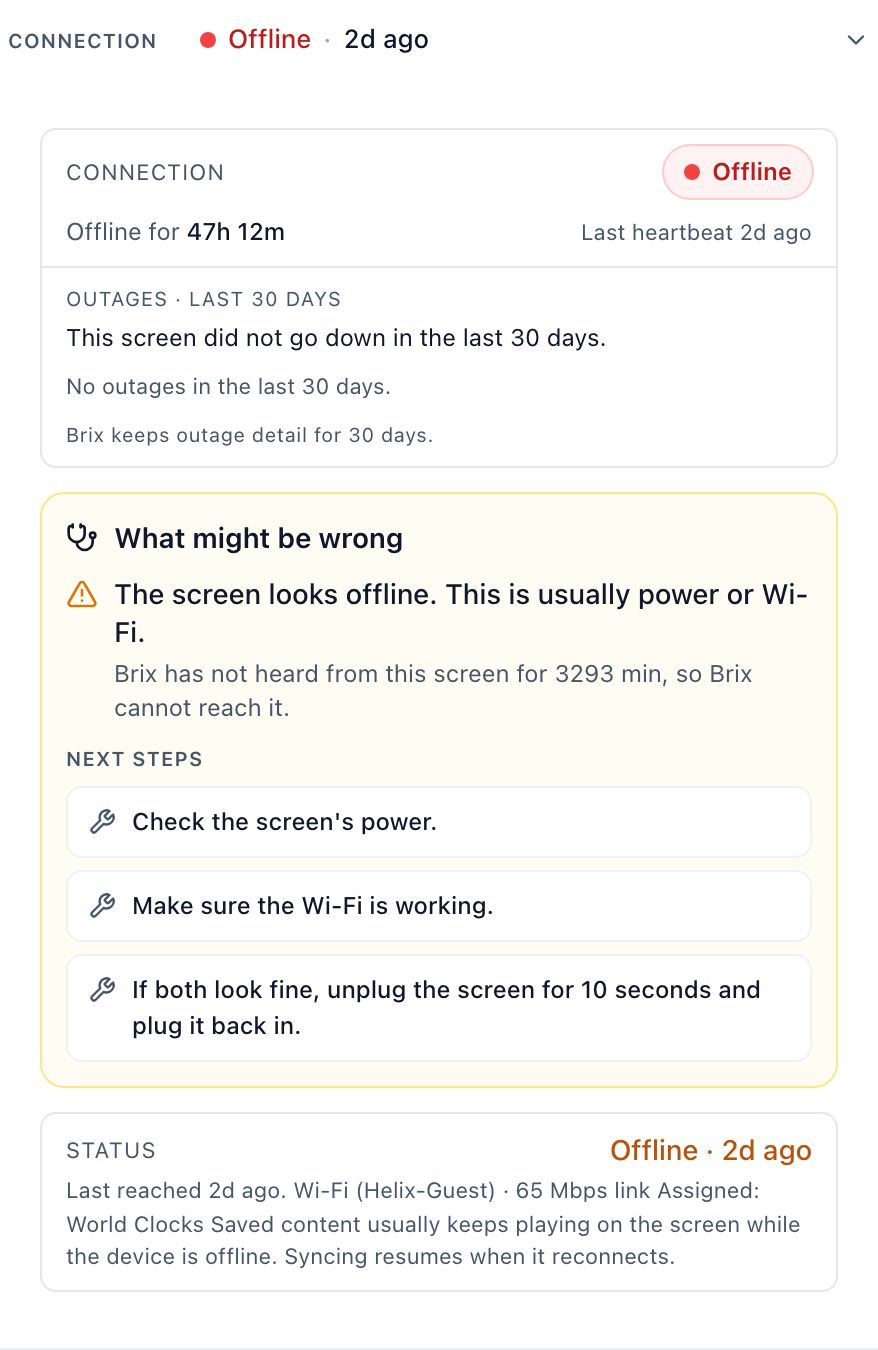
An answer reads like this: "3 screens are offline. Denver break room: off for 2 days, no outages before that. The player stopped reporting at 6:02 am, which is usually power or Wi-Fi. Check the power strip first."
The cause is a best guess from what the player reported before it went quiet. A player that is offline cannot say why.
Fix what can be fixed remotely
Some fixes need Screens on View and change:
- A screen that is online but shows the wrong thing: ask "Why is the lobby screen showing the old menu?"
screen_healthwith viewwhysays what the screen is playing and where it comes from (a schedule, a cast, an emergency message or its default). - A frozen or blank screen that still reports in: "Refresh the lobby screen" or "Reboot it." That is
send_command. A reboot interrupts what is on screen. - To see the panel: "Take a screenshot of the lobby screen."
capture_device_frameasks the player for a fresh picture.
A command reaches only a screen that is online. A screen that is offline because of power, Wi-Fi or an unplugged cable needs a person on site. The assistant tells them what to check.
Make it a weekly check
Ask on a Monday: "Give me last week's uptime by location, the five worst screens and the cause for each." That runs get_uptime_report. In a single screen's outage list, time the screen was dark on purpose, outside its screen hours, is shown but not counted as an outage.
Permissions and limits
- View only covers everything in the table. Refresh, reboot and screenshots need Screens on View and change.
- Location limit. A connection limited to one location sees only the screens there.
- Outage history goes back 30 days unless your workspace keeps more.
- TV state (off, wrong input) comes only from an Amazon Signage Stick, which reads it over HDMI-CEC.
- For step-by-step fixes by symptom, see troubleshoot a screen.
Where Brix fits
Brix answers "why", not just "offline": each screen keeps an outage history with a cause, and the connector hands that to the assistant. You connect by signing in, no key to paste, and can keep the connection View only. It is included on every plan: $6 per screen per month billed annually, or $8 billed monthly. See the MCP setup page for every tool.
If you have a handful of screens in one building, the Screens page in the console shows the same status at a glance. The assistant helps most across many locations, or when you want the answer grouped and explained.
Start the free trial. It runs for 7 days, with no card needed.