To pull a proof-of-play report from Claude, connect Brix to Claude once, then ask: "How many times did the spring promo play last week, and on which screens?" Claude calls the Brix tool get_proof_of_play, which returns plays, watch time, skips and failures per piece of content for the dates you name, plus which screens reported. Claude turns that into a table or a short summary. It works the same in ChatGPT and needs only view permission on Proof of Play.
Proof of play must be recording before the dates you ask about. It is off by default.
Steps
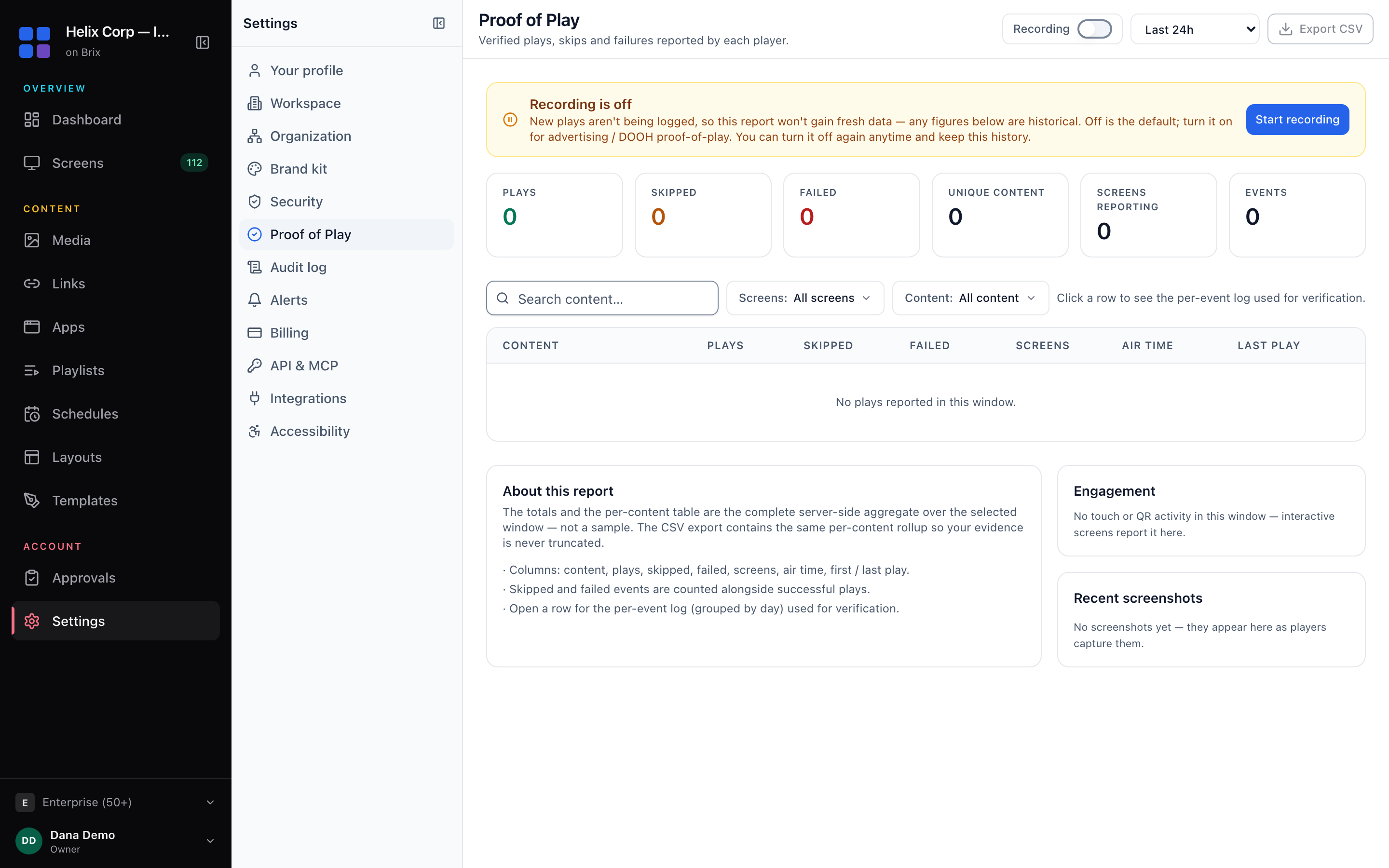
- Turn recording on: Settings > Organization > Feature defaults, or the Recording switch on Settings > Proof of Play. Plays before that are not logged.
- Connect Brix to Claude or ChatGPT and sign in. The steps are in Control your digital signage from Claude or ChatGPT.
- On the Brix permission page, set Proof of Play to View only. That is all this job needs.
- Ask:
Pull proof of play for 1 to 30 September. Show a table with each piece of content, plays, total air time, skips and failures, sorted by plays. Then list any screen that reported no plays at all.
- For one screen: "How many times did the safety video play on the warehouse entrance screen yesterday?"
What the connector does
get_proof_of_playtakes a start and end date (the last 7 days when you give none) and, if you want, one screen. It returns a rollup per piece of content: plays, watch time, skips and failures, plus which screens reported.- The counts come from what each player logged as it played, not from the schedule. A video that was scheduled but failed to play shows as a failure, not a play.
- Claude can combine it with other tools. "Which screens were offline during the promo?" adds
get_uptime_report. "Who changed the promo playlist last week?" addssearch_audit_log, which needs Audit log on View only.
Questions it answers well
- "How did the promo do?" Plays and air time per item, top five first.
- "Did the sponsor's ad run as booked?" Plays per screen for one item and date range, to set against what you sold.
- "What keeps failing?" Items with the most skips or failures, which usually points to a broken file or a web page that did not load.
- "Which screens did not report?" Screens with no plays in the window, often offline or switched off.
When you need a file
For a report to send an advertiser or a landlord, open Settings > Proof of Play, pick the dates and press Export CSV. The CSV holds the same totals: content, plays, skipped, failed, screens, air time, first and last play. Open a row in the console for the per-event log, grouped by day. More on the report is in proof of play and audit.
Permissions and limits
- Proof of Play: View only is enough. With it, the connector reads the report and cannot change the recording setting.
- Recording must be on for the dates you ask about. With it off, the report has no new data.
- Location limit. A connection limited to one location reports on screens there only.
Where Brix fits
Proof of play is included on every Brix plan, with no add-on, at $6 per screen per month billed annually, or $8 billed monthly. The same report is in the console, the REST API (GET /v1/proof) and the assistant. See the MCP setup page for every tool.
If you sell screen time to advertisers through a programmatic exchange, the exchange's own reporting is what they will ask for. The Brix report fits direct deals, sponsors and internal checks.
Start the free trial. It runs for 7 days, with no card needed.