The best Yodeck alternative depends on why you are leaving:
- Every feature on one plan, on the Amazon Signage Stick: Brix, $6 per screen per month billed annually, or $8 billed monthly. We move your content over for you, free.
- Same $8 price, simple playlists: Play Digital Signage.
- More apps and interactive kiosks: OptiSigns.
- Apple TV, or SSO and SCIM for less: Kitcast.
- Schools: Rise Vision.
- Free, for up to 3 screens: OptiSigns Free or DigitalSignage.com Free.
- Free and open source: Anthias on a Raspberry Pi, or Xibo on your own server.
Stay on Yodeck if one free screen is all you need: no alternative matches that. Brix wrote this page and says where each option, Brix included, is the wrong choice.
Why do people look for a Yodeck alternative?
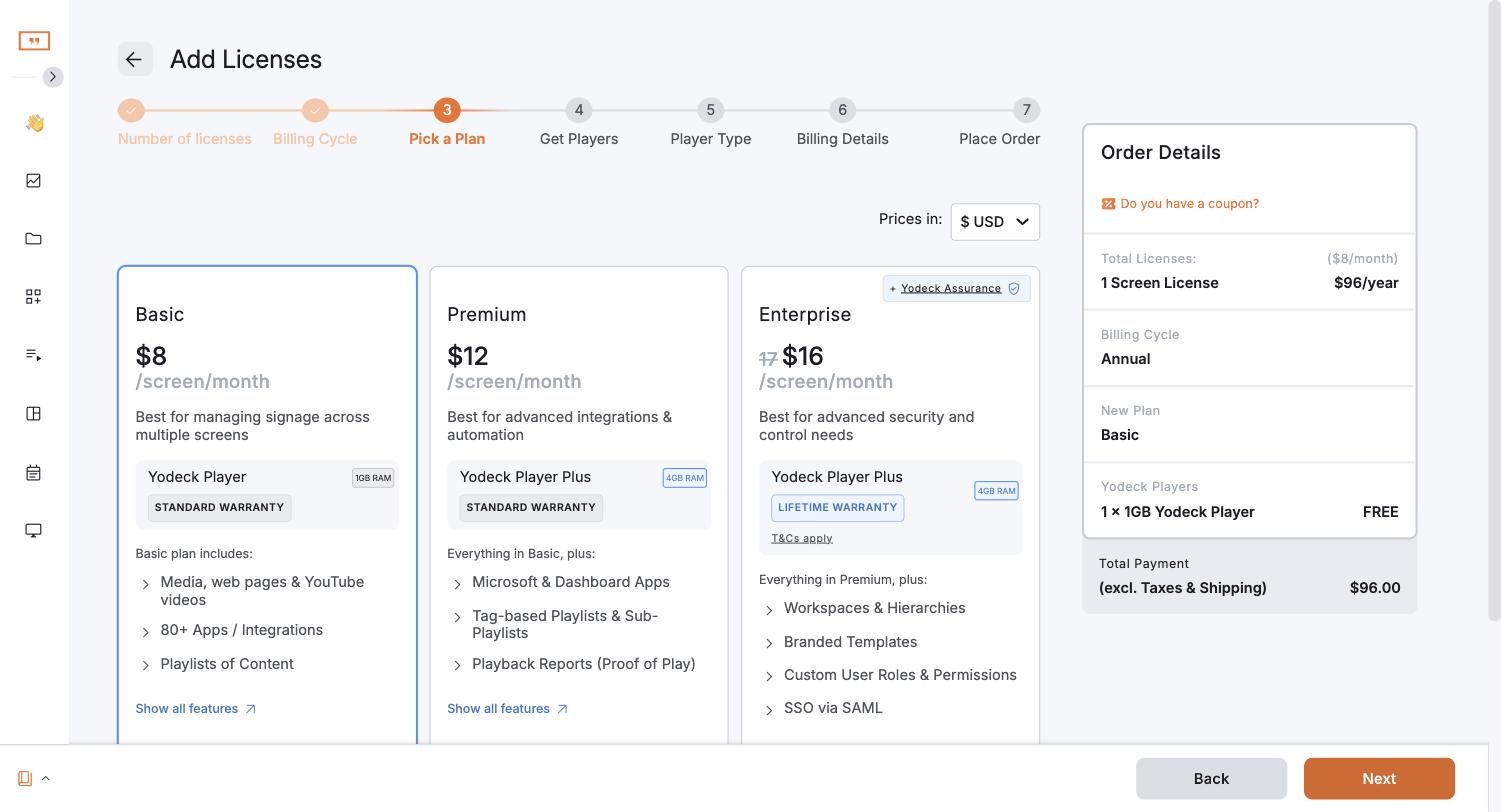
- Features sit on higher tiers. Basic is $8 per screen per month. Proof of play and the API need Premium ($12). Custom roles, workspaces, SAML and the audit log need Enterprise ($16). Annual and monthly billing cost the same.
- The price went up. Premium and Enterprise rose $1 per screen per month from April 1, 2026; Basic did not (Yodeck's notice, and our Yodeck price increase page).
- Approval is a role, not a workflow. On Premium and up, a Restricted Content Manager builds content but cannot publish it. Yodeck documents no request-and-approve queue.
- The Raspberry Pi player. The Yodeck Player is a pre-configured Raspberry Pi: free with annual plans, otherwise $85 (1 GB) or $155 (4 GB). Some buyers prefer a Signage Stick or the TV's own apps.
- Add-ons. Embeddable Feeds start at $6 a month. Yodeck Assurance is $1 per player per month.
- Support hours. Yodeck's pricing page lists 24/5 support.
- Release pace. Yodeck publishes release notes every one to two months; the July 2026 notes announced one feature, the Yodeck AI Agent (Premium and up). It is a large, established vendor (170+ people in 17 countries, per its careers page), and most of its team is based in Greece.
Yodeck alternatives compared
List prices per screen per month, annual / monthly, from each vendor's pricing page:
| Platform | Entry plan | Roles, approvals and proof of play | Free option | Runs on the Signage Stick |
|---|---|---|---|---|
| Yodeck | $8 / $8 | Premium $12 (approval by role; custom roles $16) | 1 screen | Yes |
| Brix | $6 / $8 | Same plan | 7-day trial | Yes |
| Play Digital Signage | $7.20 / $8 | Ultimate $16, no approval step | First screen, for a review | Yes |
| Kitcast | $7 / $9 | Pro, $10 / $14 | 14-day trial | Fire TV named, Signage Stick not |
| OptiSigns | $9 / $10 | Pro Plus, $13.50 / $15 | 3 screens (logo on screen) | Yes, not on the free plan |
| ScreenCloud | $20 / $24 | Pro, $30 / $36 (approval by role only) | 14-day trial | Yes |
| Rise Vision (K-12) | $119 per display per year | Enterprise, $164 per year | 14-day trial | Yes |
The alternatives, one by one
Brix
- Price: $6 per screen per month billed annually, or $8 billed monthly. One plan. 7-day trial, no card.
- Best for: teams that need what Yodeck spreads over Premium and Enterprise.
- Players: Amazon Signage Stick ($99.99, about 10 minutes to set up), Fire TV, Android boxes, TVs with Google TV built in, Windows.
- Strengths: custom roles, access per location, content approval, audit log, proof of play (off by default), the API, OIDC single sign-on and SCIM, all on one plan. The Stick turns the TV off at night. We move your content, playlists and screens over for you, free, usually in a day. US-based support in Los Angeles, 7 days a week. New features go live in days (see the changelog).
- Watch out for: no free screen, no SAML, no SOC 2 report, no synced video wall, no LG webOS, Apple TV or BrightSign player. Fewer public reviews than Yodeck or OptiSigns.
Play Digital Signage
- Price: Essential $7.20 annual or $8 monthly; Pro $12 and Ultimate $16 monthly, 10% off on annual billing.
- Best for: a simple interface at Yodeck's price.
- Players: runs on the Signage Stick, among others.
- Strengths: 24/7 email and chat support; phone support on weekdays.
- Watch out for: no approvals on any plan; proof of play only on Ultimate.
Kitcast
- Price: Starter $7 annual or $9 monthly; Pro $10 annual or $14 monthly. 14-day trial with all Pro features, no card.
- Best for: Apple TV screens, or SSO for less.
- Players: Apple TV; Fire TV named, the Signage Stick not.
- Strengths: SSO, SCIM, an audit log and the API on Pro.
- Watch out for: Starter has no roles or approvals.
OptiSigns
- Price: Standard $9 annual or $10 monthly; Pro Plus $13.50 annual or $15 monthly. Free for 3 screens. OptiStick player $99.99.
- Best for: a large app library and interactive kiosks (Engage, $30).
- Players: OptiStick, Signage Stick (paid plans), Samsung, LG, BrightSign, Raspberry Pi, Windows and more.
- Strengths: roles, approvals, proof of play and audit logs together on Pro Plus; SOC 2 Type 2.
- Watch out for: Standard lacks all team features and even "Auto Power On/Off TV". More in OptiSigns alternatives.
ScreenCloud
- Price: Core $20 annual or $24 monthly, two and a half to three times Yodeck Basic; Pro $30 or $36.
- Best for: internal communications across offices.
- Players: ScreenCloud OS player ($199), PIXI ($95), the Signage Stick and others.
- Strengths: Power BI and other premium apps on Pro; SOC 2 Type 2.
- Watch out for: price. More in ScreenCloud alternatives.
Rise Vision
- Price: K-12 $119 to $164 per display per year, or $1,399 per school per year for unlimited displays (K-12 only).
- Best for: schools.
- Players: its own media player ($300 outright) or the Amazon Signage Stick ($99.99).
- Strengths: CAP emergency alerts on Advanced. The unlimited licence beats per-display Enterprise from about 9 displays.
- Watch out for: no public API in its help centre. Brix ($72 per screen per year on annual billing) costs less than the $1,399 licence up to 19 screens per school.
Is there any app like Yodeck that is free?
Yes, with limits:
- OptiSigns Free: up to 3 screens and 3 users, OptiSigns logo on screen, 1 GB storage, no schedules. Not on Fire TV or the Signage Stick.
- DigitalSignage.com mediaCLOUD FREE: up to 3 screens.
- PosterBooking Free: up to 10 screens, with a watermark.
- Play Digital Signage: first screen free if you post a review within 30 days.
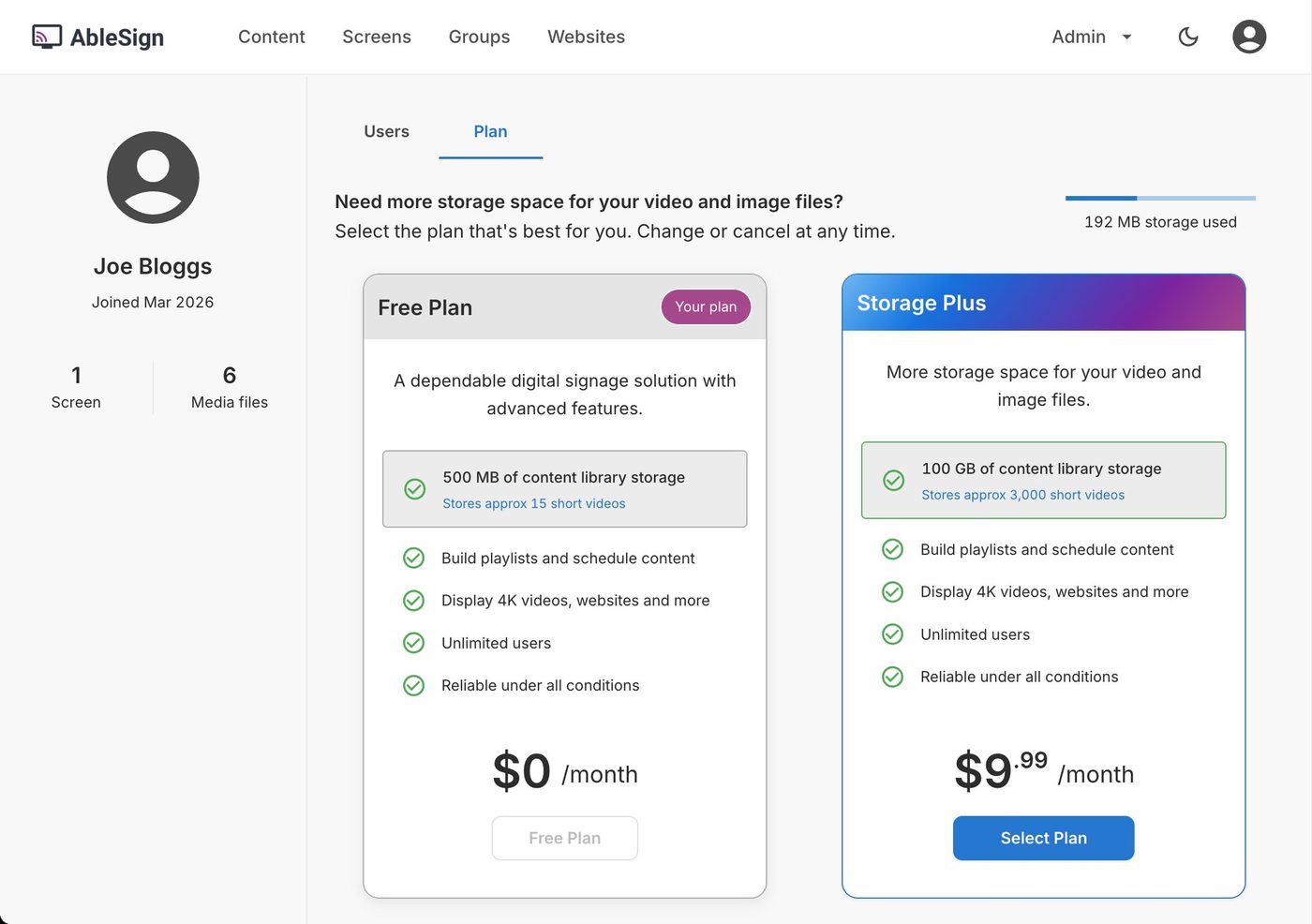
- AbleSign: no per-screen charge. The free plan holds 500 MB (about 15 short videos); 100 GB costs $9.99 a month. Runs on the Signage Stick, Fire TV and Android 7+. It suits very simple needs.
- Anthias: free and open source, from the makers of Screenly. You run it on your own Raspberry Pi, with no vendor cloud and no central dashboard for many screens.
- Xibo: open-source CMS you host on your own server. The Windows player is free; Android players need a paid licence (£20). You run the server, backups and updates.
The full list is in free digital signage software.
Which players does Yodeck run on (Roku, Apple TV)?
Yodeck lists its own Yodeck Player, the Amazon Signage Stick, Fire TV, Android, Samsung Tizen, LG webOS, BrightSign, Raspberry Pi 5, Windows and a web player in Chrome-based browsers.
- Roku: no. Yodeck has no Roku app. Nor does Brix. On a Roku TV, plug a Signage Stick or another player into HDMI.
- Apple TV: no. Kitcast runs on Apple TV.
- Raspberry Pi you already own: Yodeck and Anthias run on it. Brix does not.
Yodeck vs OptiSigns
Yodeck is cheaper at every tier ($8, $12, $16 against $10, $15, $30) and free for 1 screen against 3. OptiSigns puts roles, approvals, proof of play and audit logs on one tier (Pro Plus), where Yodeck splits them over Premium and Enterprise and handles approval through a role. OptiSigns has more apps and a kiosk builder. Both run on the Signage Stick, Samsung, LG, BrightSign, Raspberry Pi and Windows.
What does it cost over three years?
5 screens on annual billing, with players:
| Software, 3 years | Players | Total | |
|---|---|---|---|
| Yodeck Basic | $1,440 | $0 (free with annual plan) | $1,440 |
| Brix on Signage Sticks | $1,080 | $499.95 | $1,579.95 |
| Yodeck Premium | $2,160 | $0 (free with annual plan) | $2,160 |
| Yodeck Enterprise | $2,880 | $0 (free with annual plan) | $2,880 |
Yodeck Basic with its free player is cheapest if you never need a Premium or Enterprise feature. If you need proof of play, the API or custom roles, Brix costs less. On monthly billing, Yodeck customers buy the player.
How to switch from Yodeck
- Check your renewal date, so you do not pay twice.
- Run the new platform on one screen next to Yodeck for a week.
- Move your media. Images and videos move as files; playlists and schedules are rebuilt. Moving to Brix, we do this for you, free, usually in a day.
- Replace the player. The Yodeck Player runs Yodeck software; for Brix, add a Signage Stick or use a TV with Google TV built in.
More in switching digital signage provider.
Start a free 7-day Brix trial. No card needed.