Car Dealership Digital Signage: Screens and Cost
What to put on showroom and service-lane screens at a car dealership, which hardware to buy, and what it costs.
Car dealership digital signage is a set of screens that show inventory, pricing and financing offers in the showroom, and wait times and service offers in the service lane, updated from a phone instead of reprinted. A single rooftop often needs five to eight screens: two or three on the showroom floor, one at reception, one in the service lane or waiting area, and one in each finance office.
What should a dealership show on the showroom floor?
Show what a shopper would otherwise ask a salesperson, then the offer that moves them toward a deal.
- New inventory and price. Featured models with price, trim and key specs next to or near the vehicle.
- Financing offers. Current APR, lease and incentive offers, with the fine print your compliance team signs off on.
- Model comparisons. Trim or model side by side on features, fuel economy and starting price.
- Brand video. Manufacturer footage or a walk-around video for a featured model.
- Reviews and ratings. Your dealership's Google rating, so a shopper sees it without opening their phone.
- Events. A sales event, a test-drive weekend, or a delivery day.
Keep each slide to one offer a shopper can read in the few seconds they spend walking past a vehicle.
What should the service lane and waiting area show?
Service customers want to know how long they are waiting and whether there is a reason to spend while they wait.
- Wait-time estimate. An approximate time to completion, even a rough one, cuts the "how much longer" questions at the desk.
- Service offers. An oil-change package, a tire rotation, a seasonal inspection.
- Pickup board. "Ready for pickup" by ticket number, in plain language, not a repair-order code.
- Recall and maintenance reminders. General reminders (brake inspection, seasonal tires), not a specific customer's vehicle history.
- Parts and accessory promos. Floor mats, wiper blades, roof racks, whatever the parts counter wants to move.
Put a second screen at the parts counter if your service lane and parts counter are in different rooms; the content for each is different enough that one screen in the middle serves neither well.
Should the showroom screens turn off at night by themselves?
Most signage software can schedule a screen off outside business hours and back on before opening, so an unattended showroom TV is not running all night for nobody. Check that the software you pick turns the TV itself off, not just the content, because a TV left on with a black picture still uses power and still wears the panel.
What hardware does a dealership need?
- The TV. A 43- to 55-inch TV works on the showroom floor and in the service lane. A commercial display costs more than a consumer TV but is rated to run all day.
- A media player. The small box or stick behind the TV that plays the content. The Amazon Signage Stick costs $99.99 and is built for signage. An Android box such as the Walmart onn. 4K costs $39.98.
- A wired connection where you can. A showroom's guest Wi-Fi carries every shopper's phone, and a busy shared network can make a screen freeze or buffer. Amazon's micro-USB Ethernet Adapter for the Signage Stick costs $14.99. Pick software that stores content on the player, so the screen keeps playing if the network drops.
- Portrait for a single-vehicle spec board. A portrait-mounted screen next to one car on the floor, showing its own price and specs like a digital window sticker, needs software that rotates the whole picture, not just the text.
Screens can reuse TVs you already own. See using existing TVs for digital signage.
Showroom vs. service lane: what to put where
| Screen | What to show |
|---|---|
| Showroom floor | New inventory and price, financing offers, model comparisons, brand video |
| Reception / welcome | Today's offer, the sales team, Google reviews |
| Service lane / waiting area | Wait-time estimate, service offers, plain-language status updates |
| Finance (F&I) office | Financing and protection-plan offers, with locked disclosure text |
| Parts counter | Parts and accessory promos |
What does it cost for a typical dealership?
For a 6-screen rooftop (2 showroom, 1 reception, 1 service lane, 1 finance office, 1 parts counter), using TVs you already have:
| Item | One time | Per year |
|---|---|---|
| 6 media players (Signage Stick at $99.99) | $600 | |
| 6 Ethernet adapters (optional) | $90 | |
| Software at $6 to $30 per screen per month | $432 to $2,160 |
Software prices vary widely by vendor and plan. See how much digital signage costs for the full breakdown. With per-screen pricing, a dealer group running several rooftops pays the same rate at every rooftop; the only new cost is more screens.
Mistakes dealerships make with screens
- A financing offer that outlives the sale. An APR or lease offer left up after it expires is a compliance problem, not just a stale slide. Set an end date on every offer when you post it.
- Consumer streaming sticks on guest Wi-Fi. A streaming stick boots to a home screen a shopper or customer can wander into, and shared guest Wi-Fi is the first thing to drop when the lot is busy.
Where Brix fits
Brix is signage software that runs on the Amazon Signage Stick, Fire TV, Android boxes and Windows PCs. It costs $6 per screen per month billed annually, or $8 billed monthly, so the 6-screen rooftop above pays $432 a year. There is a 7-day free trial with no card.
- Inventory and pricing. A template bound to a Google Sheet, CSV file or JSON feed can show current vehicle prices and incentives, so the showroom floor updates when the sheet does, not when someone edits a slide.
- Financing offers with a locked disclosure. A shared, locked template lets a salesperson change the price and date on a financing slide while the APR disclosure text stays fixed, so the legal line never gets edited by accident.
- Sign-off before it goes live. Approvals holds a new offer until someone ticks it off, so nothing reaches the showroom floor or the finance office before compliance has seen it.
- A QR code on a finance or trade-in page. A web page item, such as a finance application or trade-in value page, can show a QR code overlay so a shopper scans it with their phone instead of typing in a URL.
- By time of day. Schedules swap showroom content and after-hours offers on their own, without anyone pressing a button at closing time.
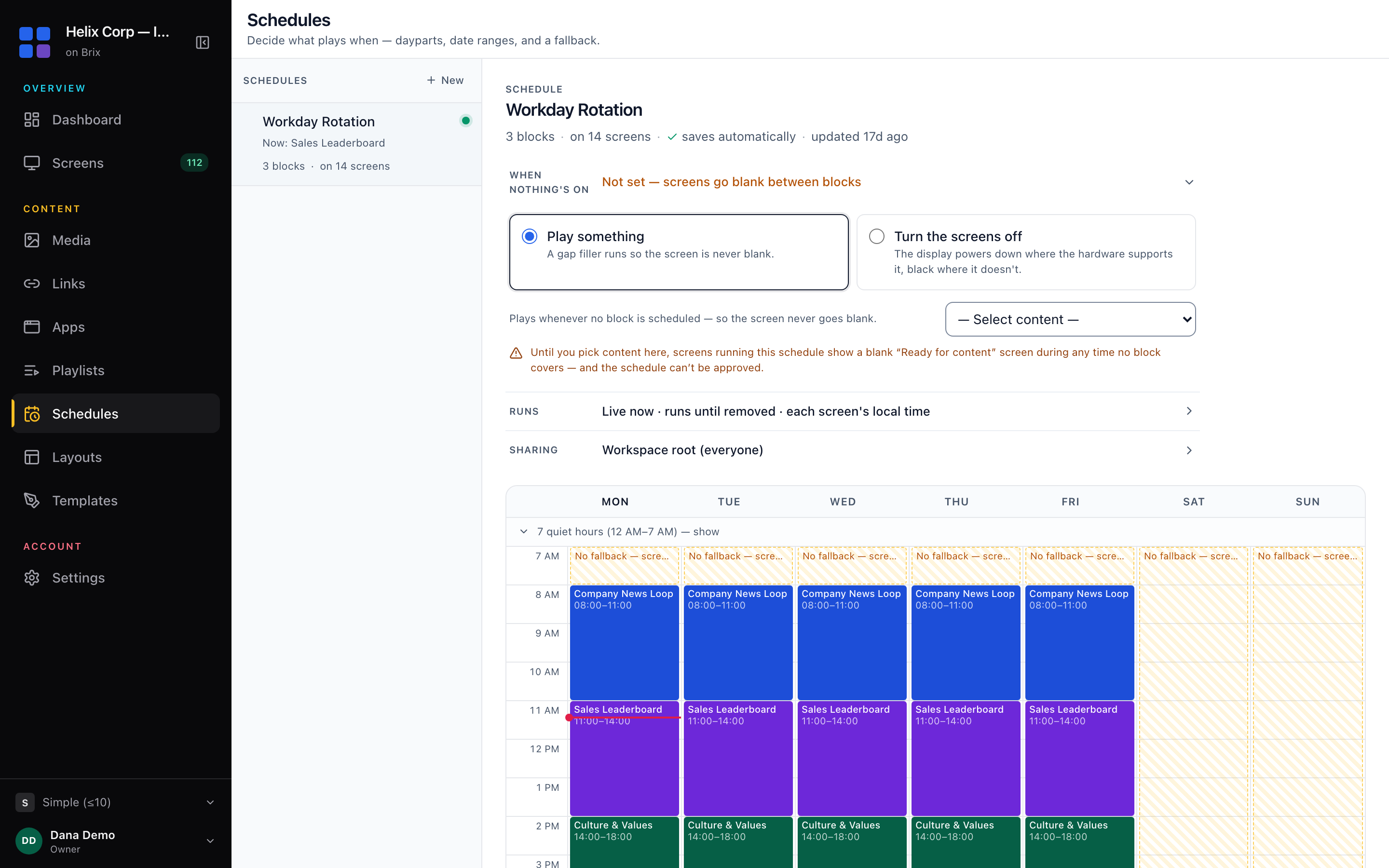
- On and off. A new screen follows Standard hours, 6:00 am to 11:00 pm, and the Signage Stick turns the TV off outside them over HDMI-CEC. A showroom open later sets its own hours; a 24-hour service bay sets Always on. See screen settings and display power.
- One dealer group, every rooftop. Roles scoped by location give each rooftop's manager their own screens only. Tag every finance-office screen across every rooftop, then set one item in a playlist all the rooftops play to Only screens tagged with that tag, so one financing offer reaches every rooftop's finance office at once.
- Portrait window-sticker boards. Brix rotates the whole display through Amazon's device agent, so a single-vehicle spec board mounted in portrait turns correctly, video included.
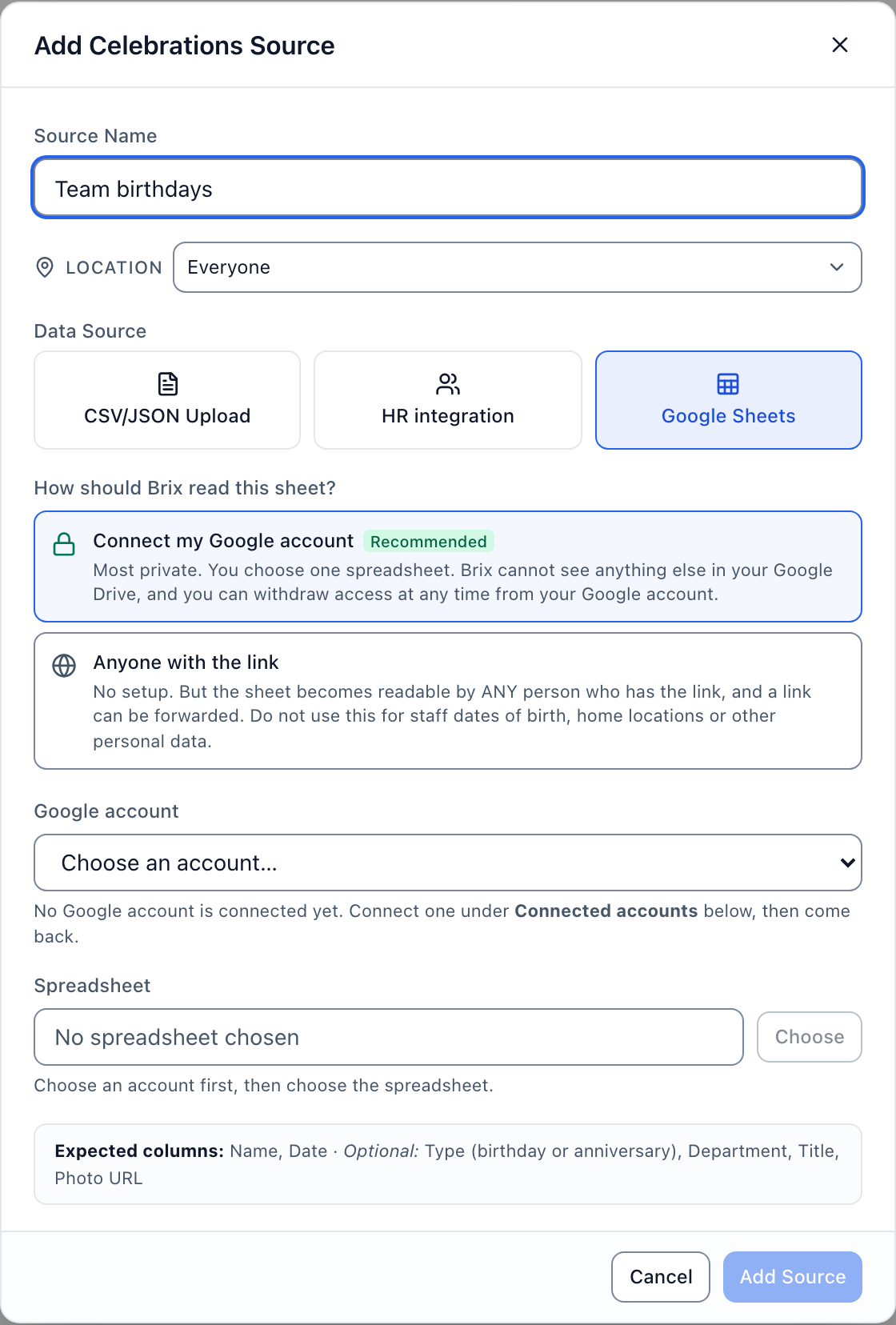
Setup takes about 10 minutes per screen: plug the stick into the TV, pick "Brix Signage" during its setup, then pair it in the CMS under Screens > Add screen > Pair a hardware device.
Brix does not connect to a dealership's DMS or CRM, and it has no touch-screen inventory kiosk and no feature that spans one picture across several screens, such as a showroom video wall. If you need the DMS to feed the screen directly, a shopper-facing touch kiosk, or several screens acting as one wall, those need a different product alongside or instead of Brix.
Start your free 7-day trial. No card needed.
FAQ
Can a showroom screen show live inventory and pricing without anyone editing a slide by hand?
Yes, if the software can bind a template to a spreadsheet or data feed.
Do service-lane screens need different signage software than the showroom?
No. One system can run both if it lets you tag screens by location and send different content to each tag. The showroom and the service lane are two playlists on two tags in the same account, not two products.
Can a dealer group with several rooftops push one financing offer to every finance office at once?
Yes, if the software lets you tag screens and target content by tag: tag every finance-office screen the same way, and one offer reaches all of them with no rooftop-by-rooftop editing.
How much video and photo storage does a dealership screen need?
Most signage players cache content locally so it keeps playing if the connection drops. On the Amazon Signage Stick, Brix lets content use up to half of the player's storage, and never less than 1 GB. A typical Stick in Brix's own fleet has about 10.7 GB free (median).
Put Brix on your screens
Live in about 10 minutes. One plan: $6/screen/month billed annually ($8 month to month). No credit card to try.
Start Free TrialBrix for other industries